Appliance.io Updates & Improvements
Settings
August 11, 2026
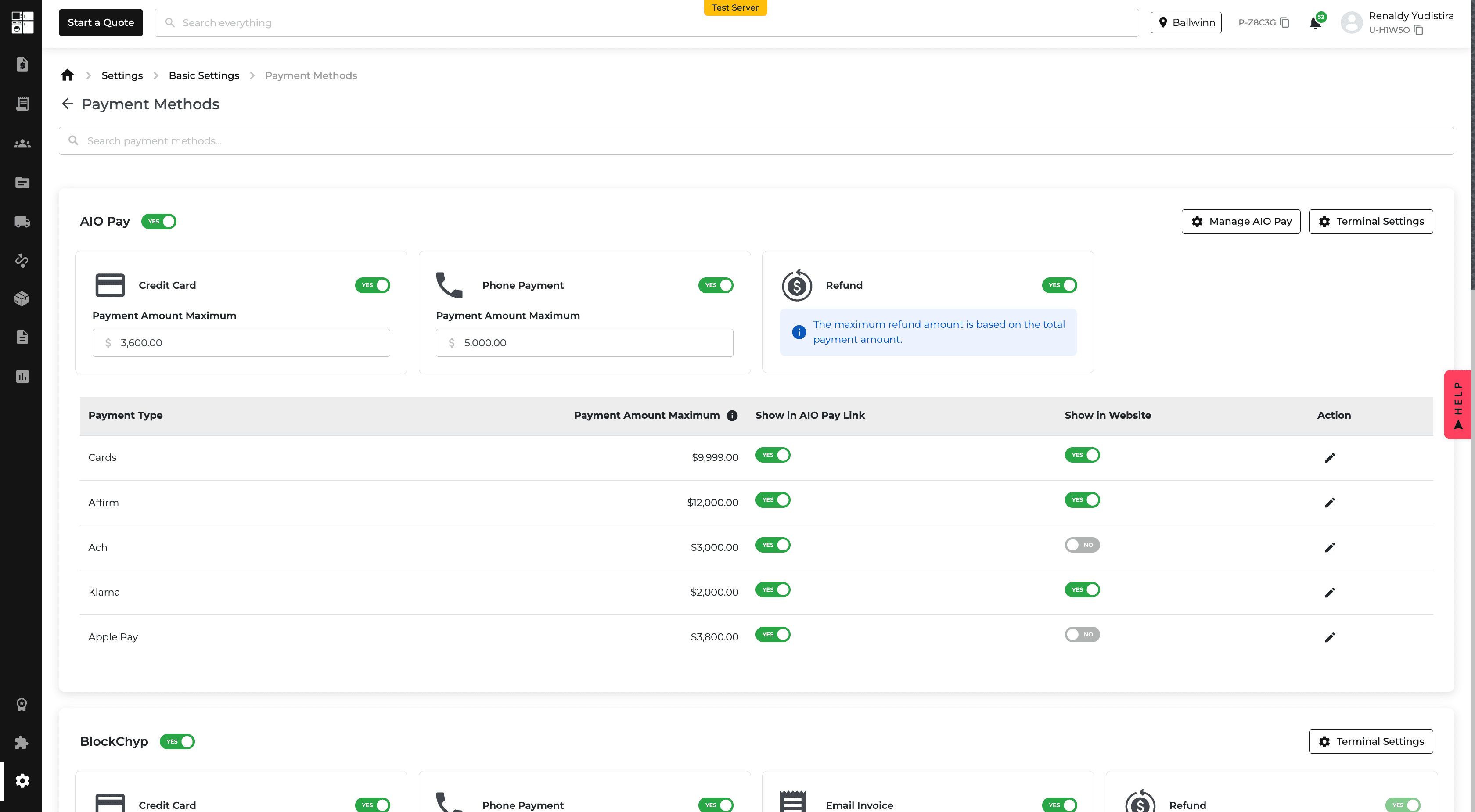
Payments: Control Payment Method Visibility & Limits
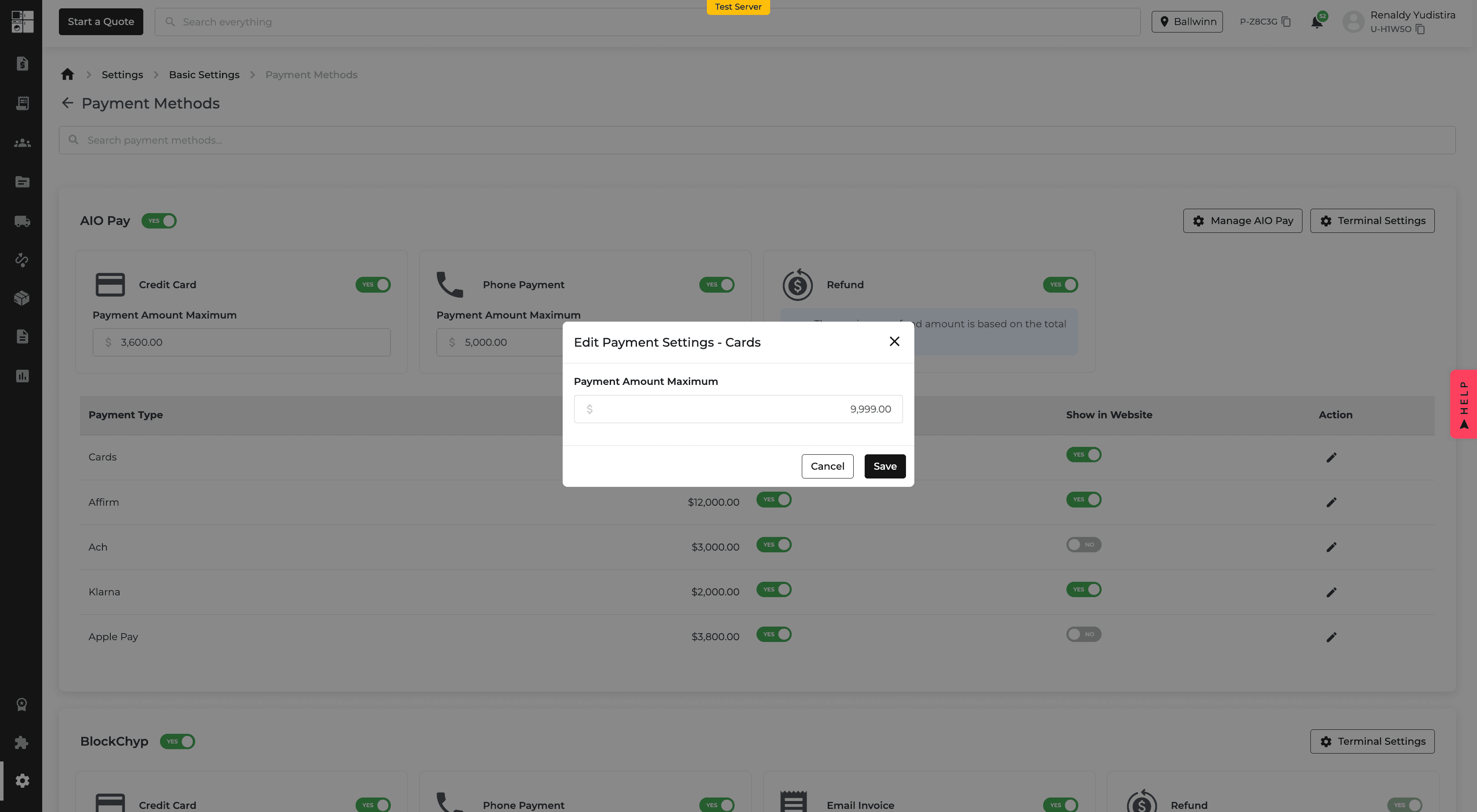
You can now control where ACH, Affirm, and Klarna appear and set a maximum payment amount for each method.
Payment methods can be enabled or disabled separately for AIO Pay Links and Website Checkout.
This gives you more control over which payment options customers see based on the order amount and checkout type.
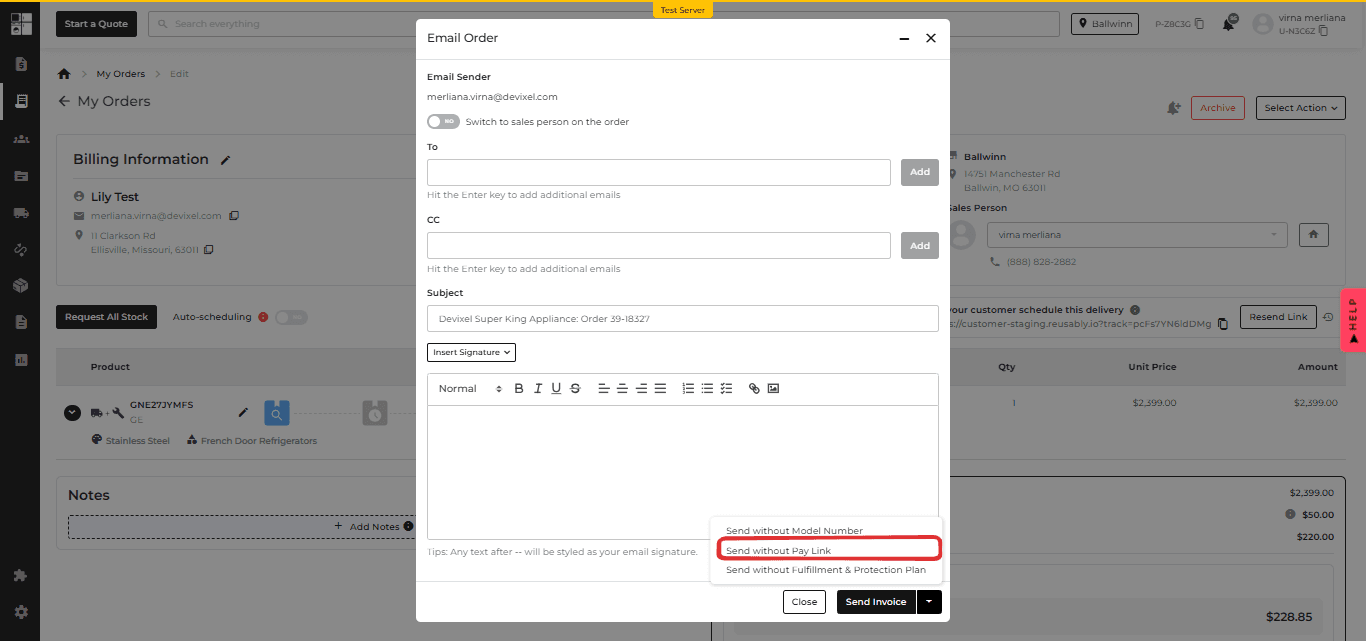
Quotes & Orders: Send Without a Pay Link
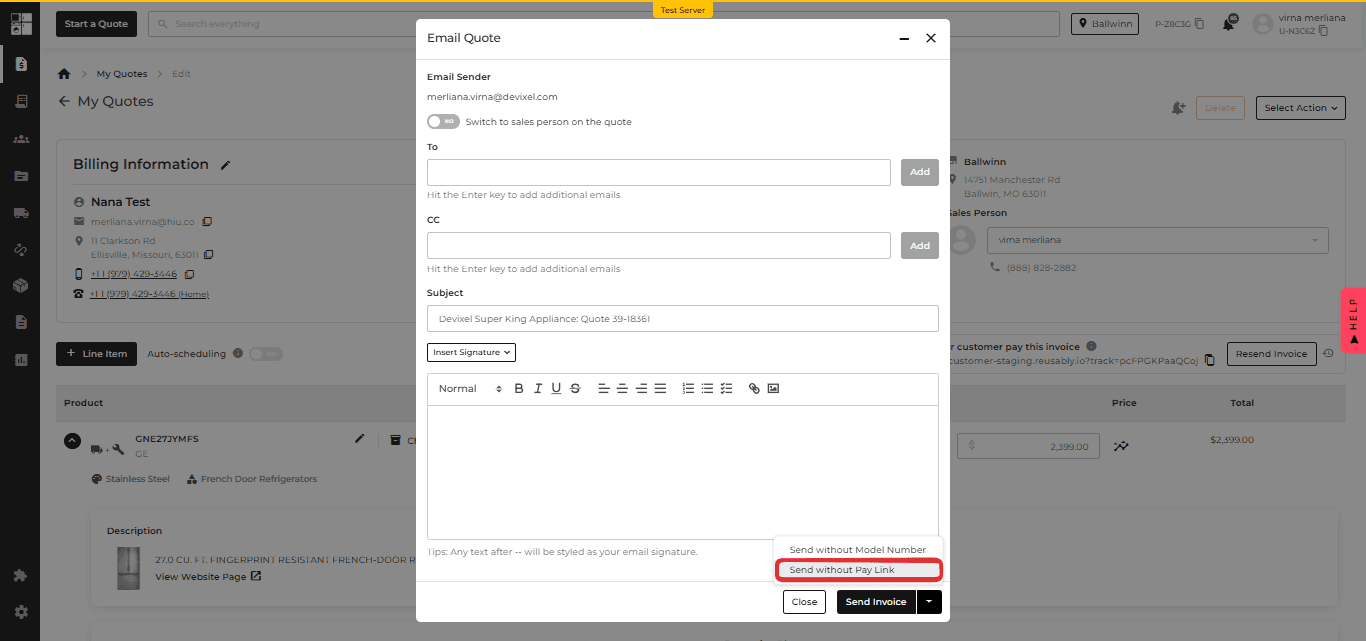
Quotes and invoices can now be emailed without including a payment link.
Choose Send without Pay Link from the Send Invoice menu when you want to share order details without requesting payment.
This is useful when pricing or order details still need to be reviewed before collecting payment.
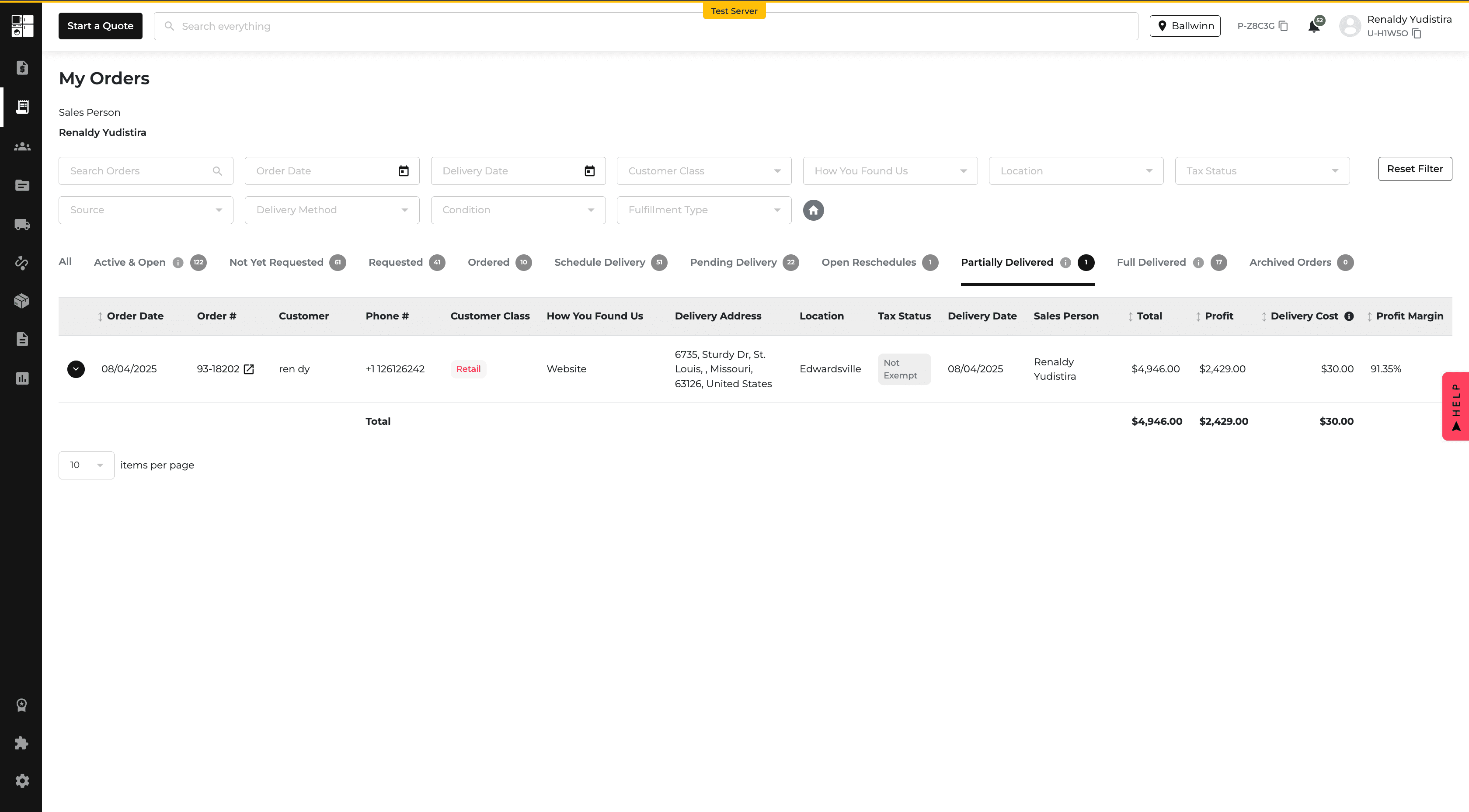
My Orders: Partially Delivered Orders
The My Orders and Order Report pages now separate partially delivered orders from fully delivered orders.
The new Partially Delivered tab shows orders where some items have been delivered while others are still pending.
The existing Delivered view is now used for orders where all items have been delivered.
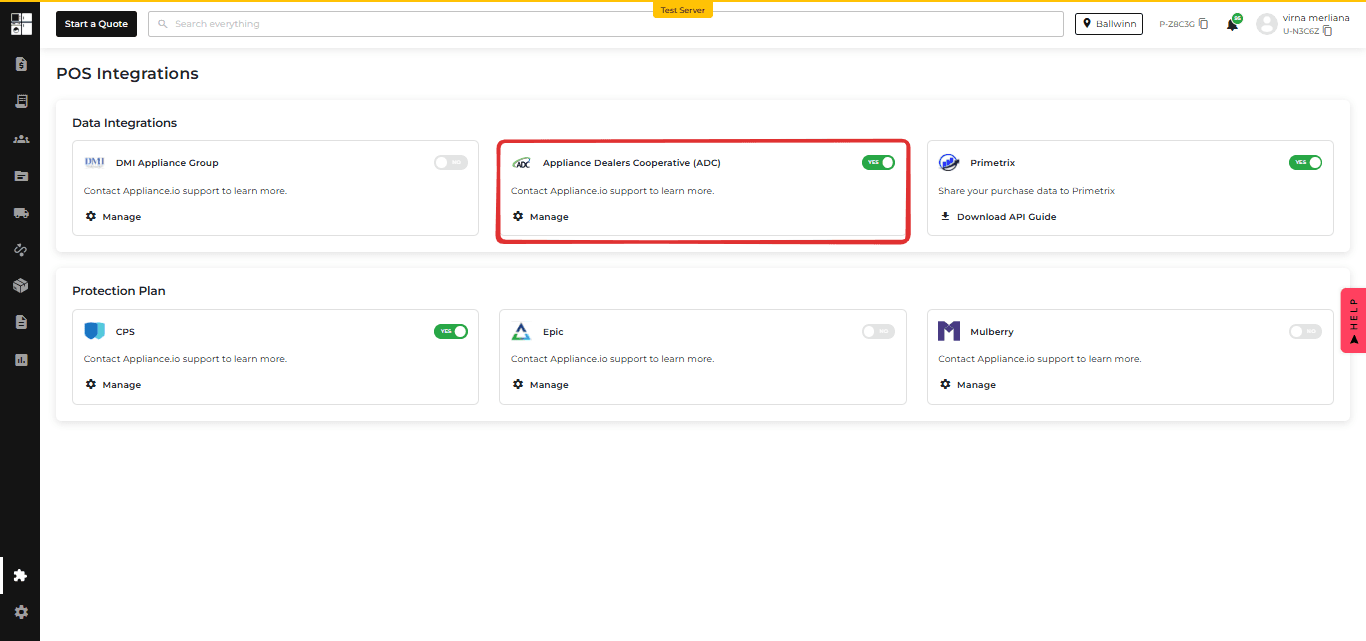
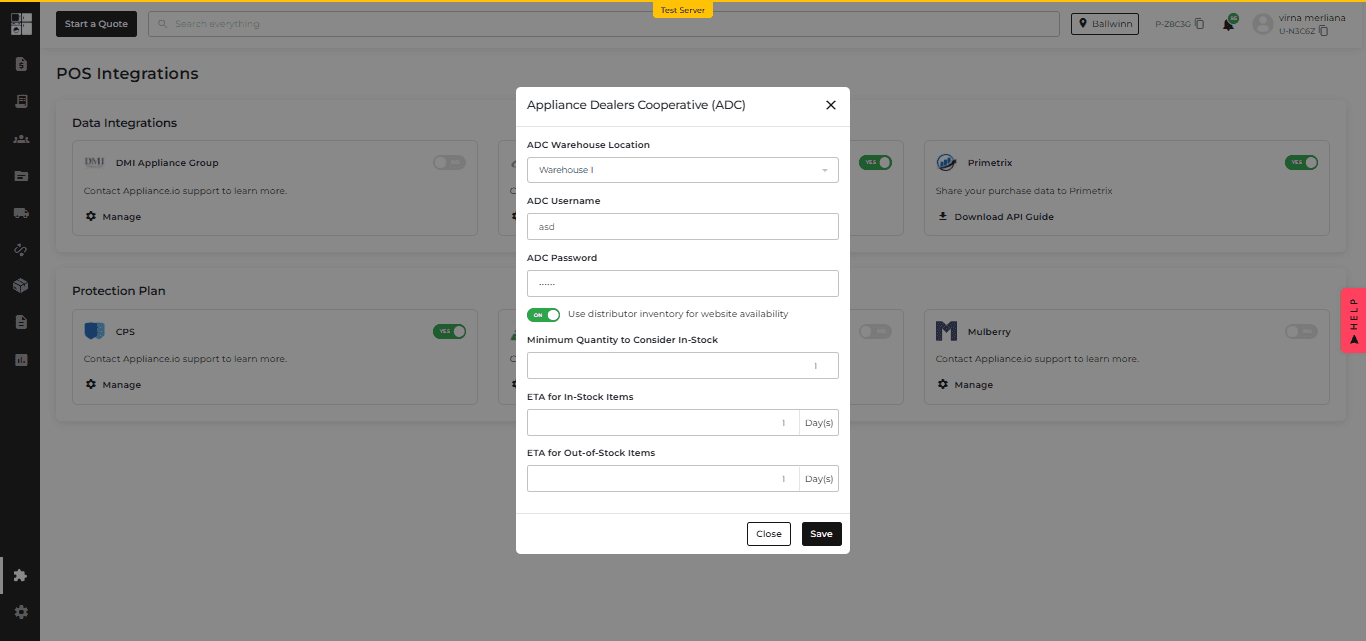
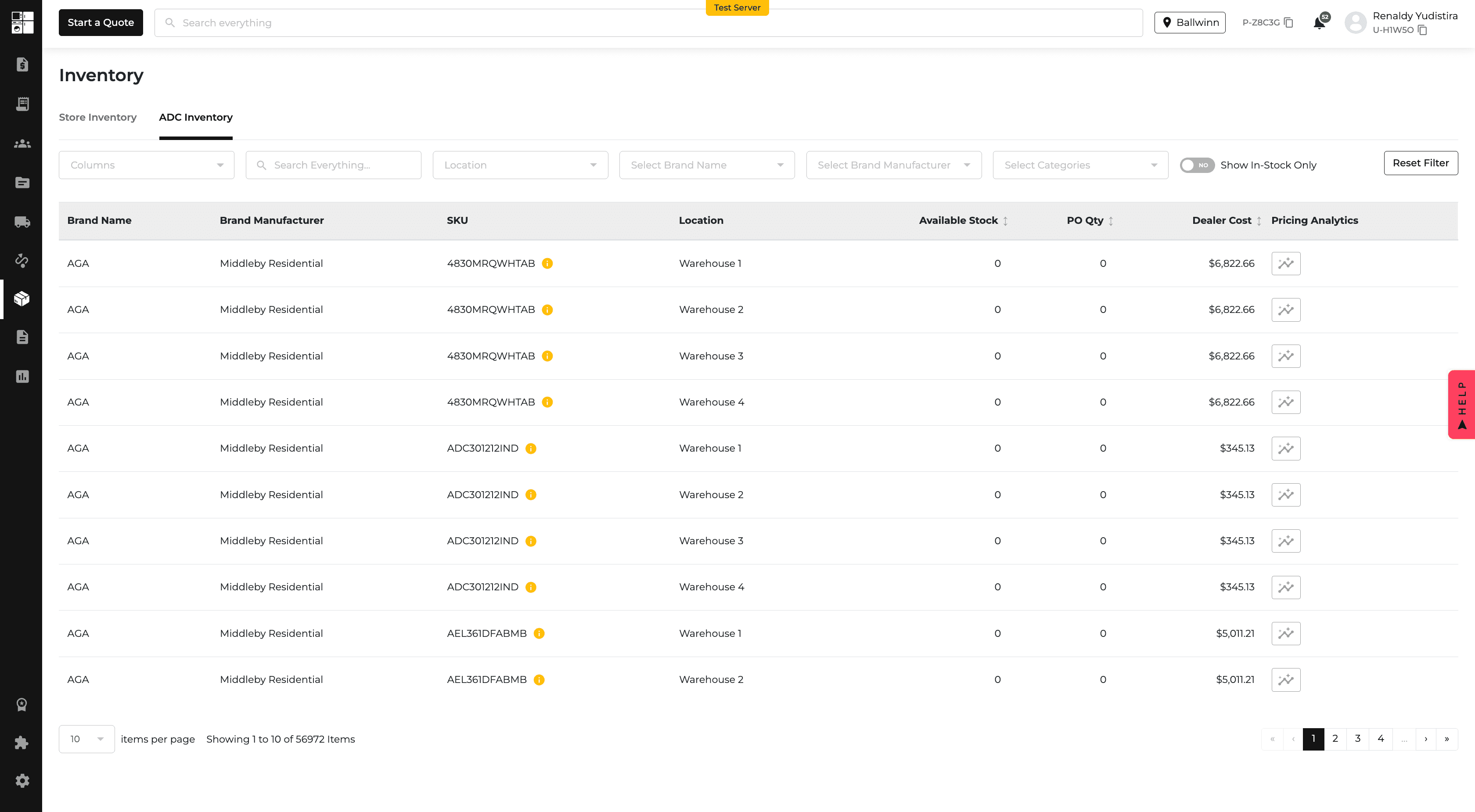
ADC Integration: Real-Time Website Delivery ETAs
ADC members can now use distributor inventory to determine website delivery estimates.
From the ADC integration settings, you can choose the warehouse, set a minimum in-stock quantity, and define delivery estimates for in-stock and out-of-stock products.
These estimates are reflected across product pages, cart, and checkout.
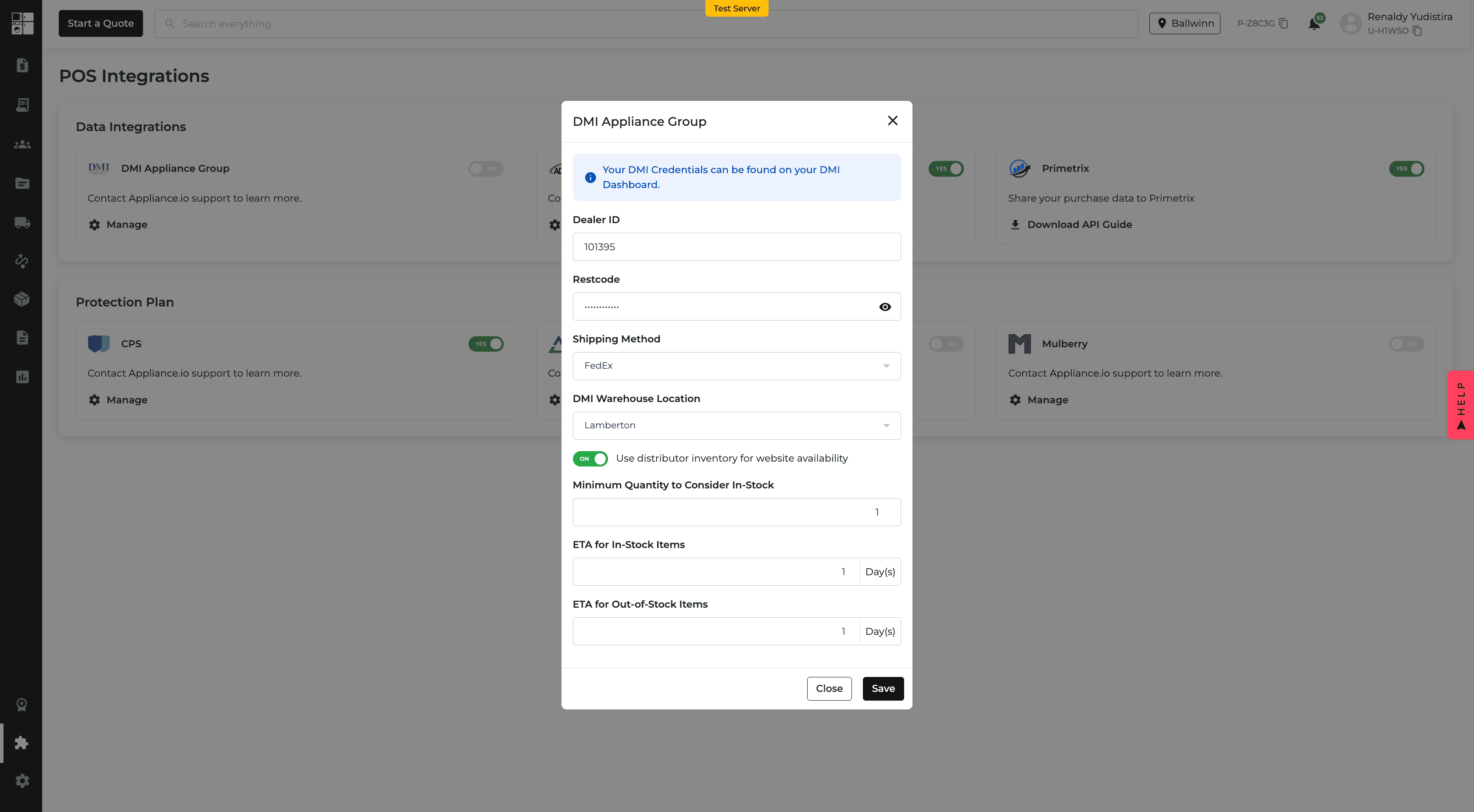
DMI Integration: Real-Time Website Delivery ETAs
DMI members can now use distributor inventory when displaying delivery estimates on their website.
You can define the minimum quantity considered in stock and set separate delivery estimates for available and unavailable products.
This provides customers with delivery expectations based on current distributor inventory.
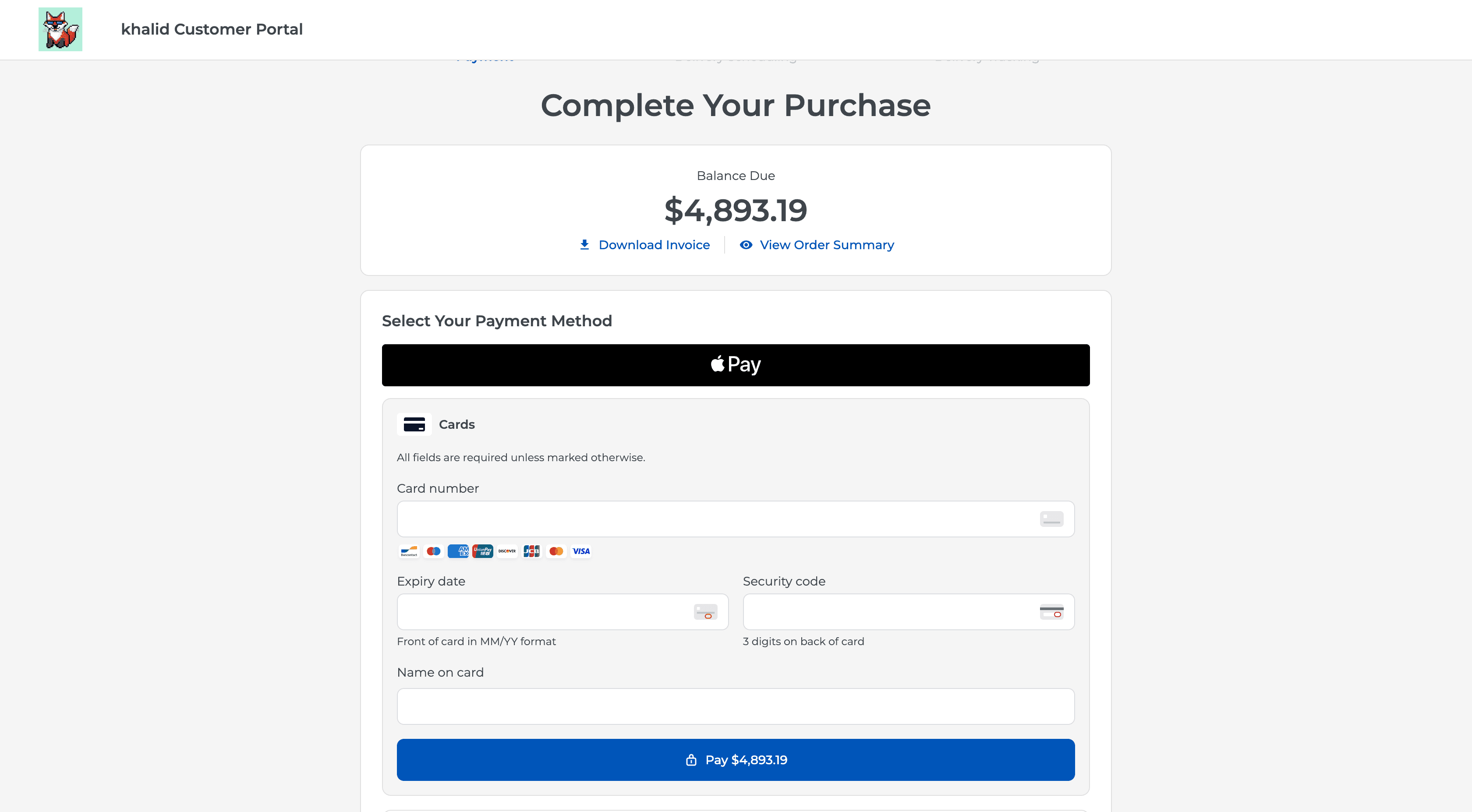
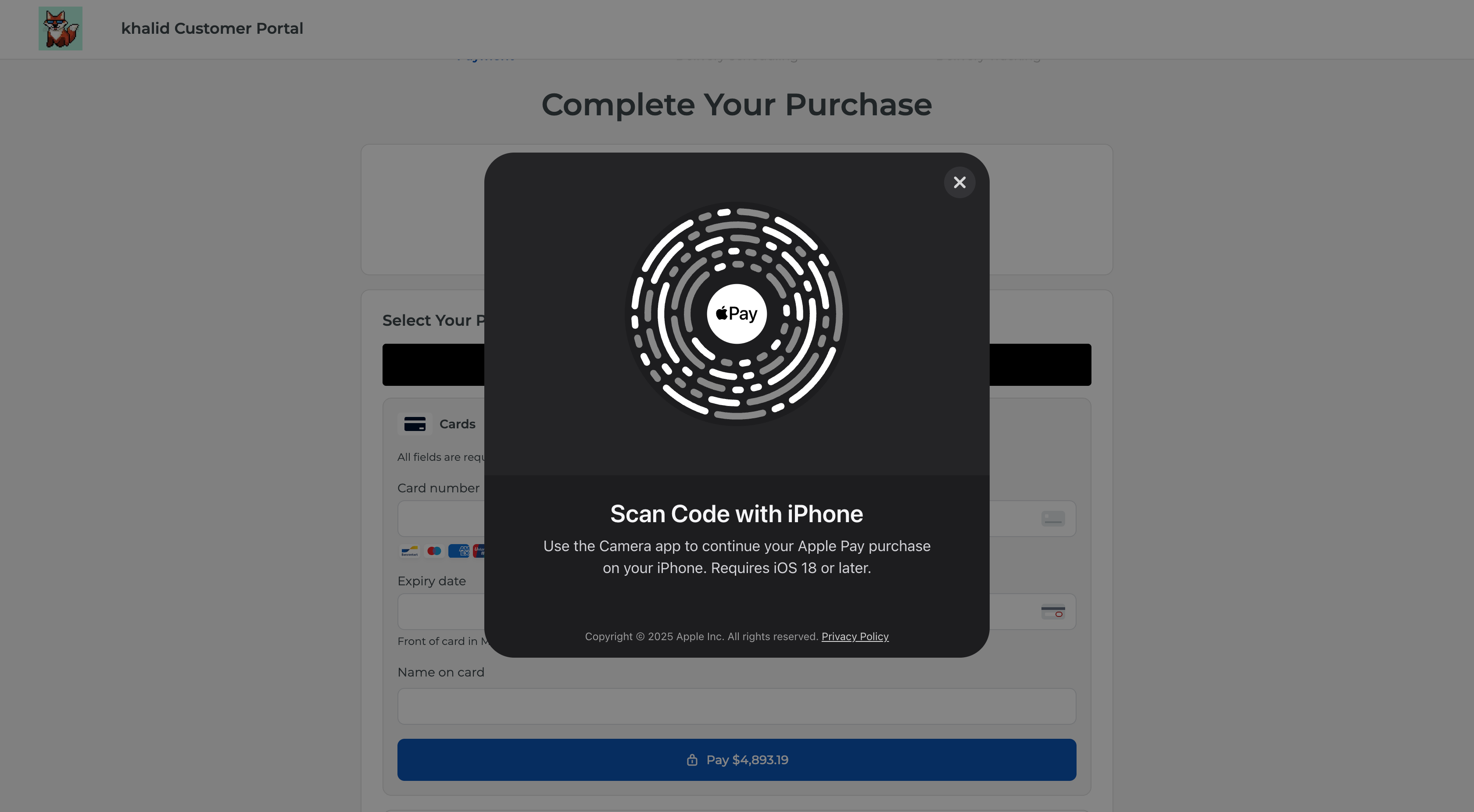
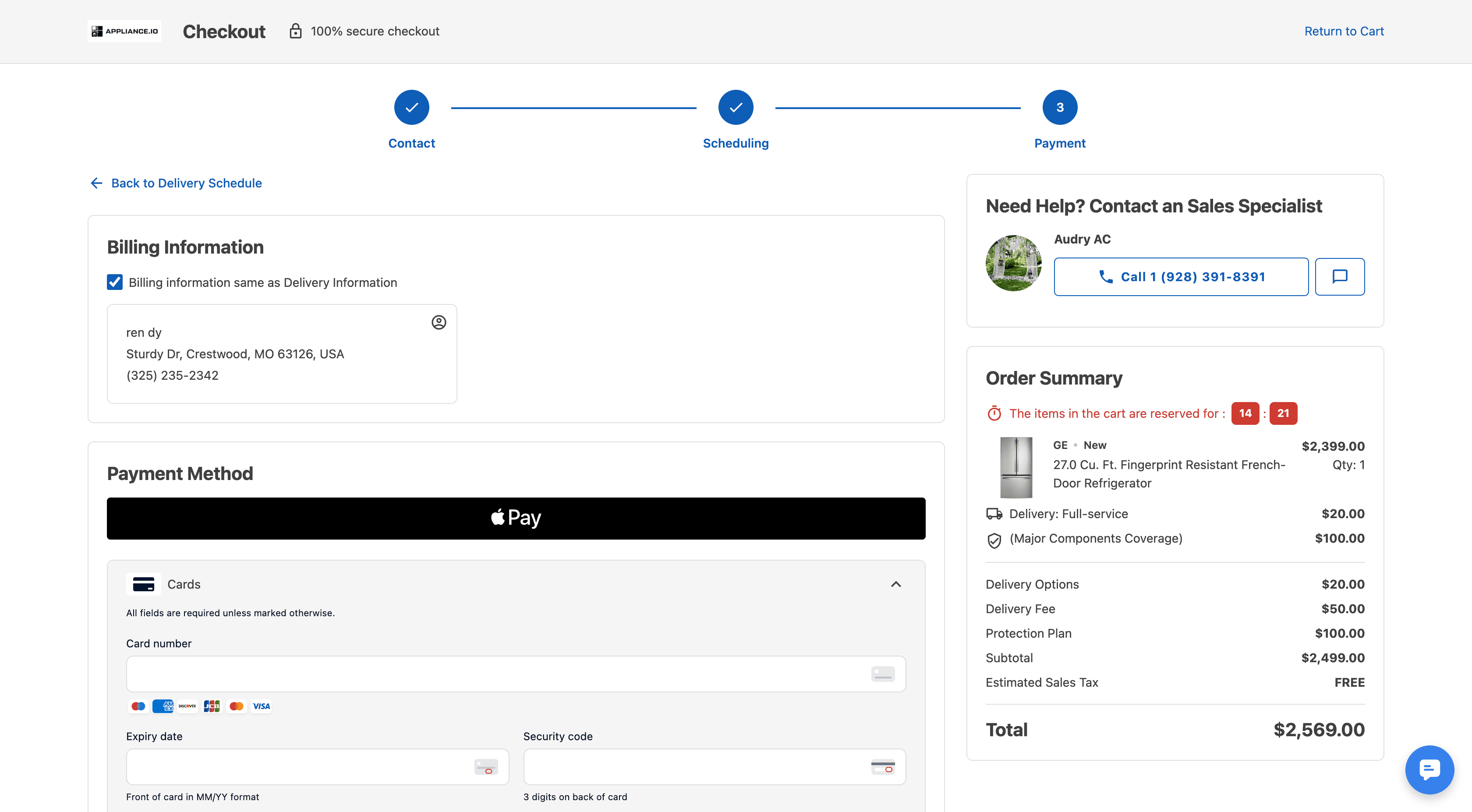
Payments: Apple Pay
Customers can now use Apple Pay when paying through the Customer Portal or website checkout on supported devices.
This provides another quick payment option alongside existing payment methods.
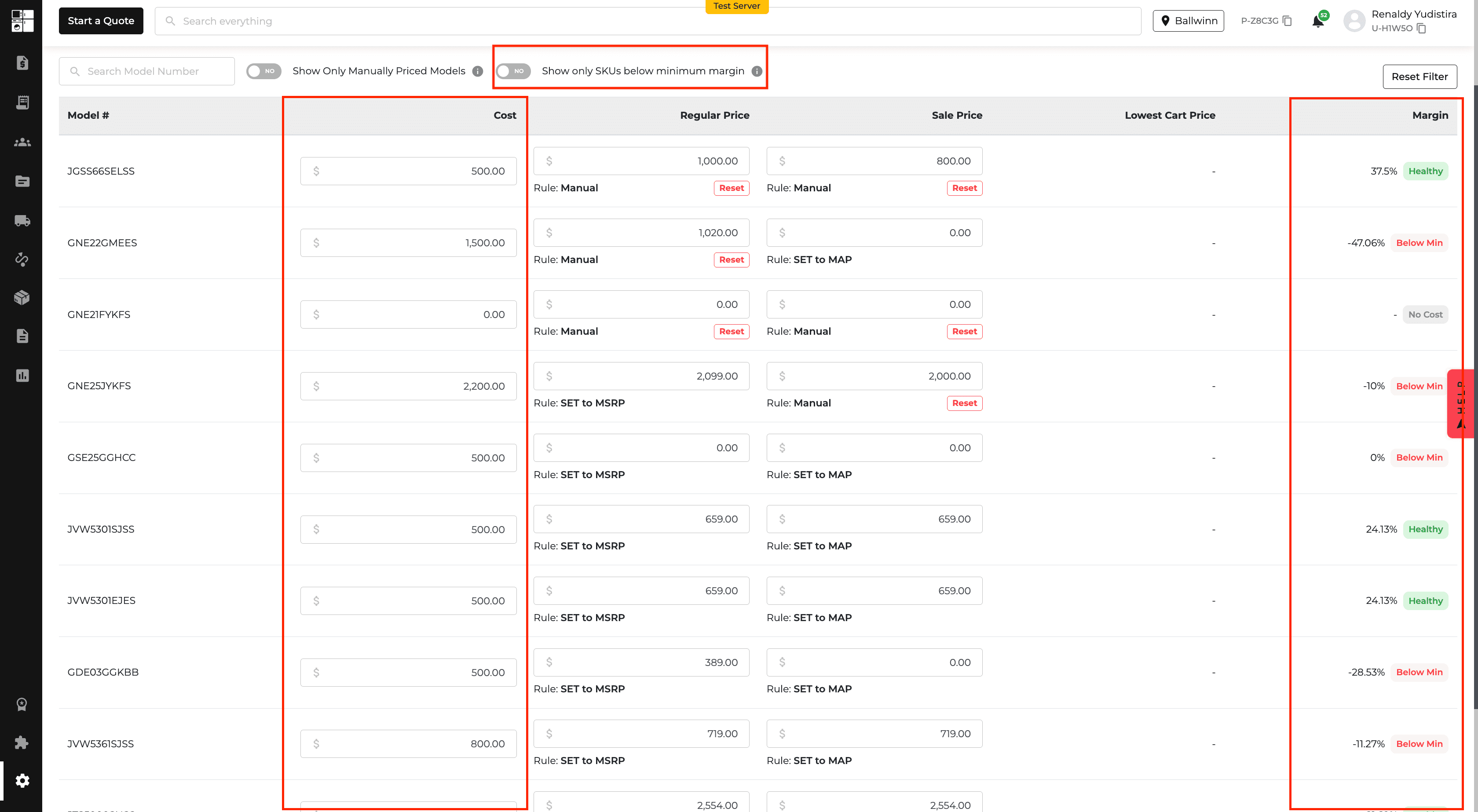
Product Pricing: Upload Product Costs
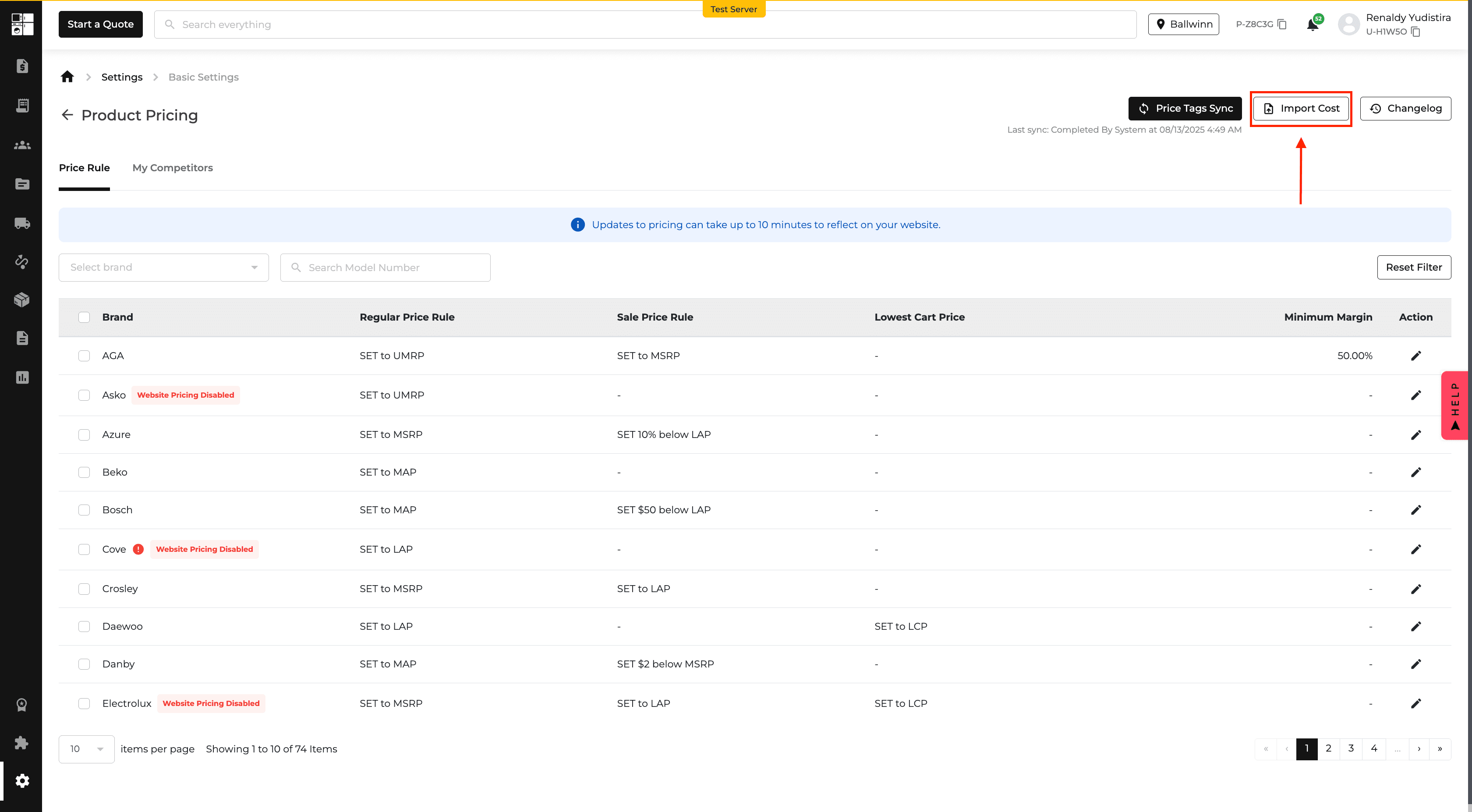
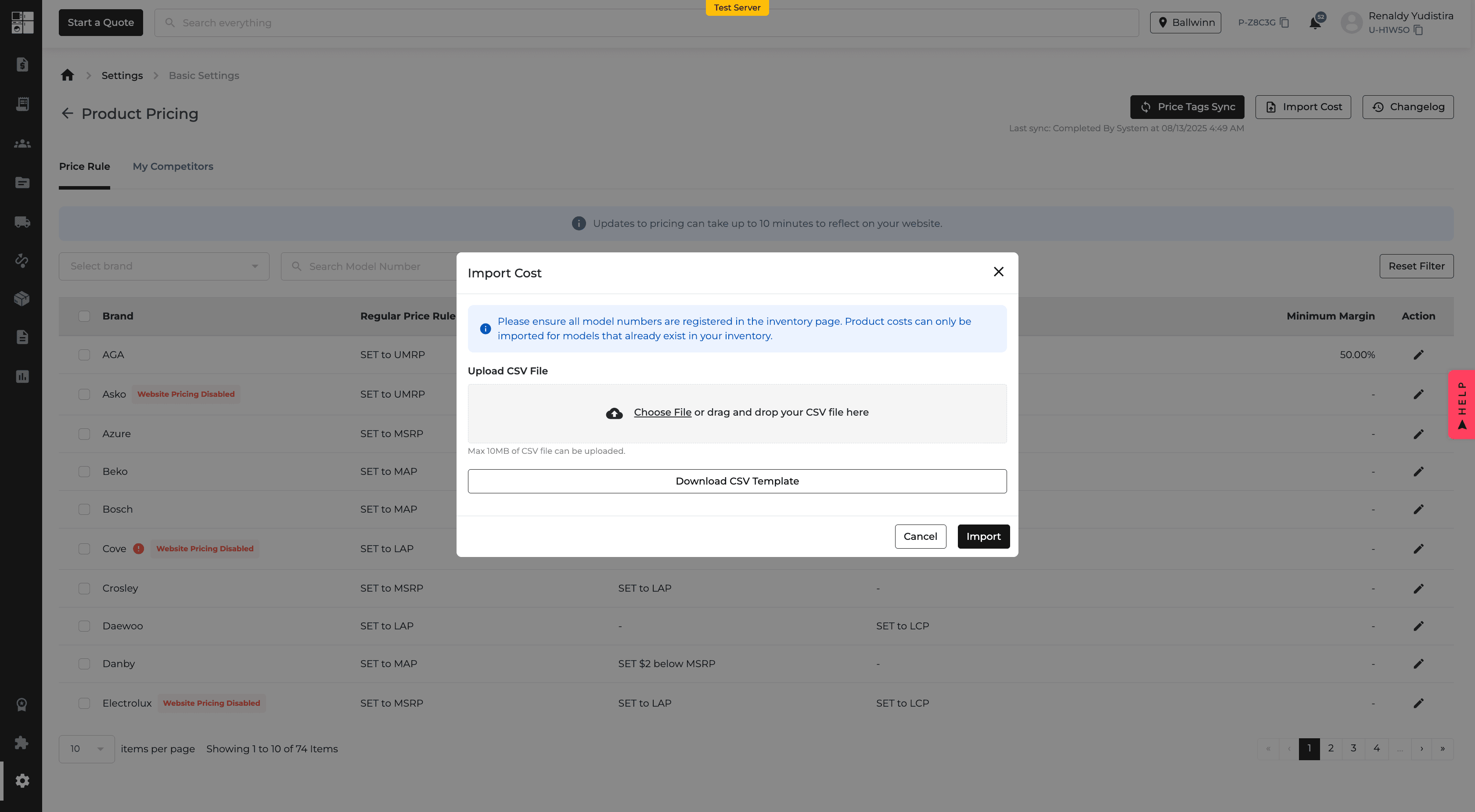
Product costs can now be uploaded by CSV from the pricing settings.
Uploaded costs can be used when inventory cost information is unavailable, and the Product Pricing page now shows cost information with its source.
You can also edit product costs directly from the pricing table.
Product Pricing: Minimum Margin Enforcement
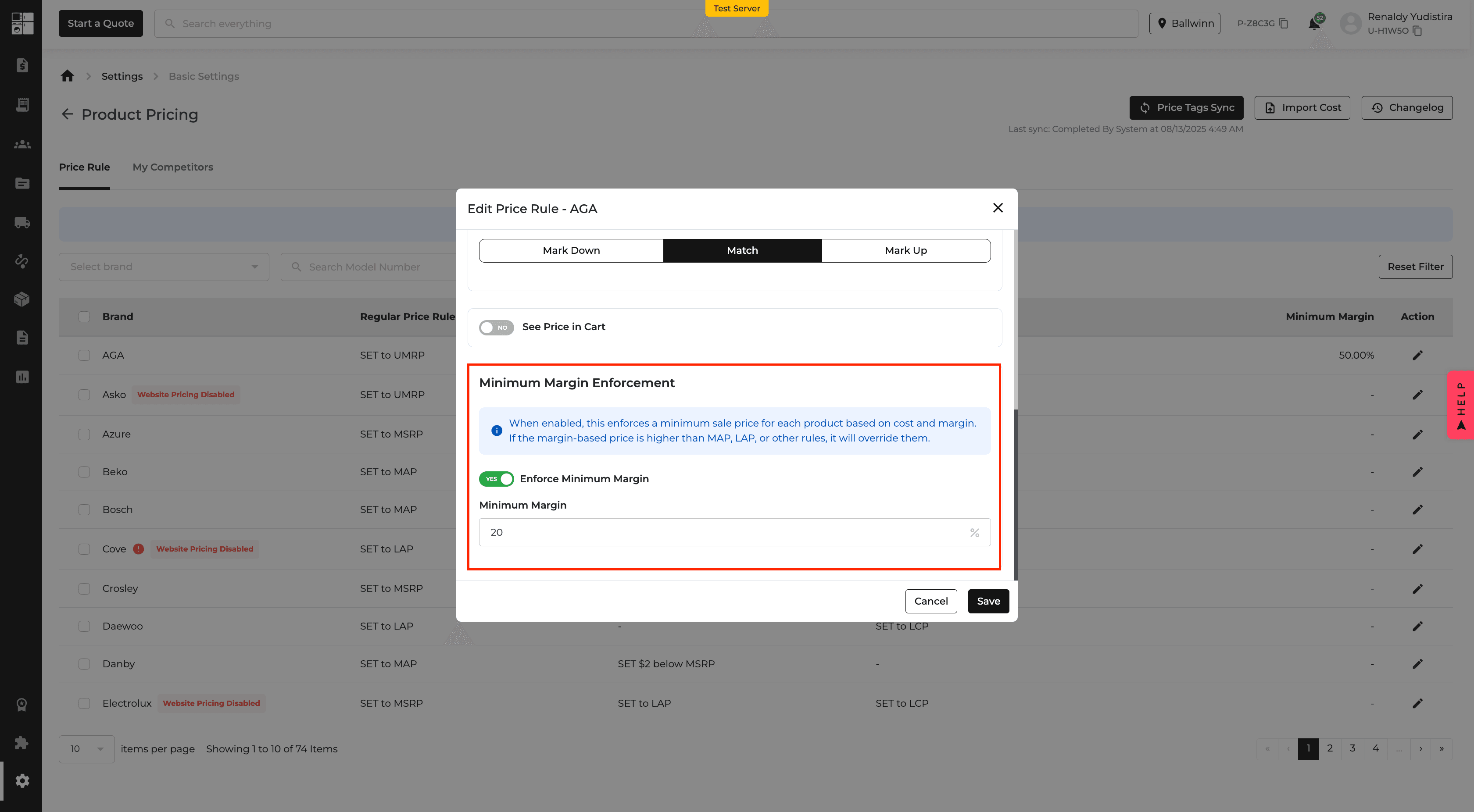
You can now set a Minimum Margin for product pricing.
When enabled, Appliance.io prevents sale prices from falling below the configured margin based on the available product cost.
The Product Pricing page also shows margin status and lets you filter for products that are below the minimum.
Reports: Sales KPI Comparison
The Sales KPI Report now lets you compare between two and five salespeople side by side.
Selected salespeople are displayed together in a comparison view, and the results can be exported to PDF, Excel, or CSV.
This makes it easier to review salesperson performance from a single report.
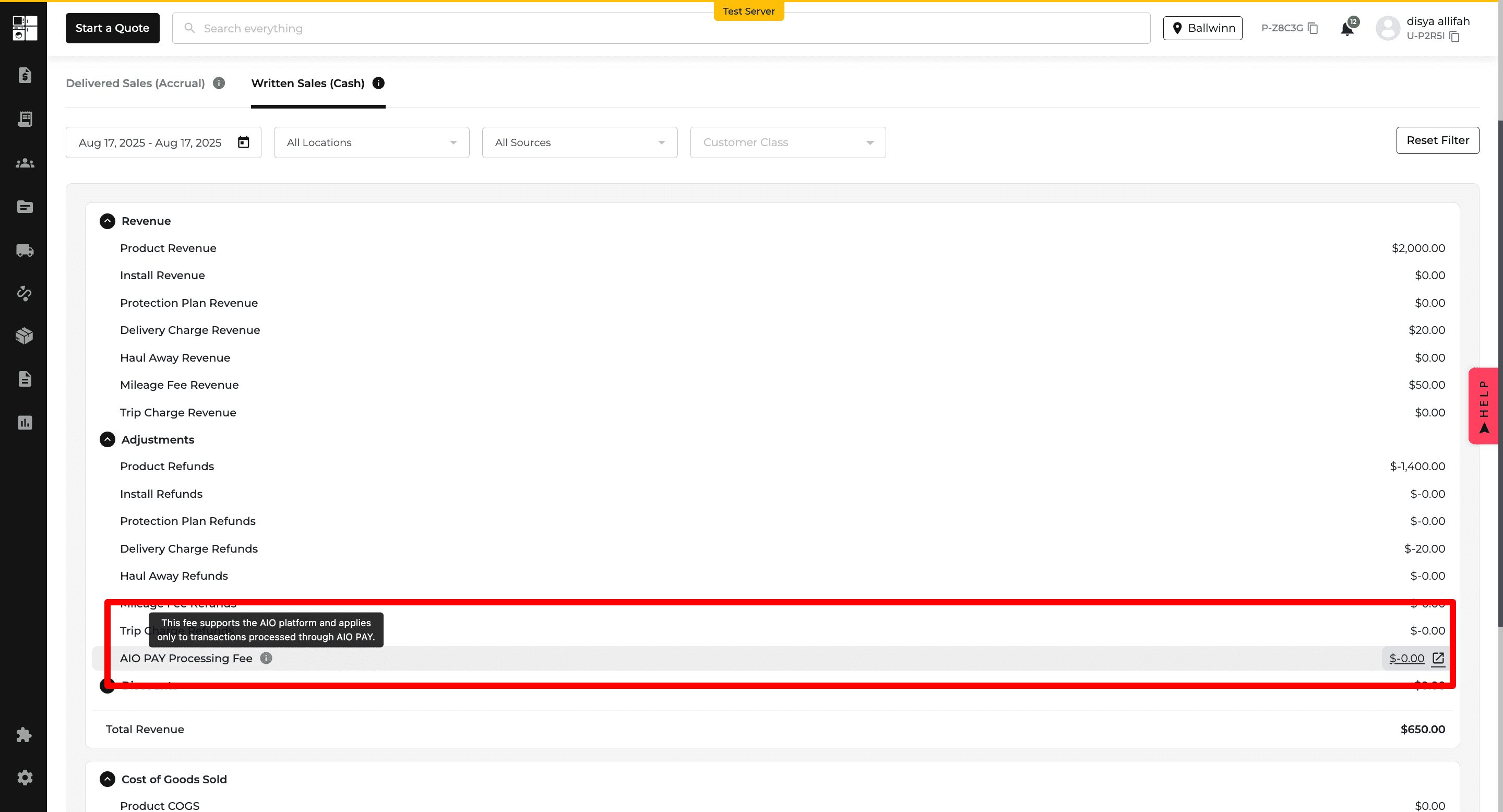
Income Statement Report: AIO Pay Processing Fee
The Income Statement now includes a separate AIO Pay Processing Fee line.
This makes AIO Pay fees easier to identify and review during financial reporting.
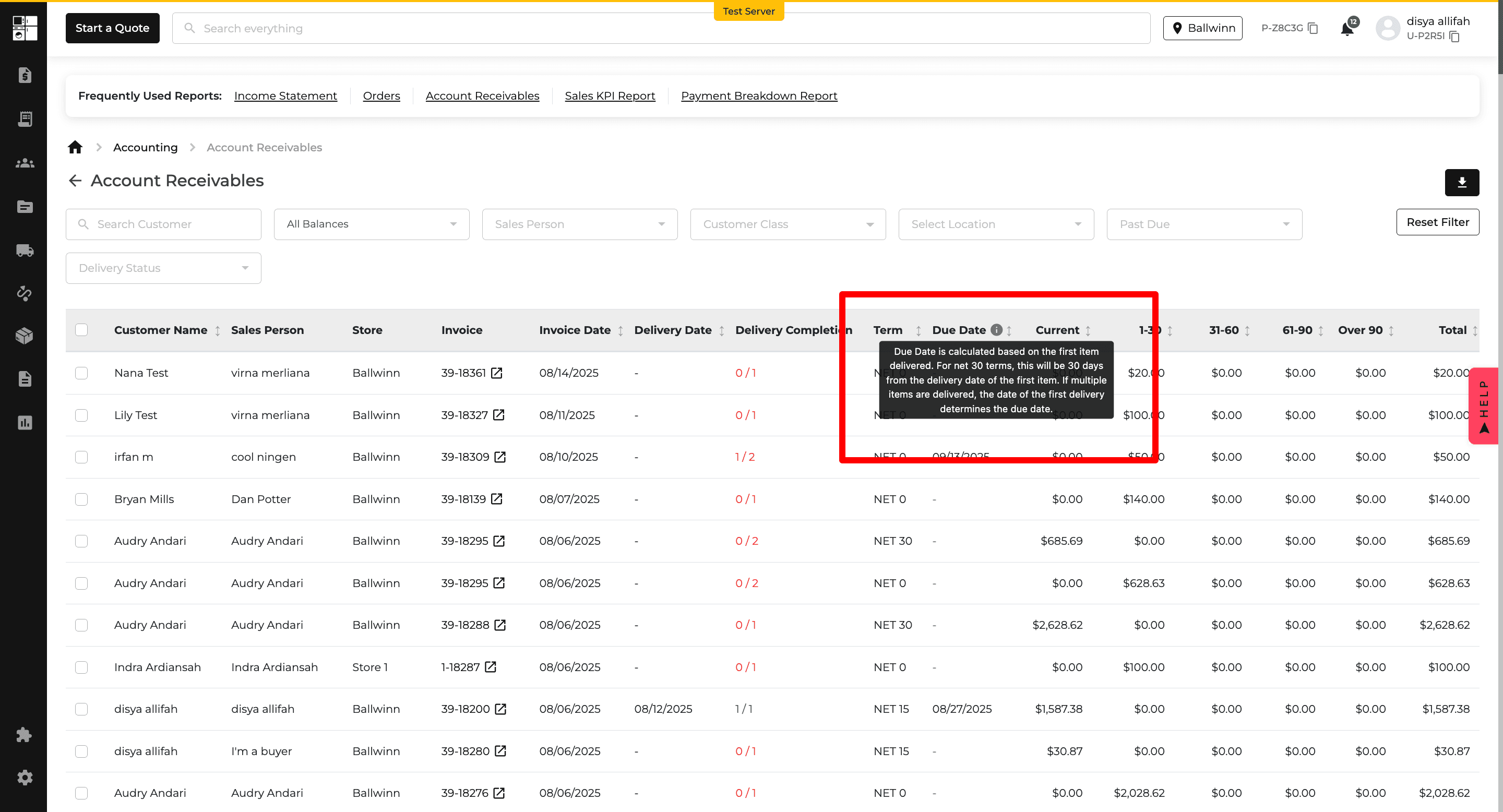
Accounts Receivable Report: Due Date
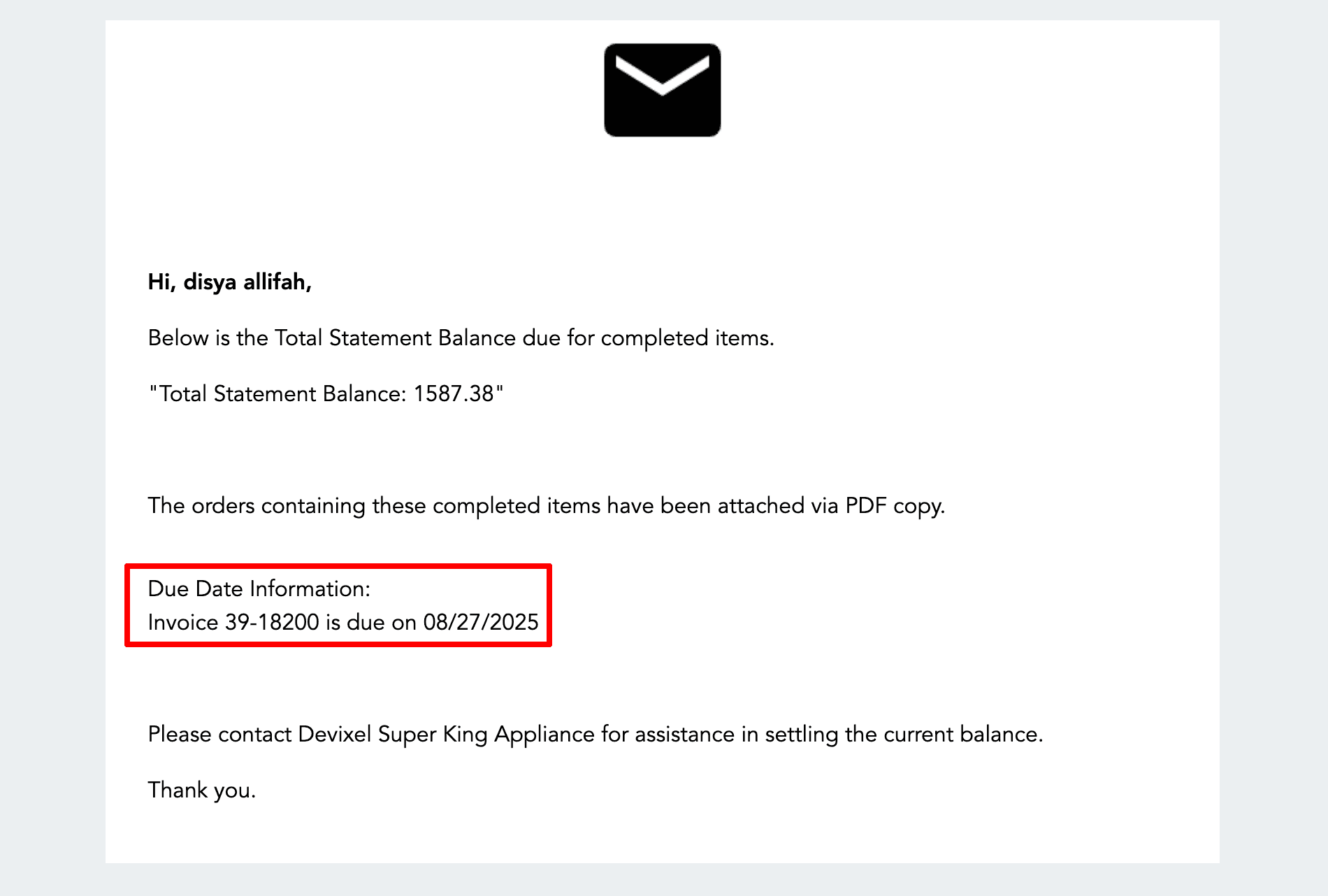
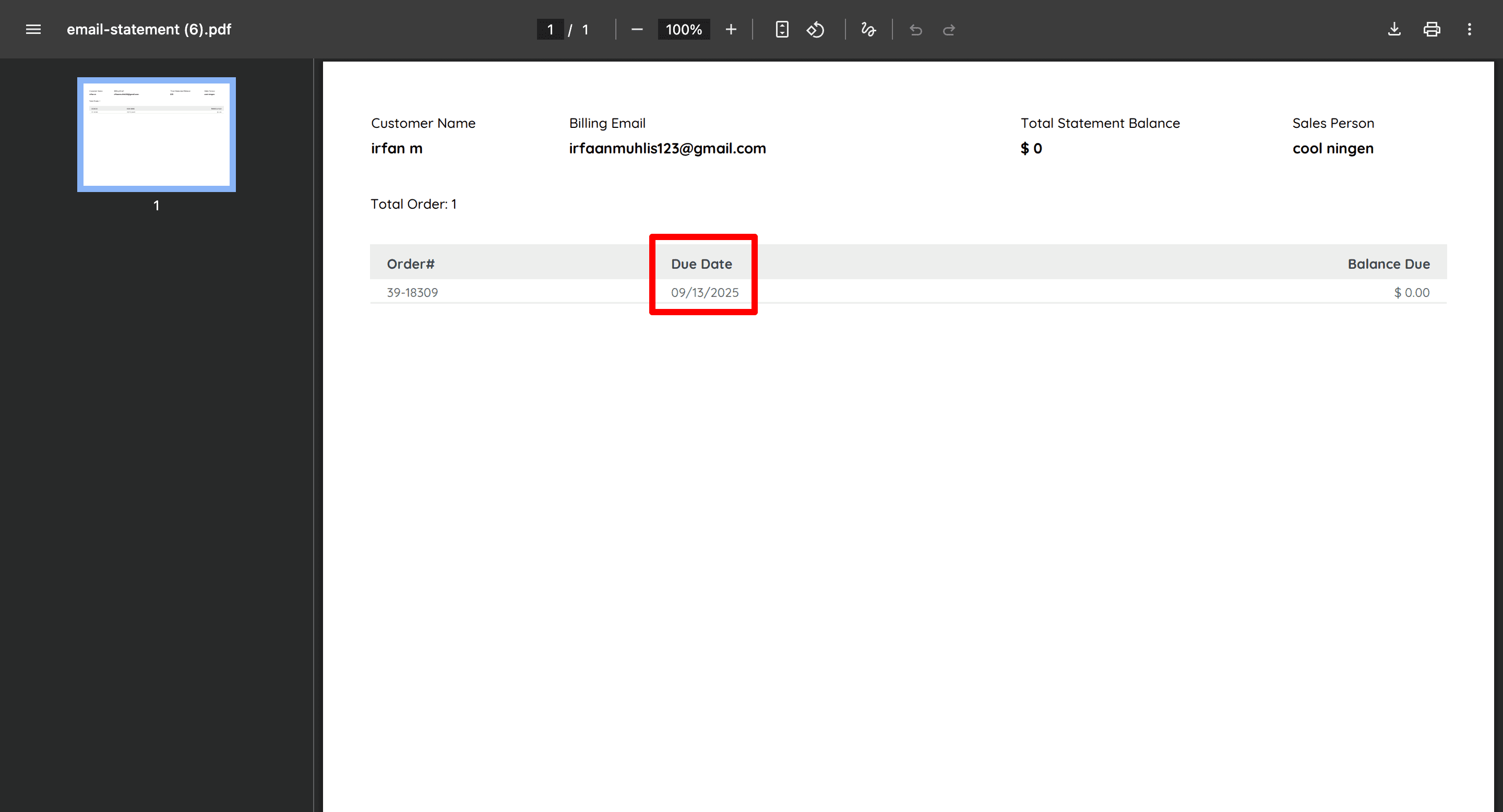
The Accounts Receivable Report, email statements, and printed statements now include a Due Date.
The date is calculated using the first delivered item and the customer's configured payment terms.
This provides clearer payment deadlines for both staff and customers.
Retailer Coupon Report: Qualified Order Amount
The Retailer Coupon Report now separates the full order value from the amount that qualified for a coupon.
The previous Order Amount column is now Total Order Amount, and a new Qualified Order Amount column shows the portion of the order where the coupon applied.
This makes coupon reporting easier to understand.

Floor Model Planner: Additional Performance Details
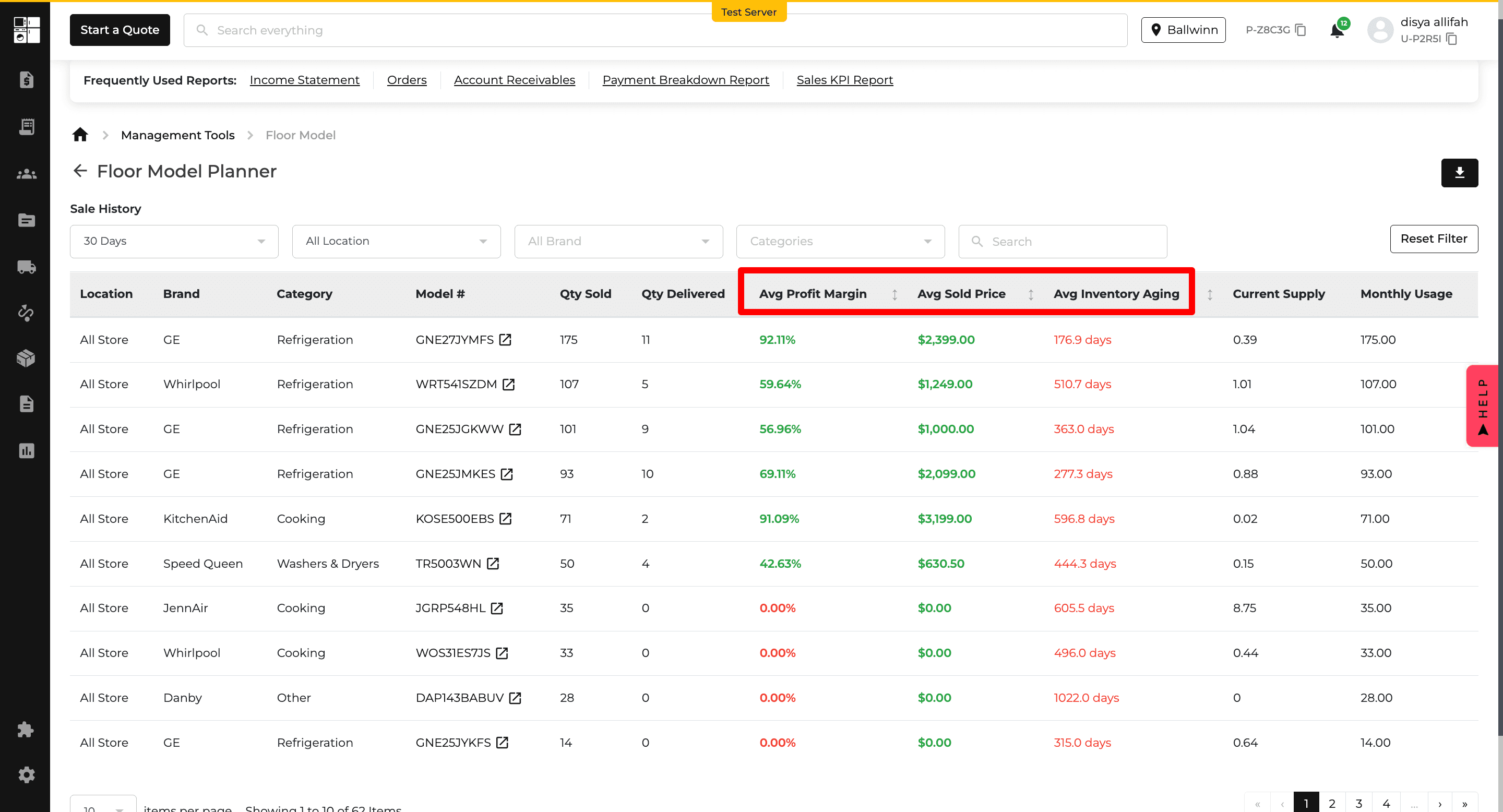
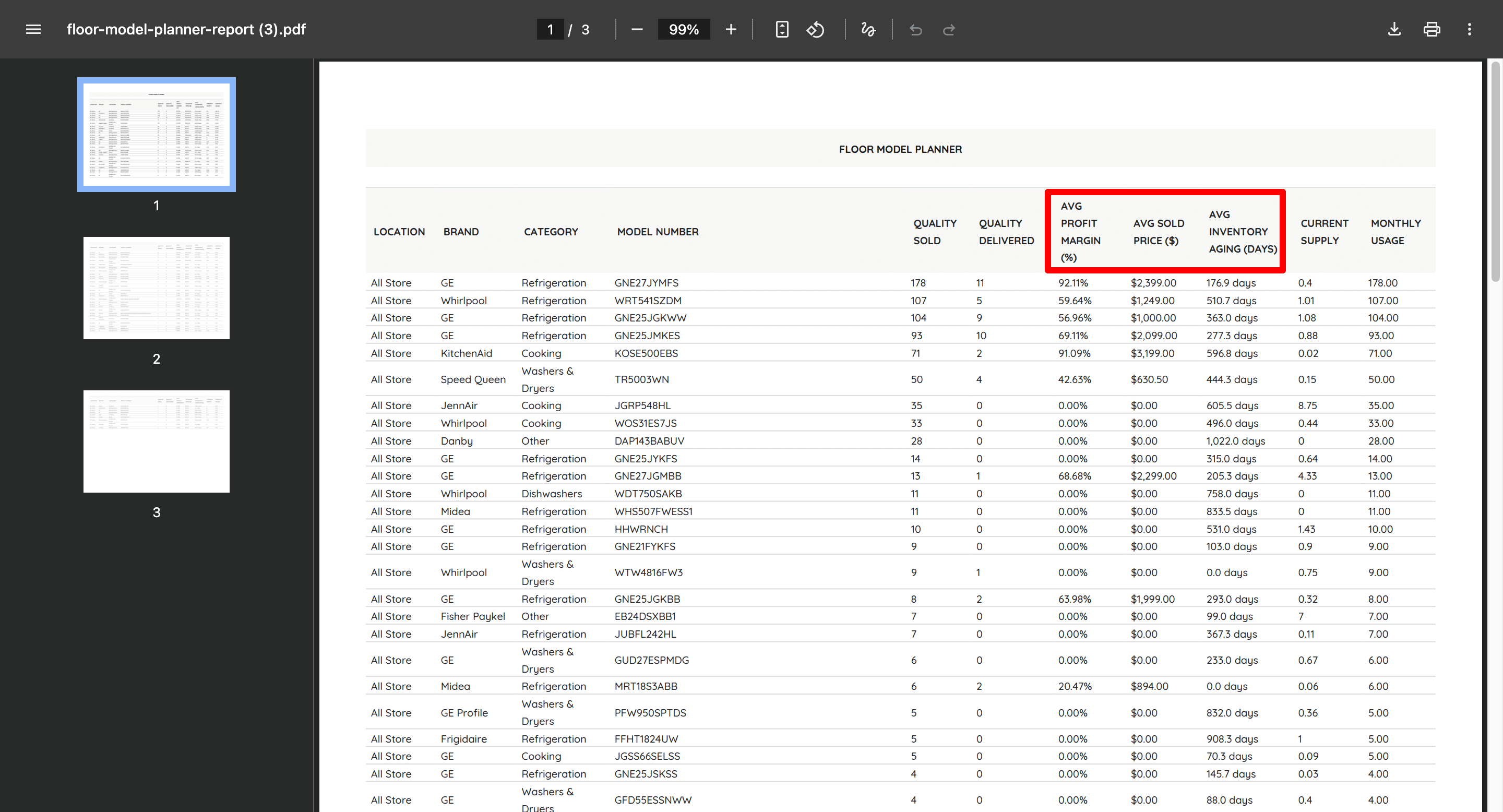
The Floor Model Planner Report now includes:
Average Profit Margin
Average Sold Price
Average Inventory Aging
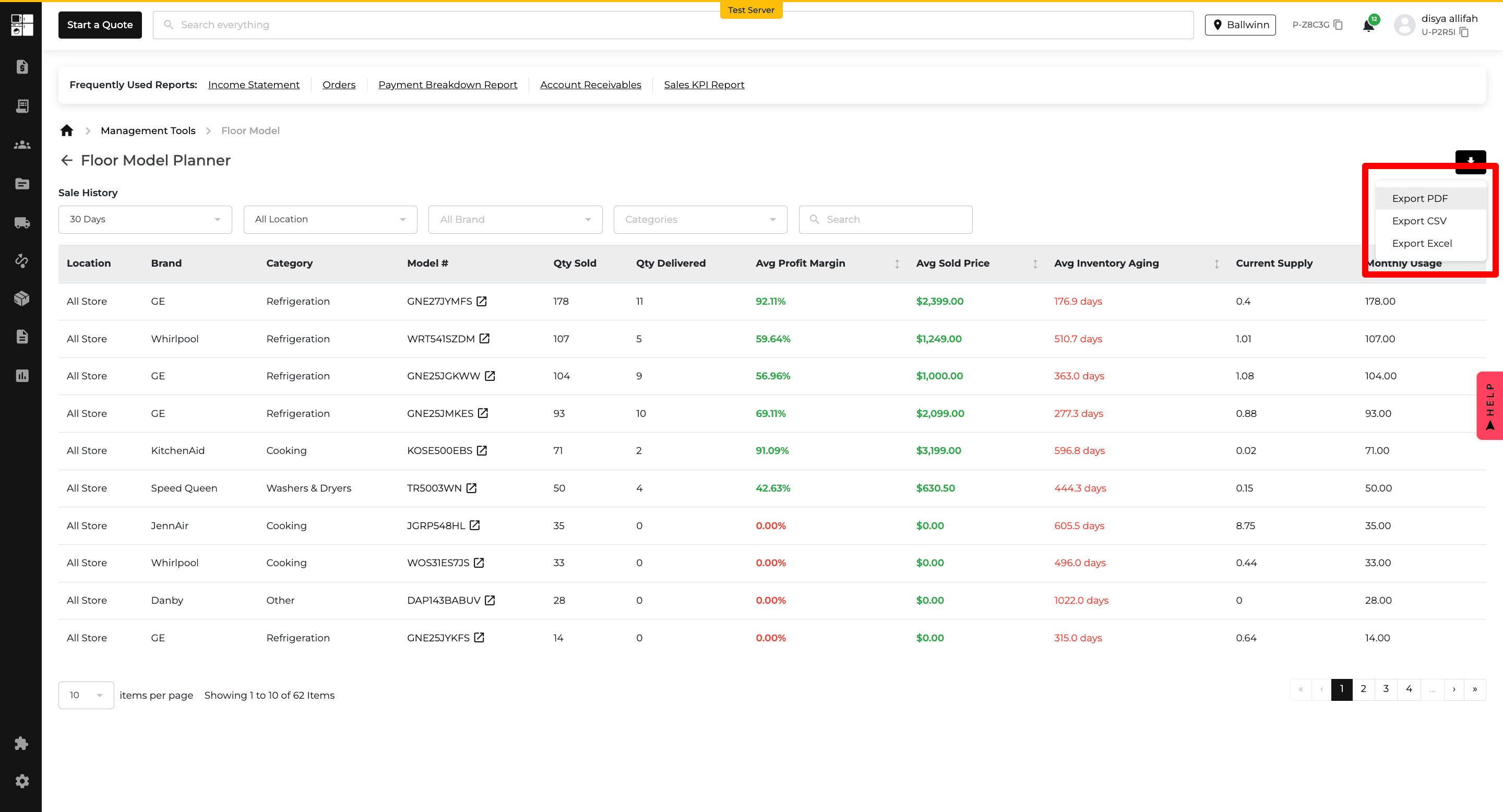
These values are also included in report exports, giving you additional insight into floor model performance and inventory movement.
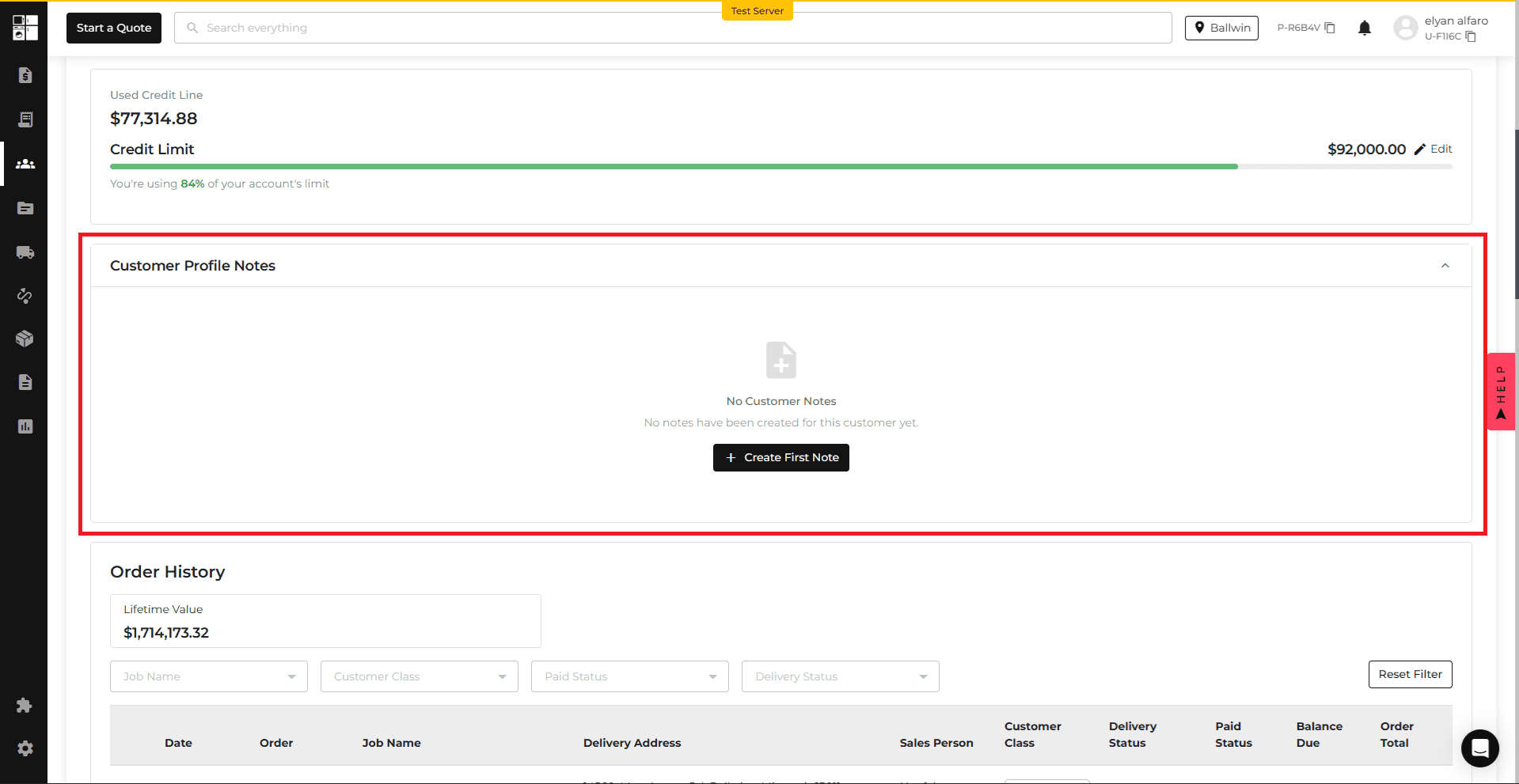
Customer Profile: Customer Notes
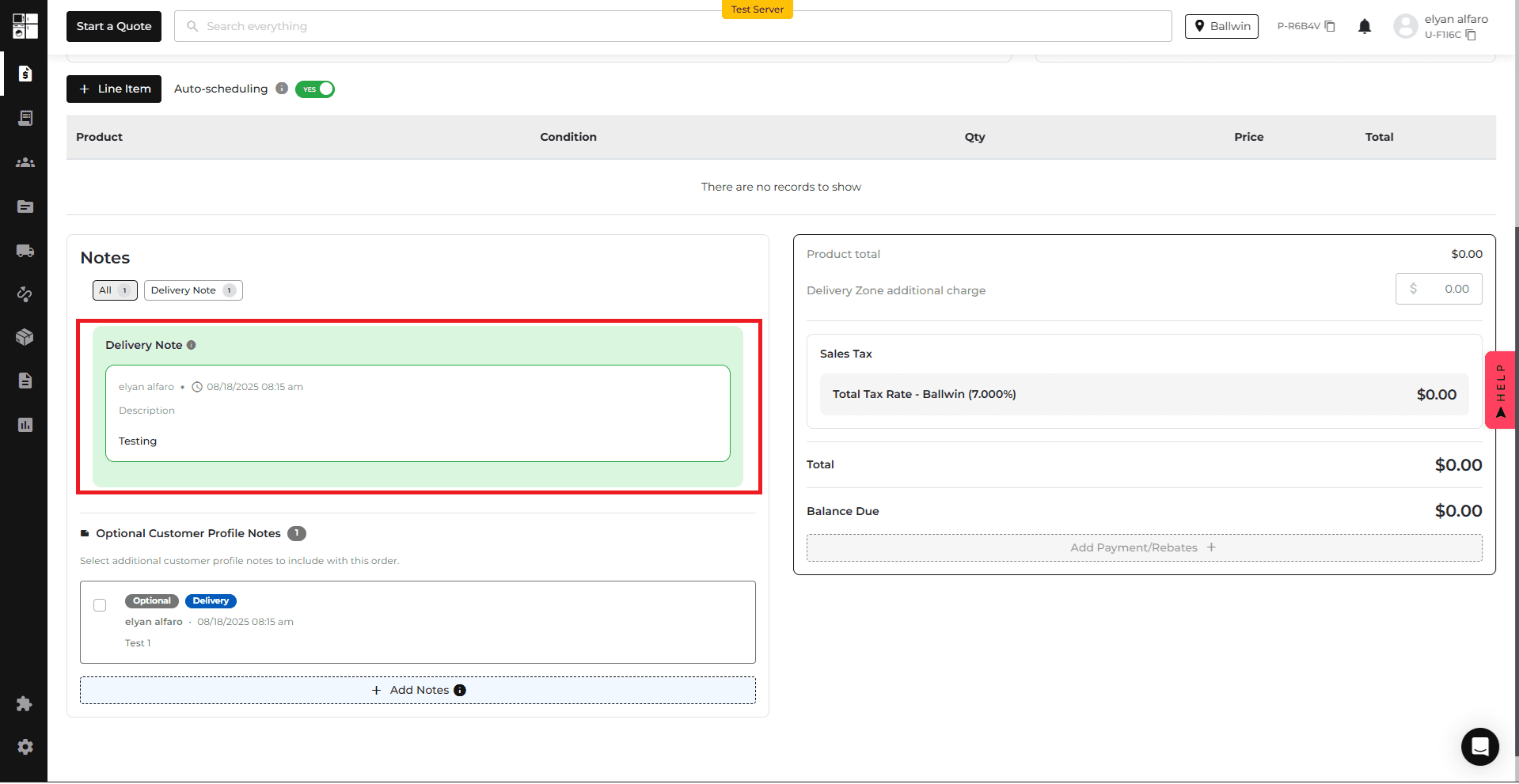
You can now create Customer Profile Notes that can carry into future Quotes and Orders.
Notes can be set as Persistent or Optional and identified as Delivery, Internal, or Customer notes.
Persistent notes are automatically included when applicable, while Optional notes can be selected during the Quote or Order process.
This helps teams keep important customer instructions available throughout the sales and delivery workflow.
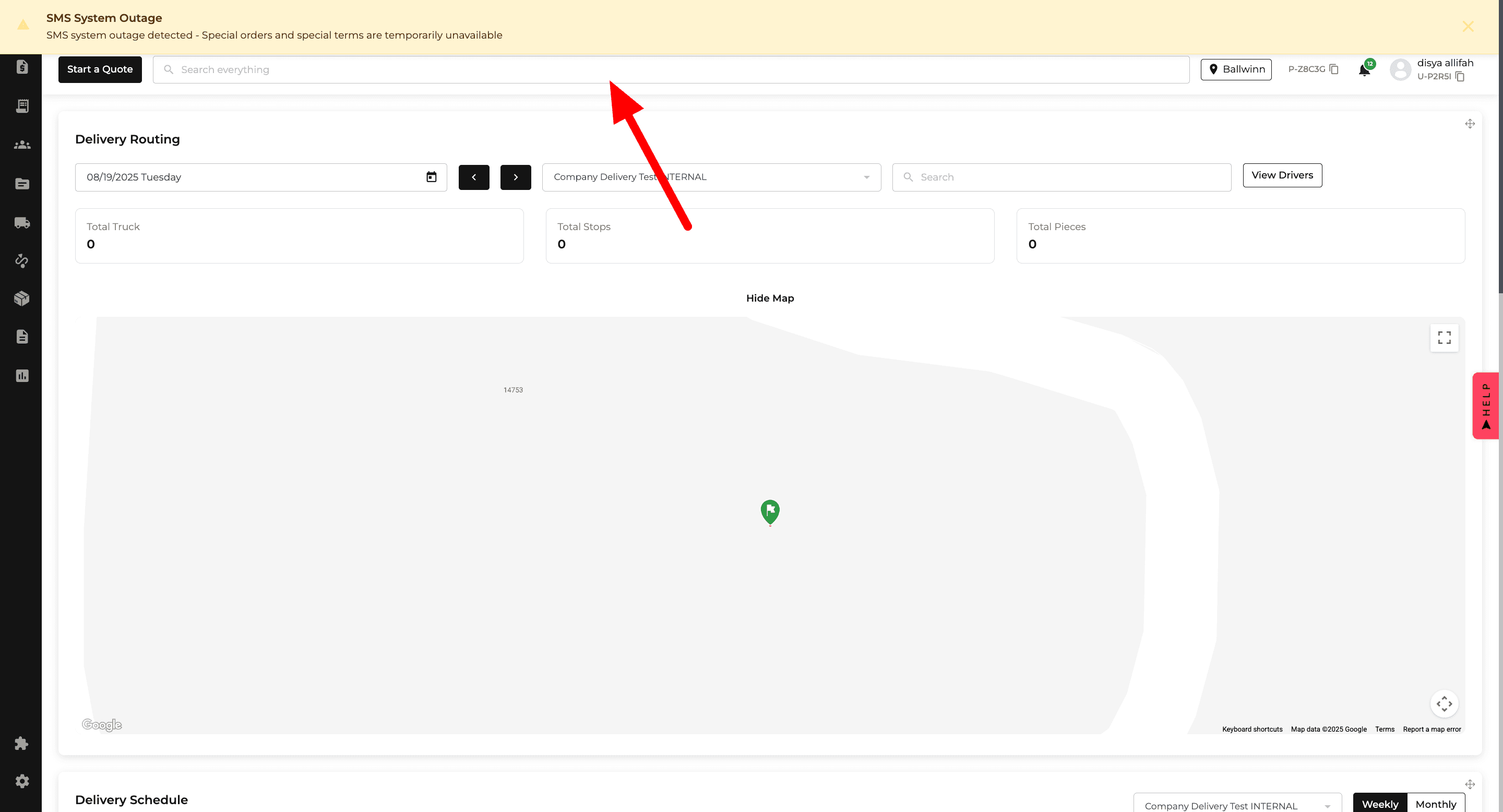
Notifications: SMS Outage Alert
Appliance.io now displays an alert when the SMS service is unavailable.
During an outage, the alert explains how Special Orders are affected. Once SMS service is restored, the notification disappears automatically and normal Special Order behavior resumes.
This gives users clearer information when SMS-related functionality is temporarily unavailable.