Appliance.io Updates & Improvements
Settings
August 11, 2026
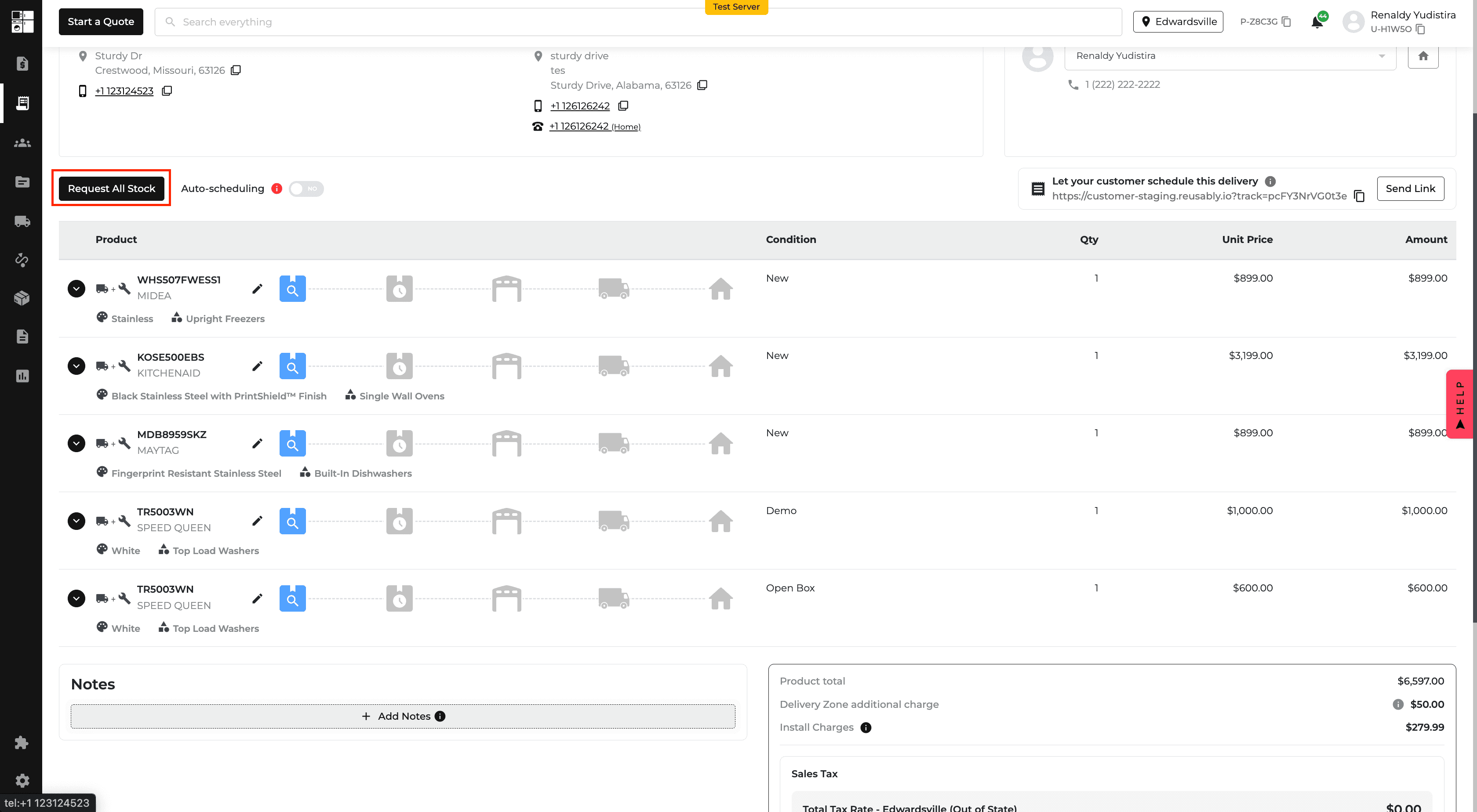
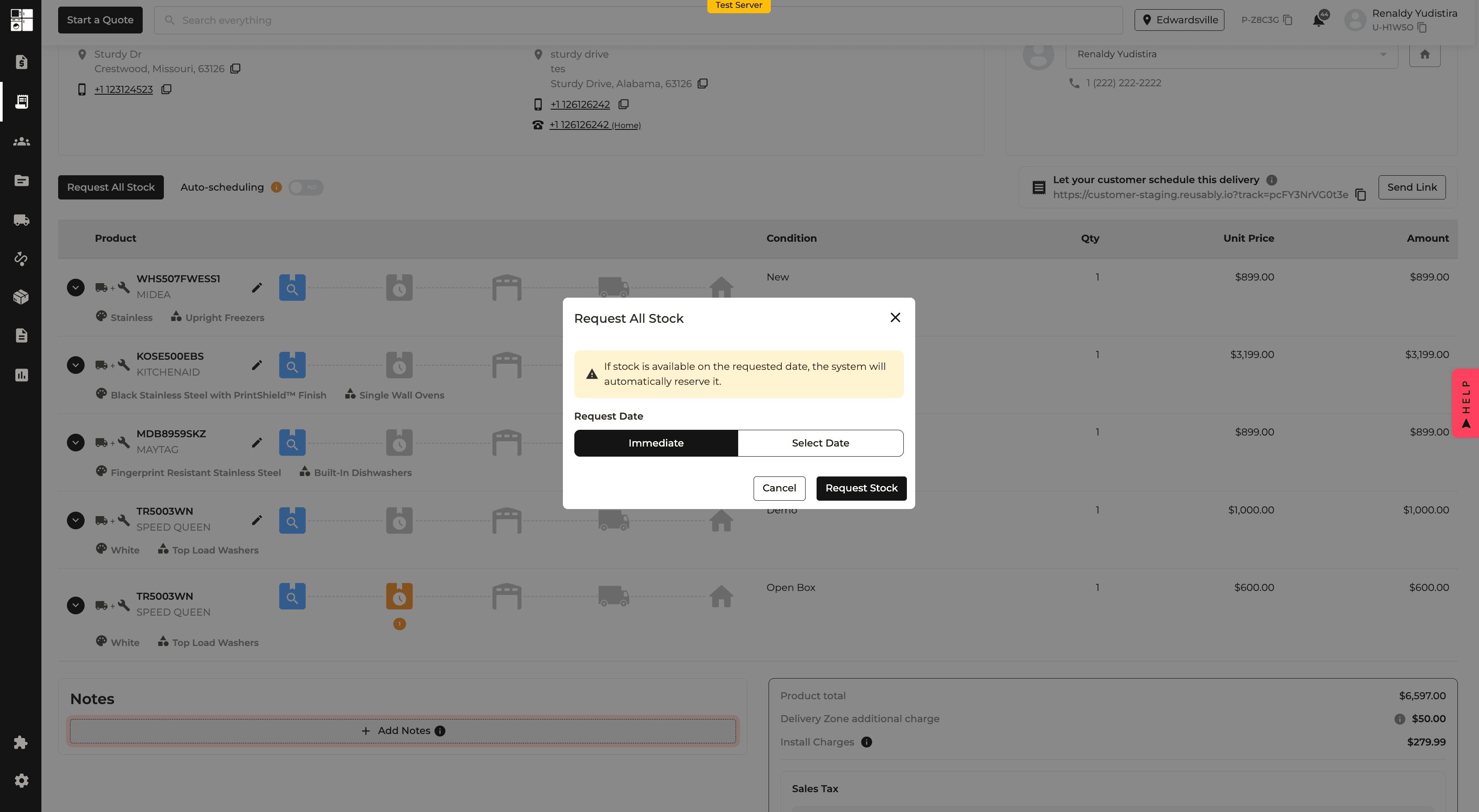
Orders: Request All Stock
A new Request All Stock option lets you request all eligible unrequested items on an order at once.
You can request them immediately or choose a date and apply it to all eligible items, reducing repetitive stock requests on larger orders.
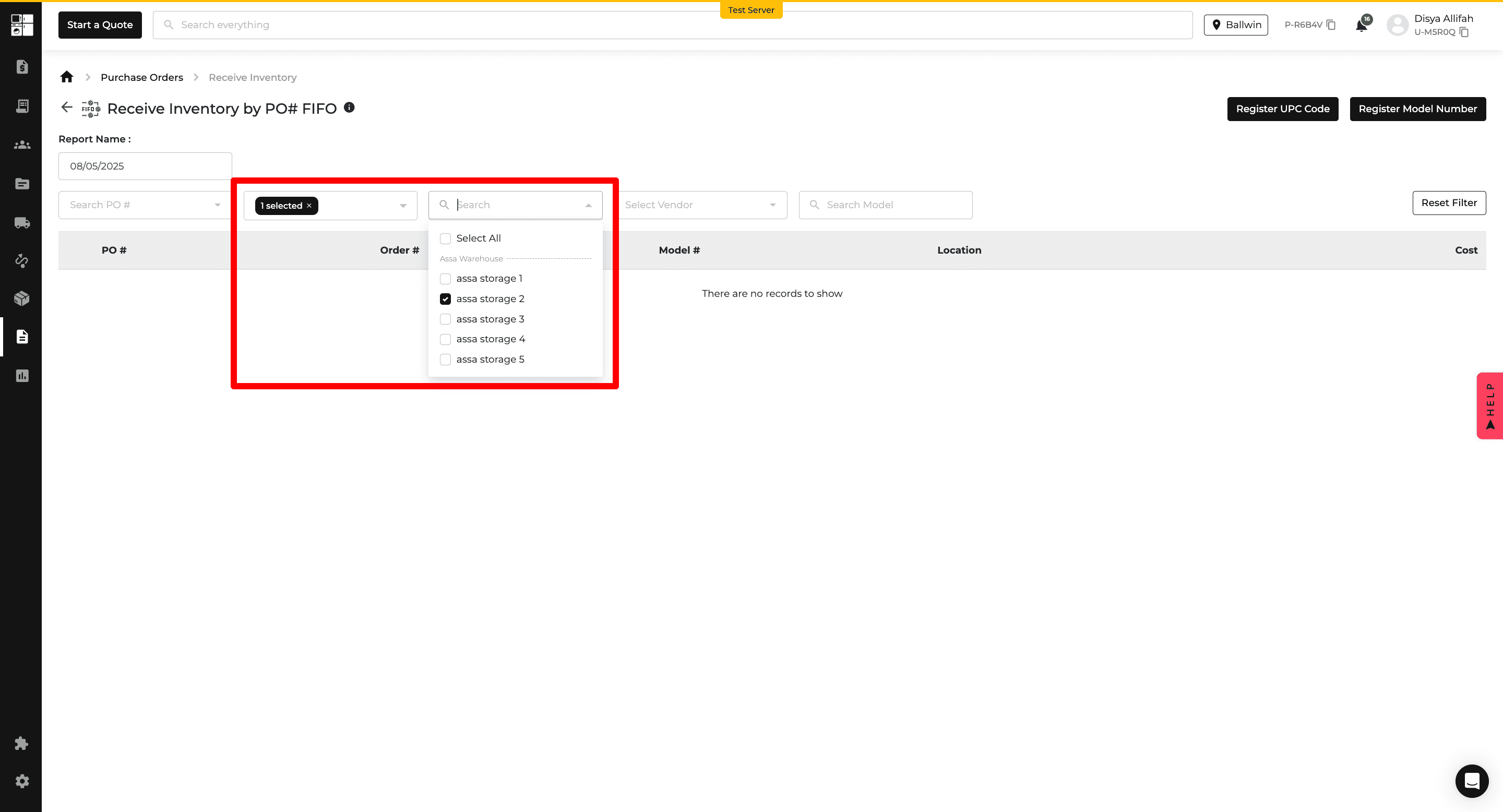
Purchase Orders: Location & Storage Location
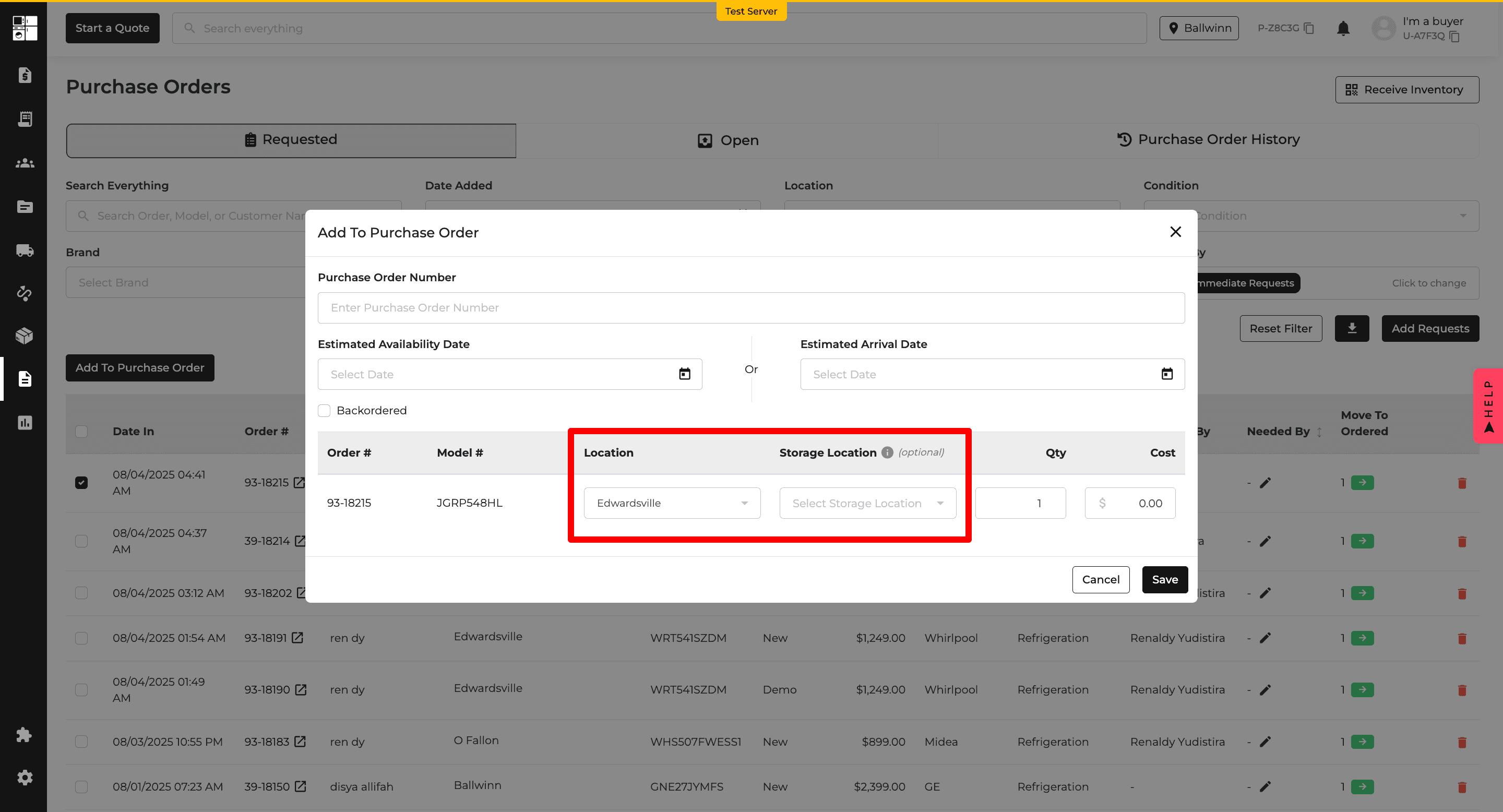
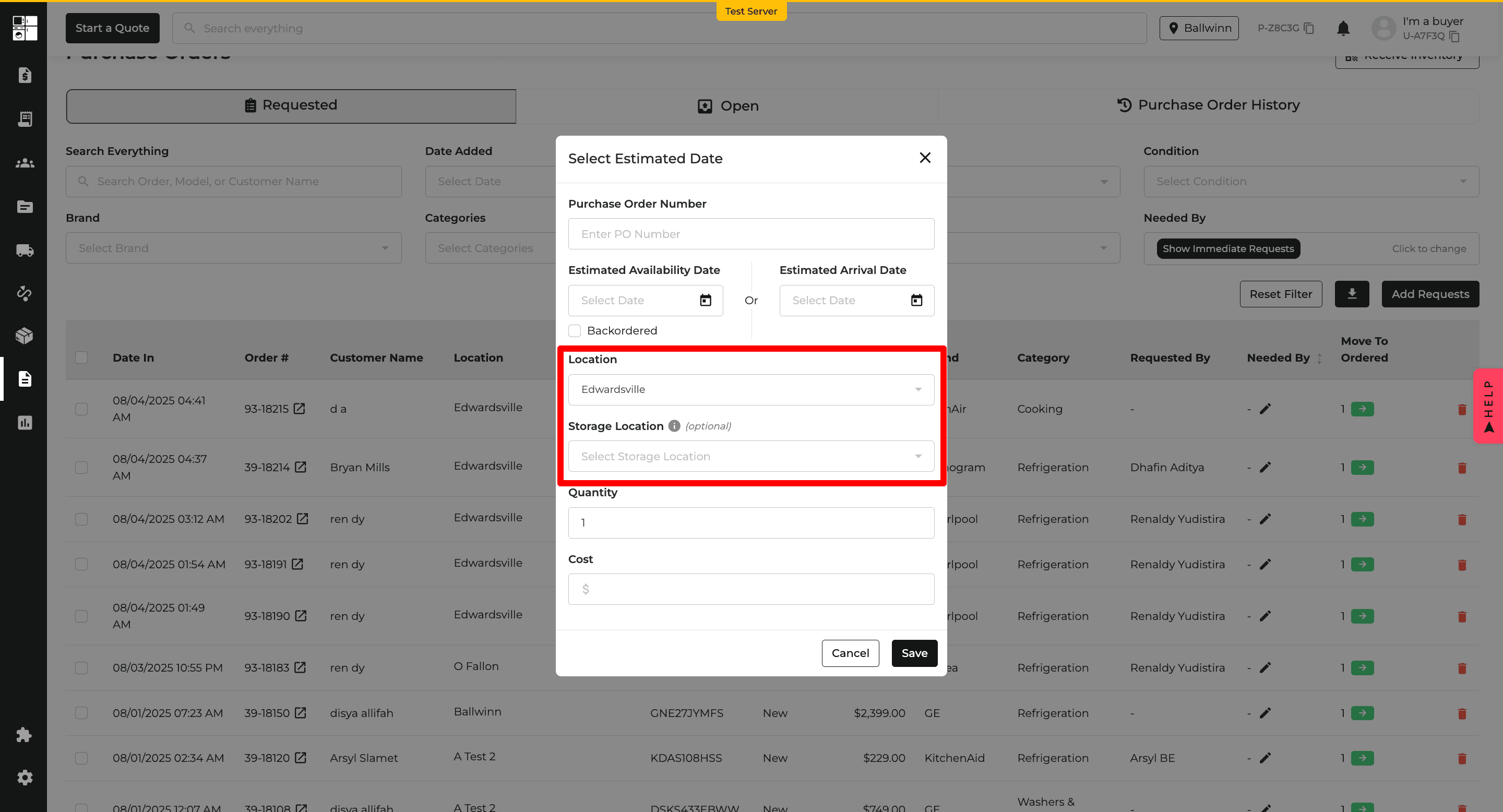
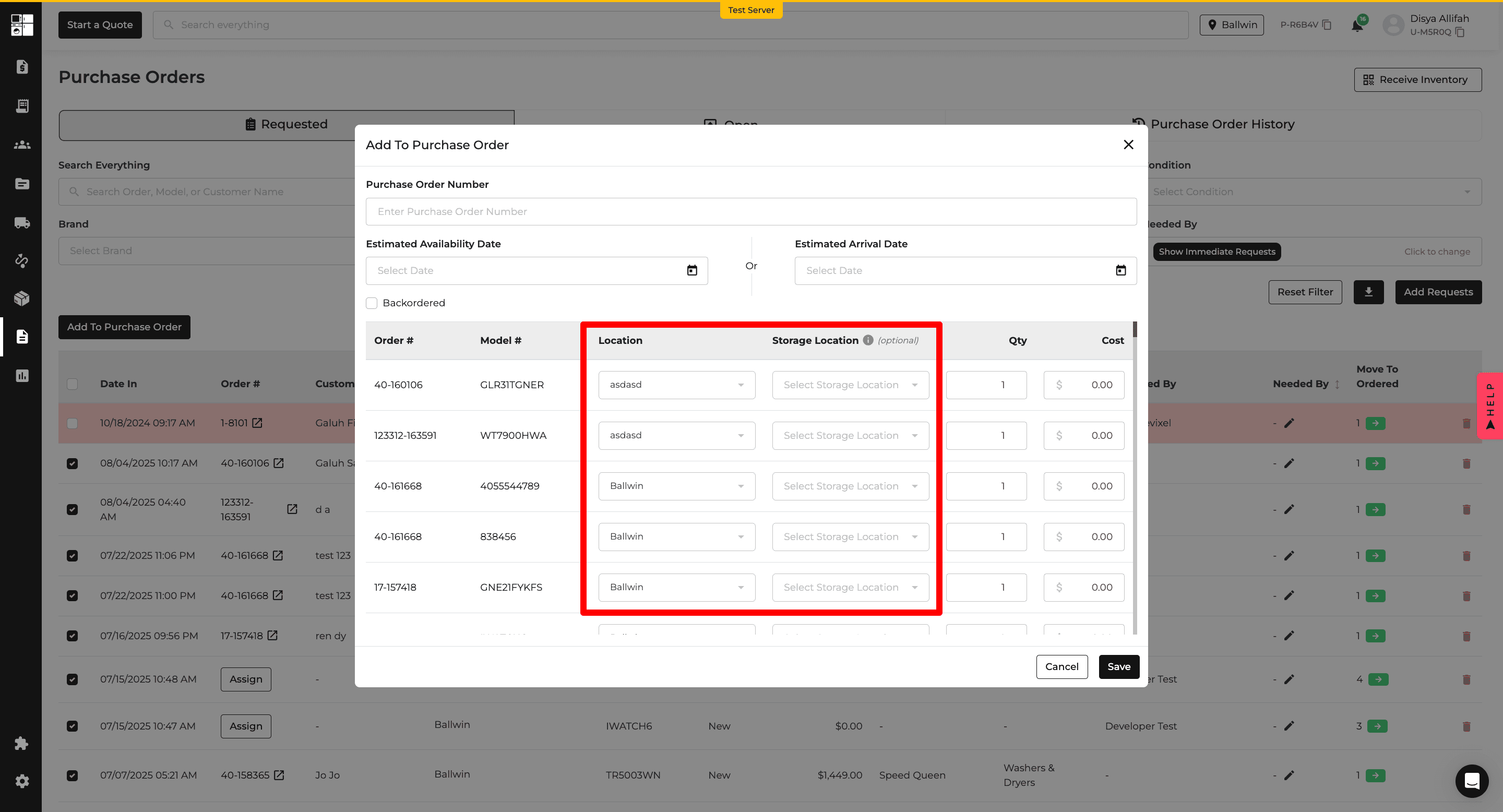
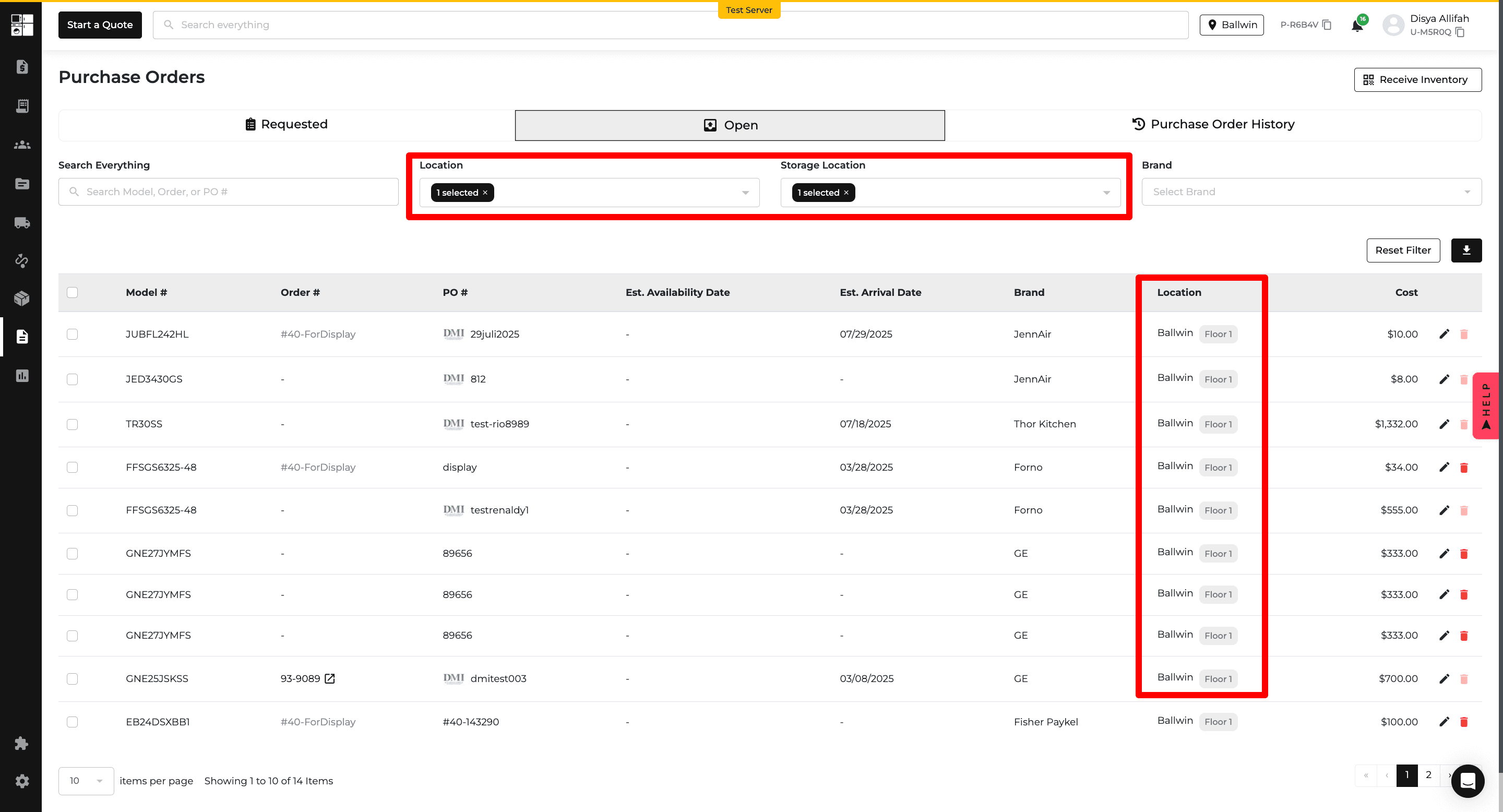
Purchase Orders and Receiving now support Location and optional Storage Location fields for each item.
These fields are also available as columns and filters, making it easier to track where inventory is being sent and stored.
Orders: Customer Class
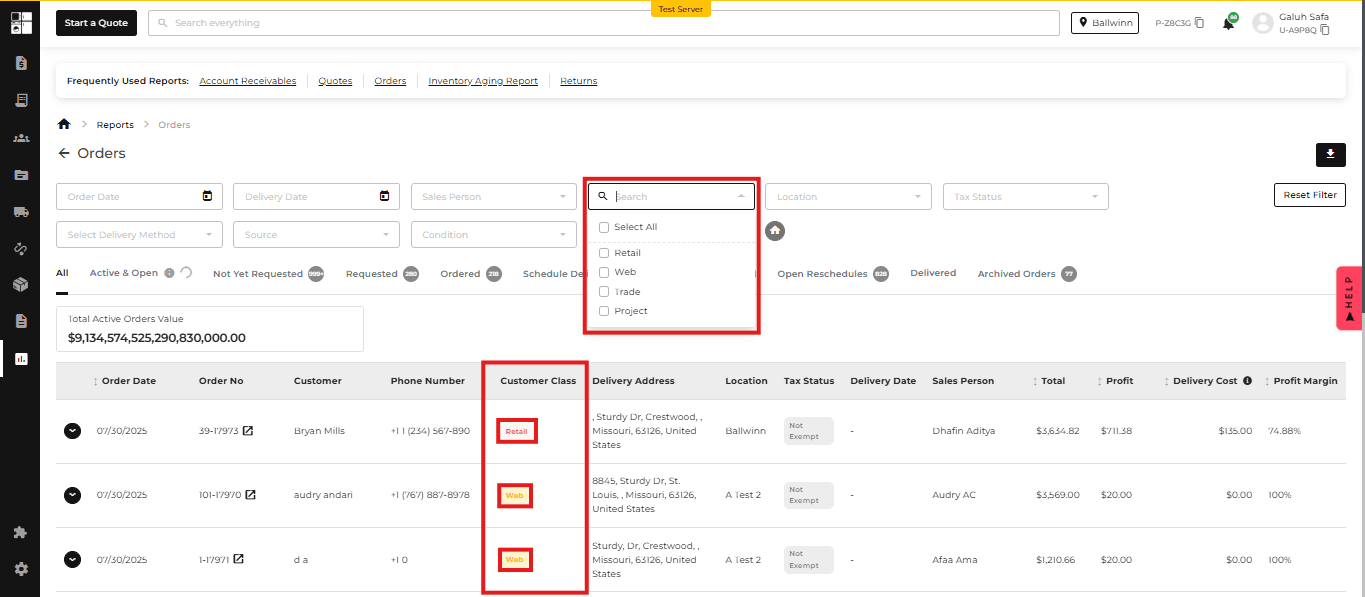
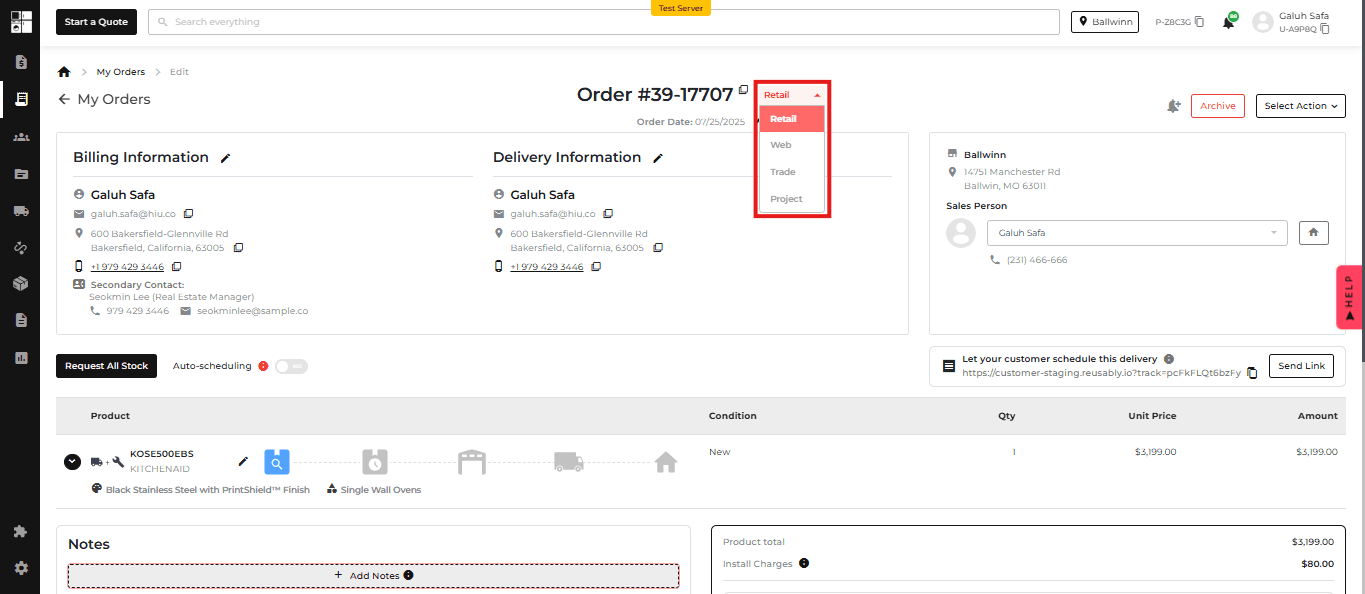
Quotes and Orders can now be assigned a Customer Class, such as Retail, Web, Trade, or Project.
Customer Class is also available across order history and reporting, making it easier to organize, filter, and compare different types of sales.
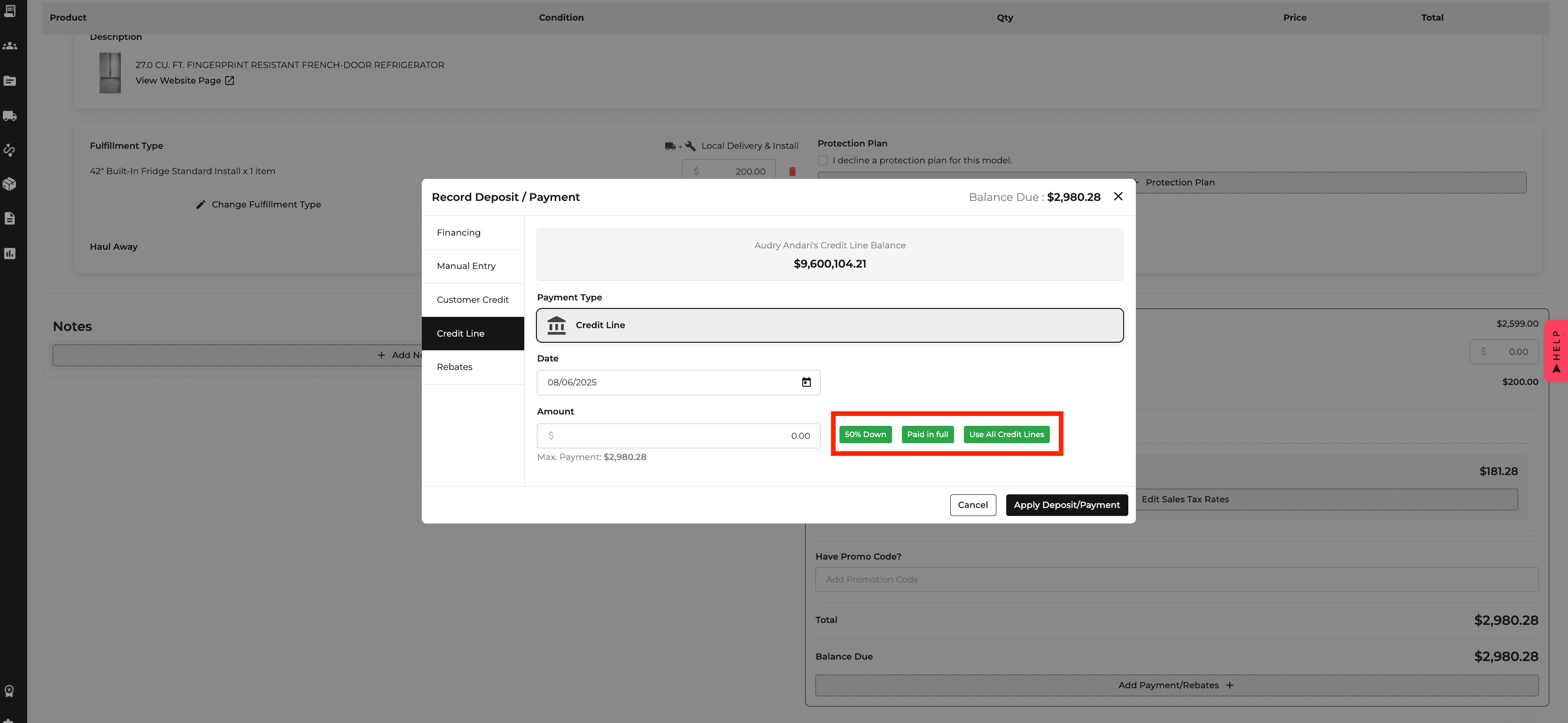
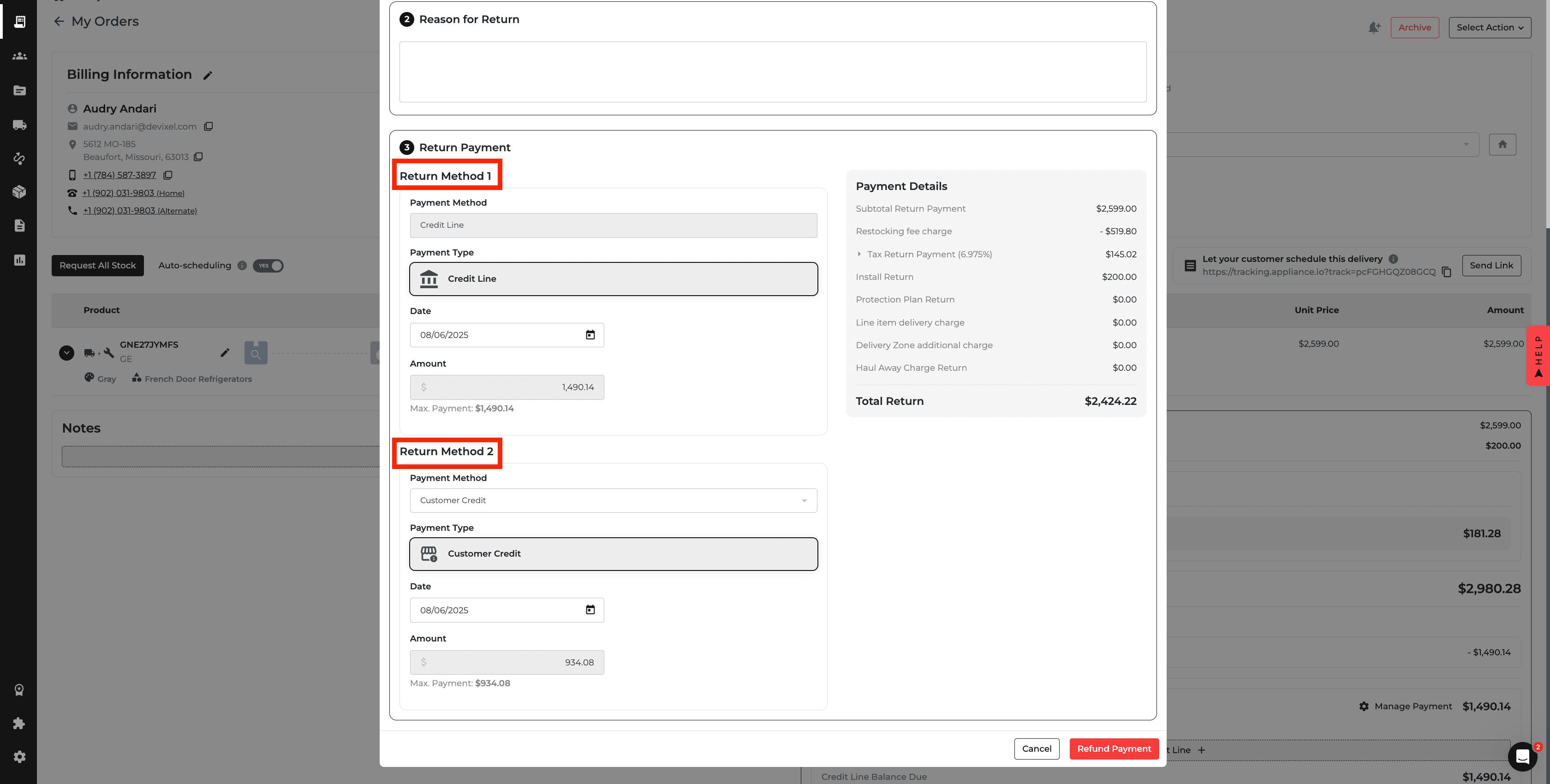
Payments: Flexible Credit Line Payments
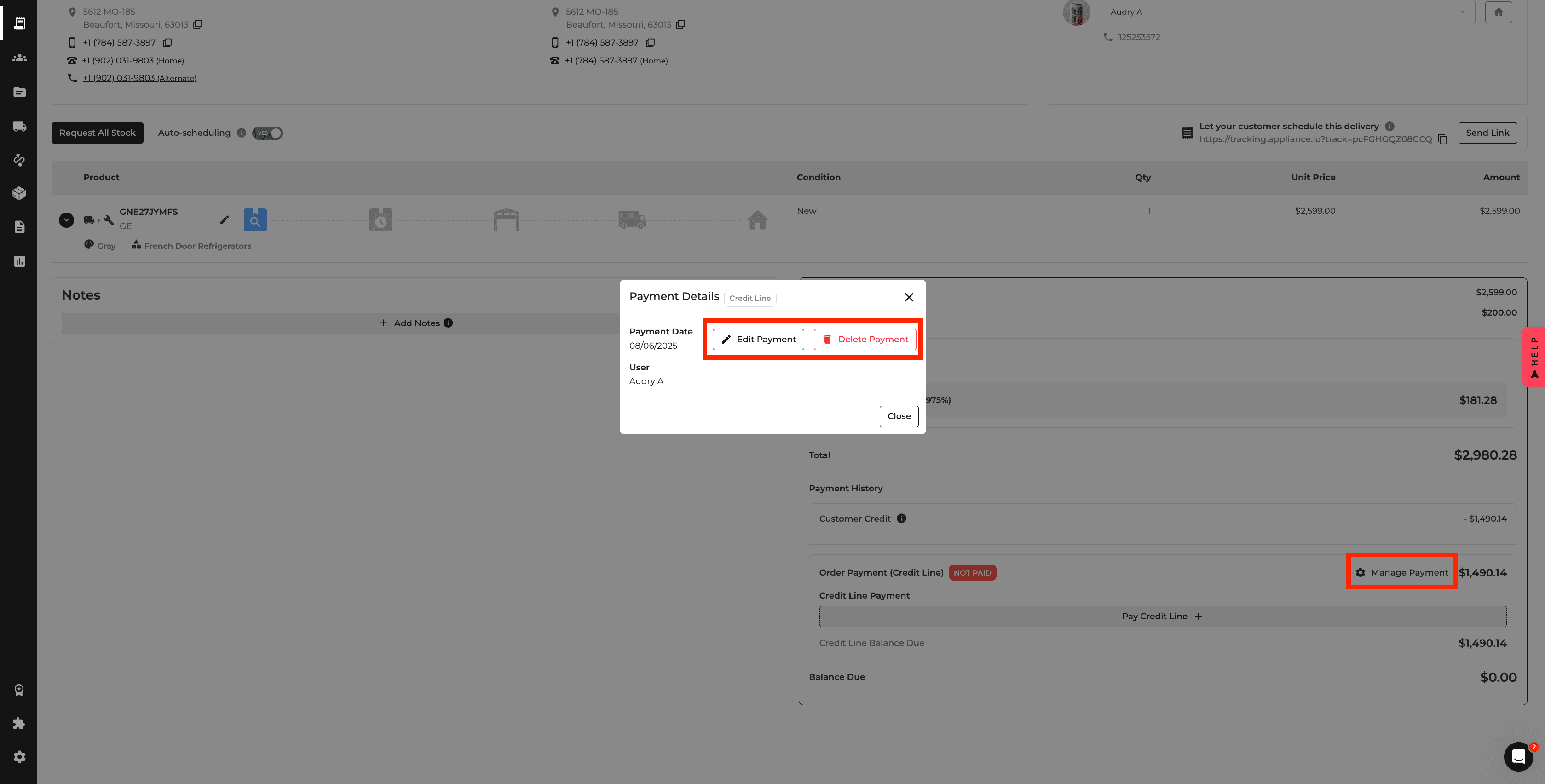
Credit Line payments can now be applied, adjusted, or removed more flexibly during Quotes and Orders.
Returns can also be distributed between Credit Line and other payment methods when applicable, while financial reports reflect the appropriate payment portions.
Reports: Installation Costs
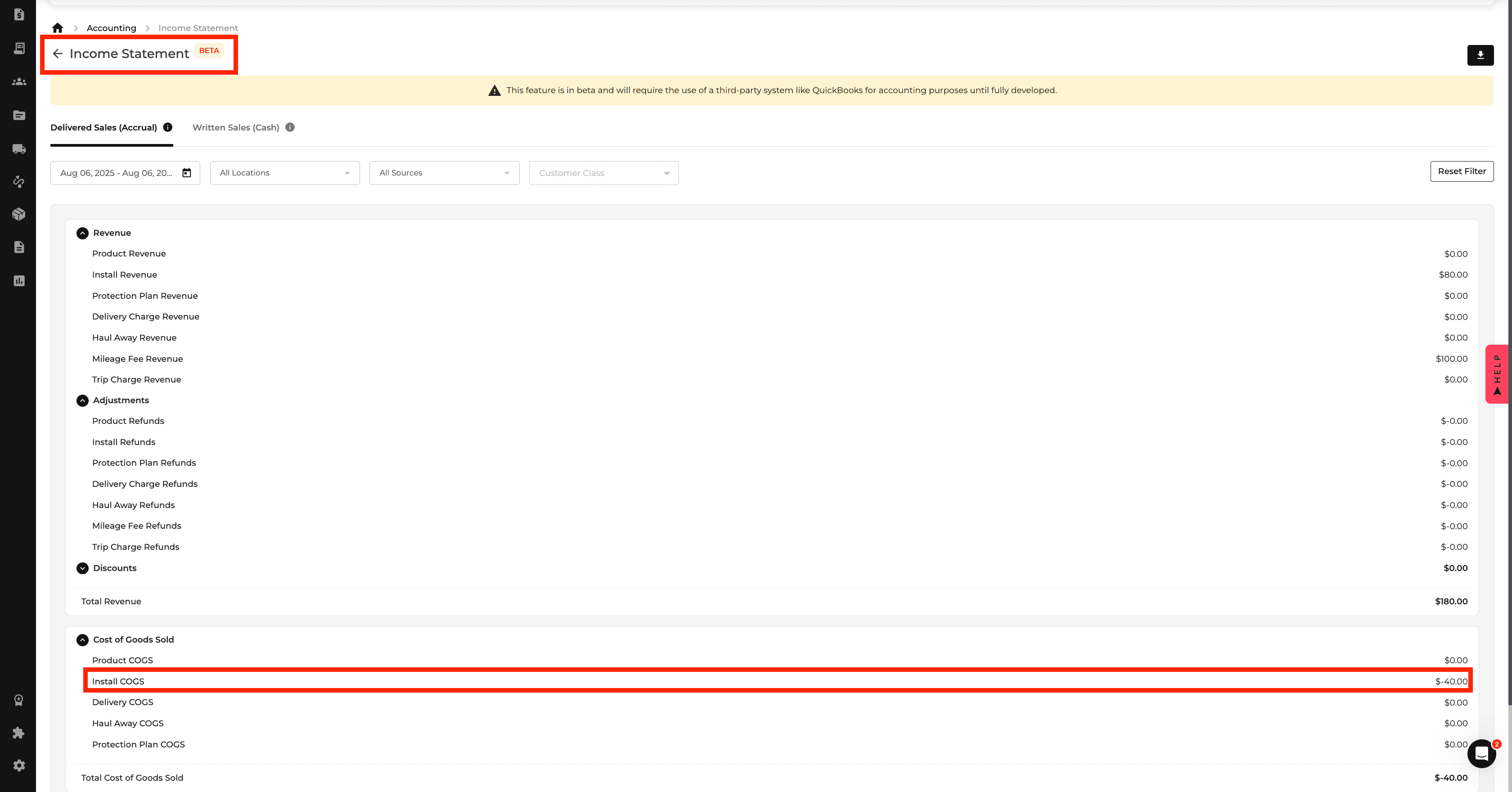
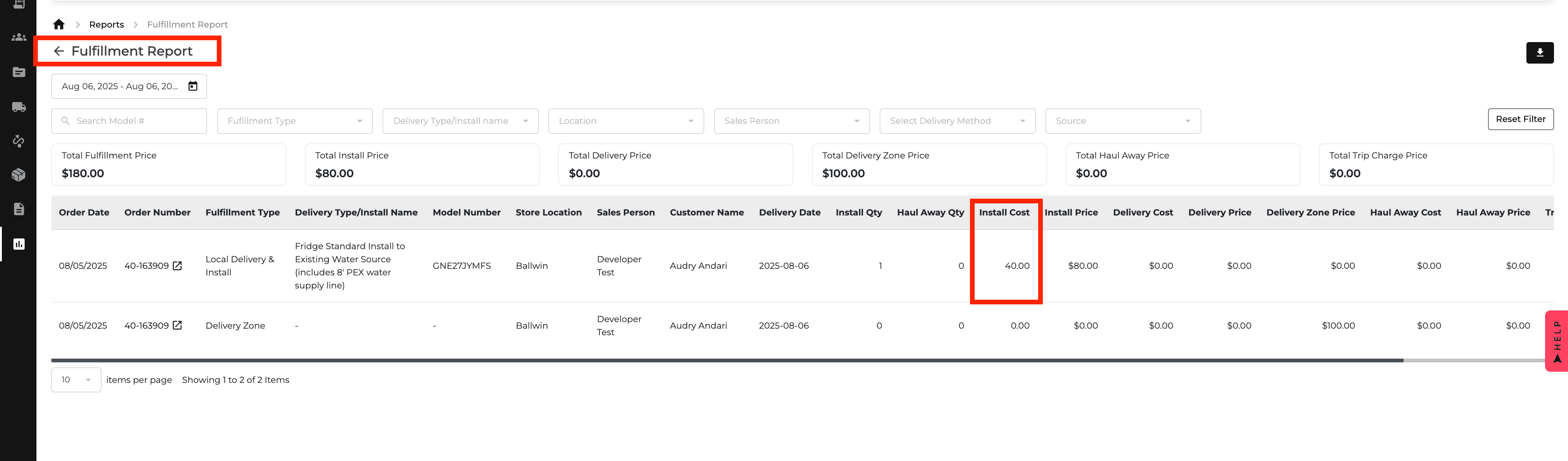
Install types can now include a Cost that is reflected in the Income Statement, Fulfillment Report, and Order Profitability.
This provides a clearer view of installation expenses and their effect on overall profitability.
Reports: Delivery & Haul Away Costs
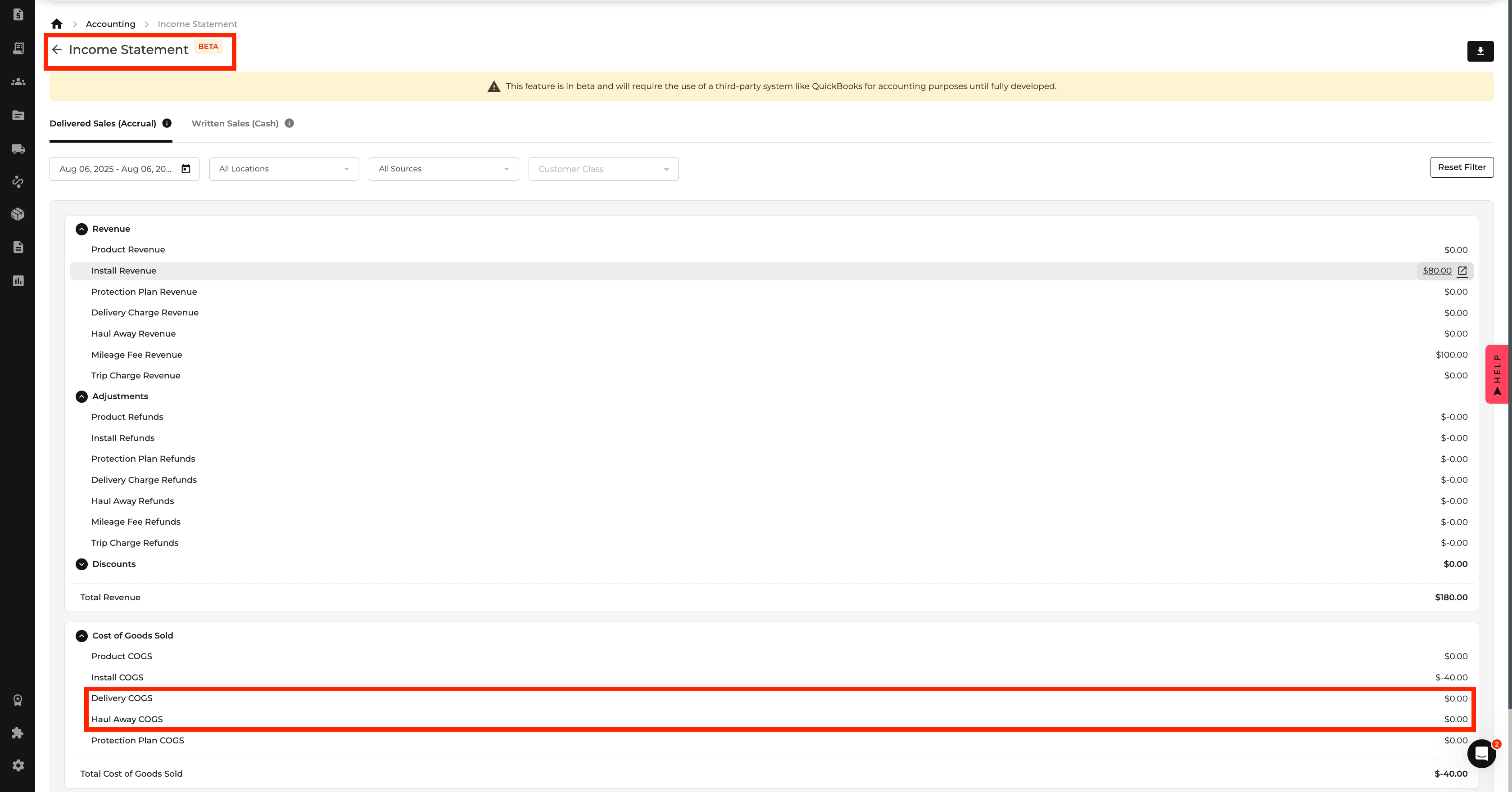
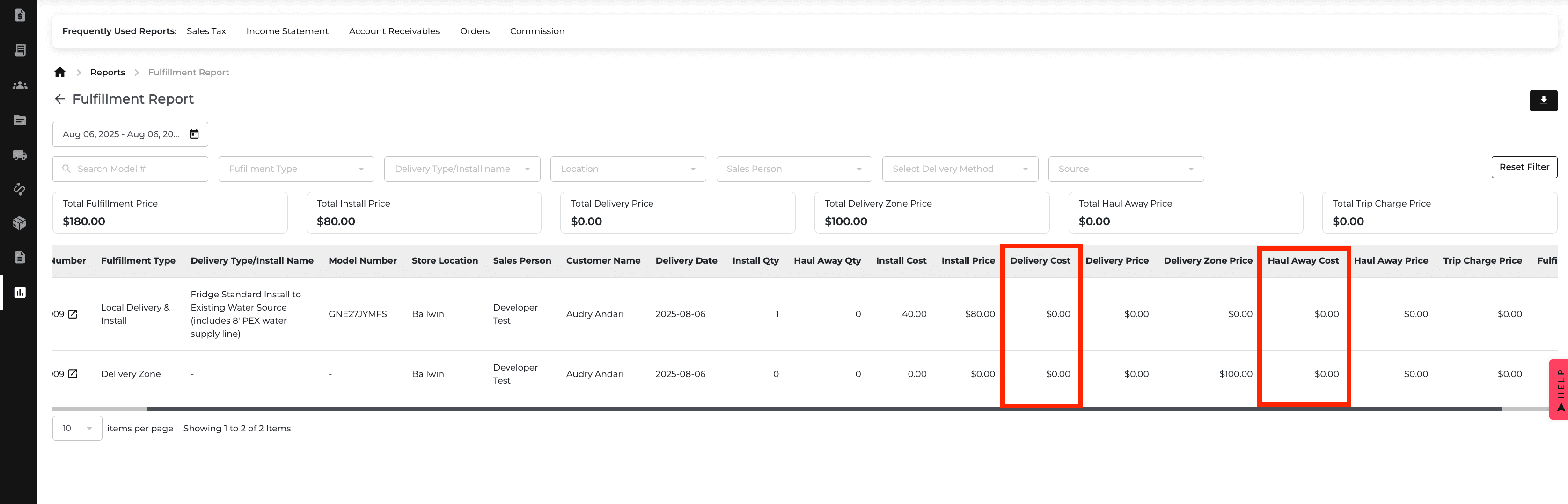
Delivery and haul away services can now include their own costs.
These values appear in delivery settings and financial reports, helping you track fulfillment expenses and profitability more accurately.
Orders: Unpaid Credit Line Warning
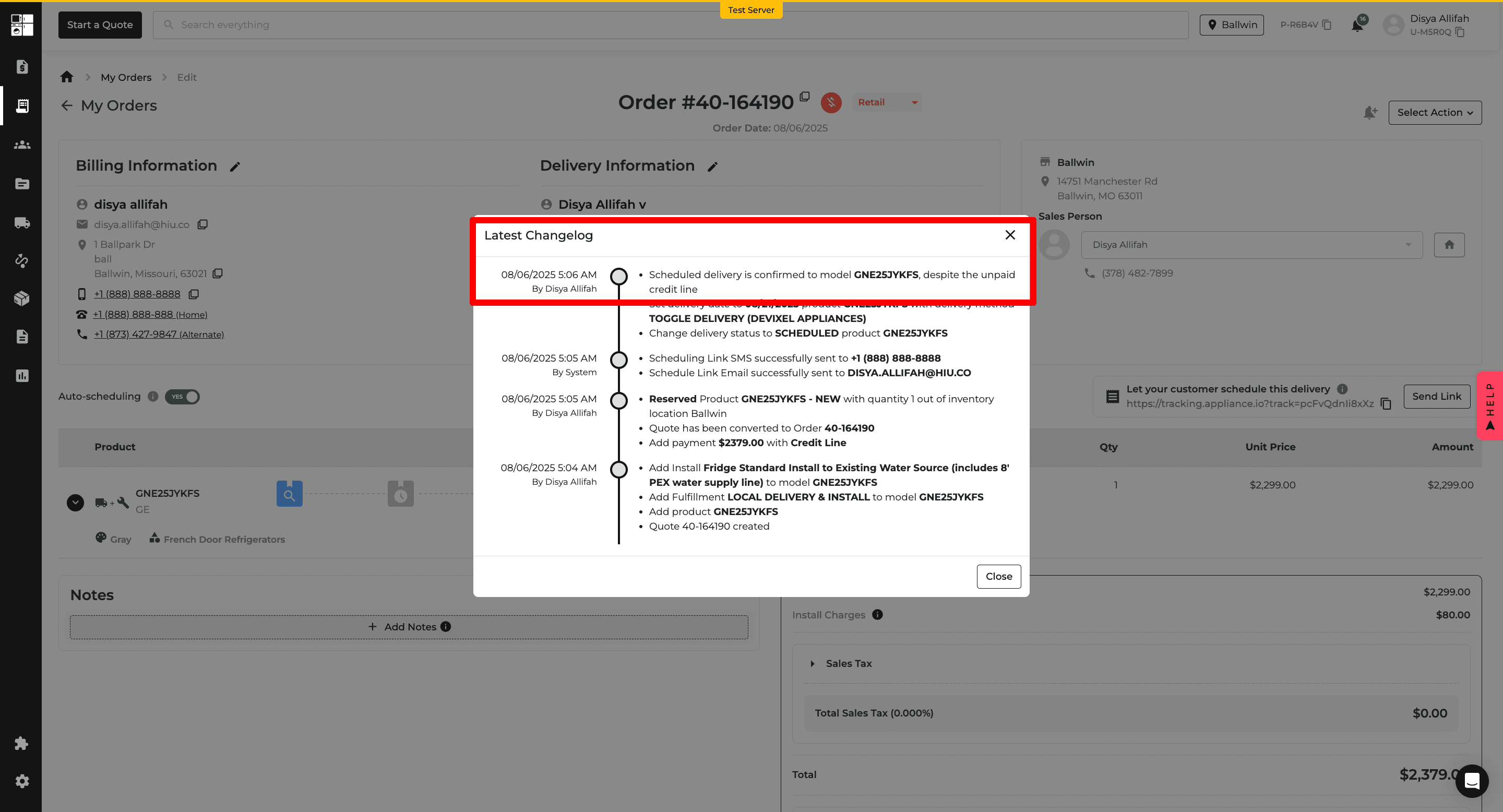
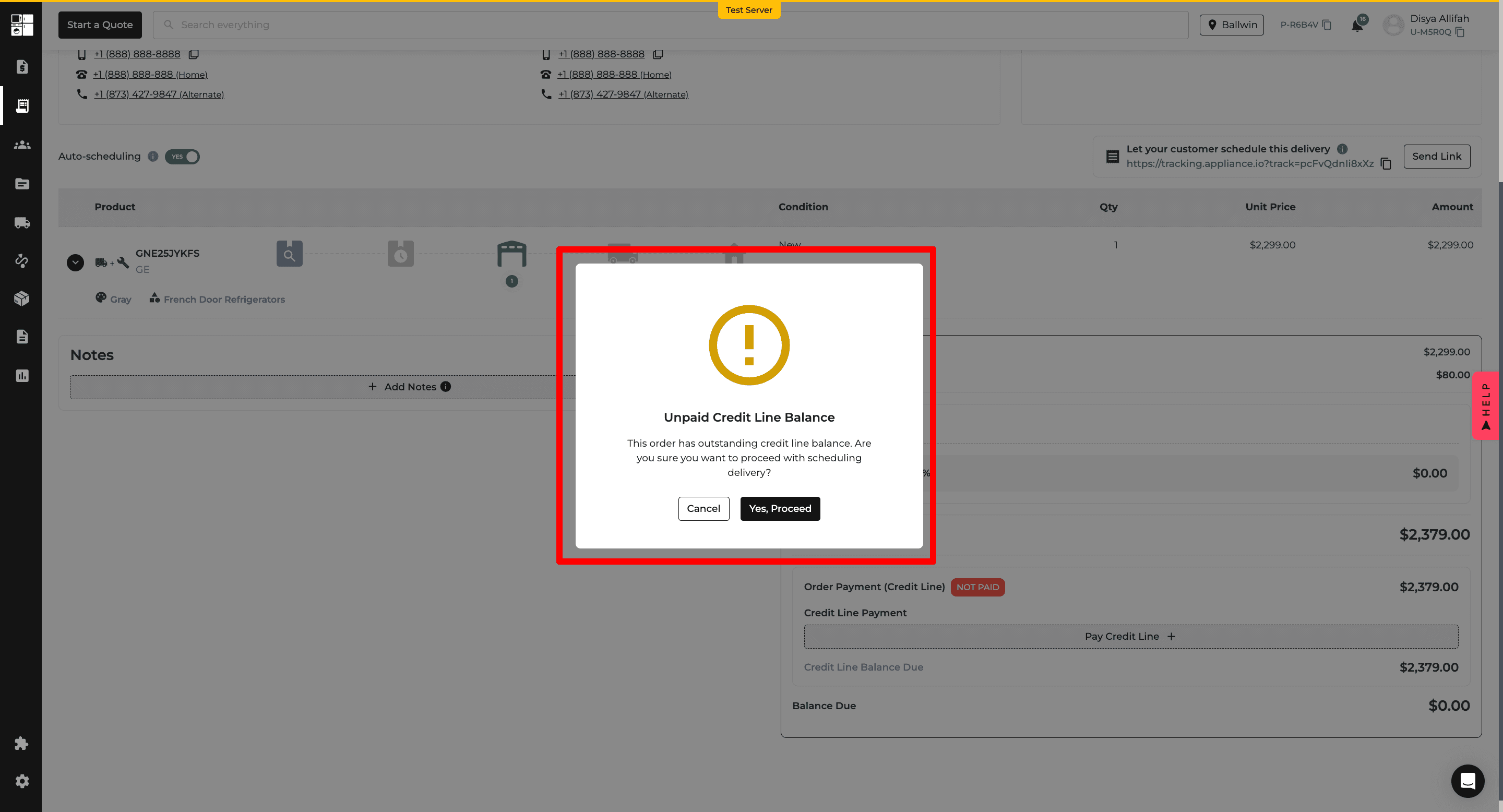
When scheduling delivery for an order with an outstanding Credit Line balance, Appliance.io now displays a confirmation warning.
If the user proceeds, the confirmation is recorded in the Changelog for easier tracking.
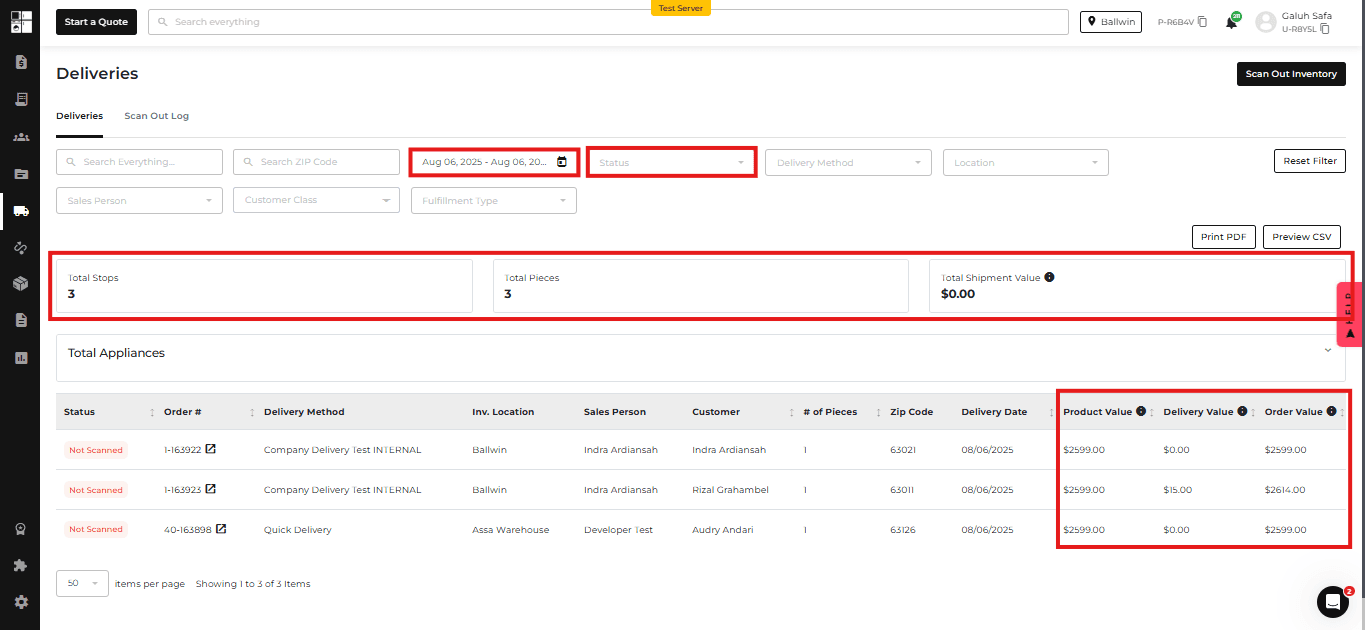
Deliveries: Shipment Value Summary
The Deliveries page now provides additional filters and shipment value information.
You can review Product Value, Delivery Value, and total Order Value, with updated PDF and CSV exports reflecting the selected information.
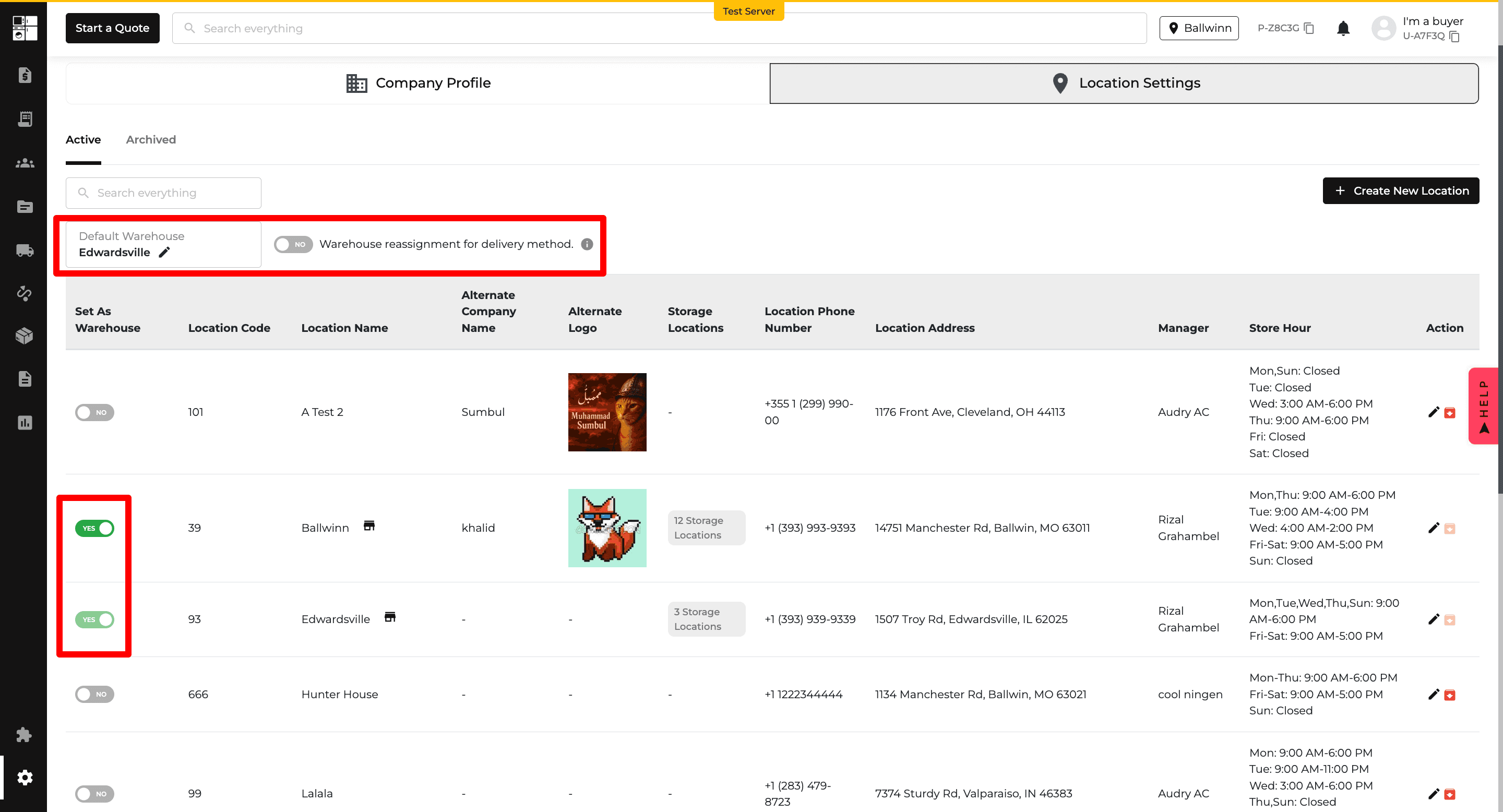
Warehouse: Multi-Warehouse Location Settings
Multiple locations can now be configured as warehouses.
You can select a default warehouse and control whether other warehouses can be used when stock needs to be reassigned.
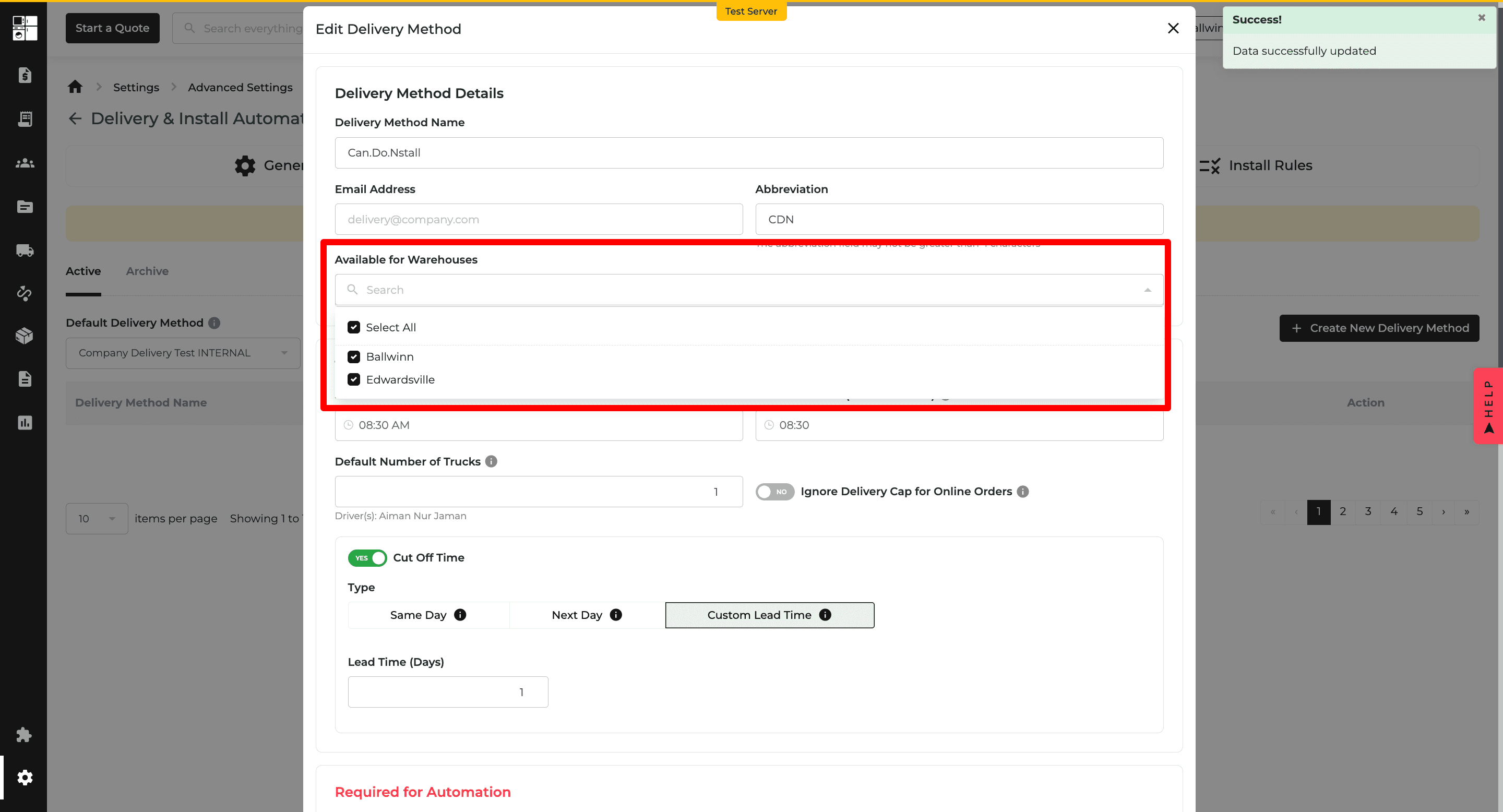
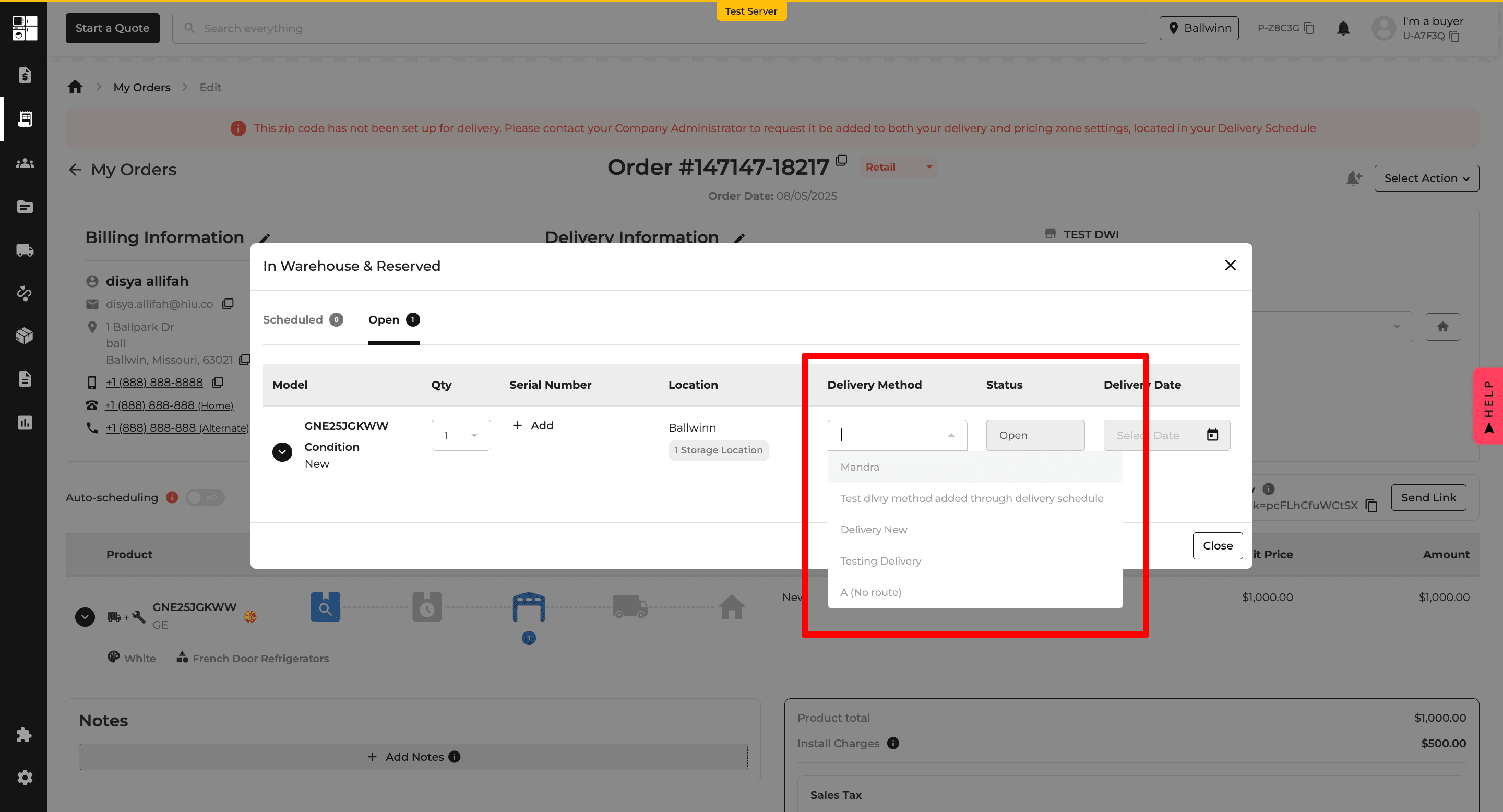
Delivery: Assign Methods by Warehouse
Delivery methods can now be assigned to specific warehouses.
This helps ensure users only see delivery options that apply to the warehouse fulfilling the order.
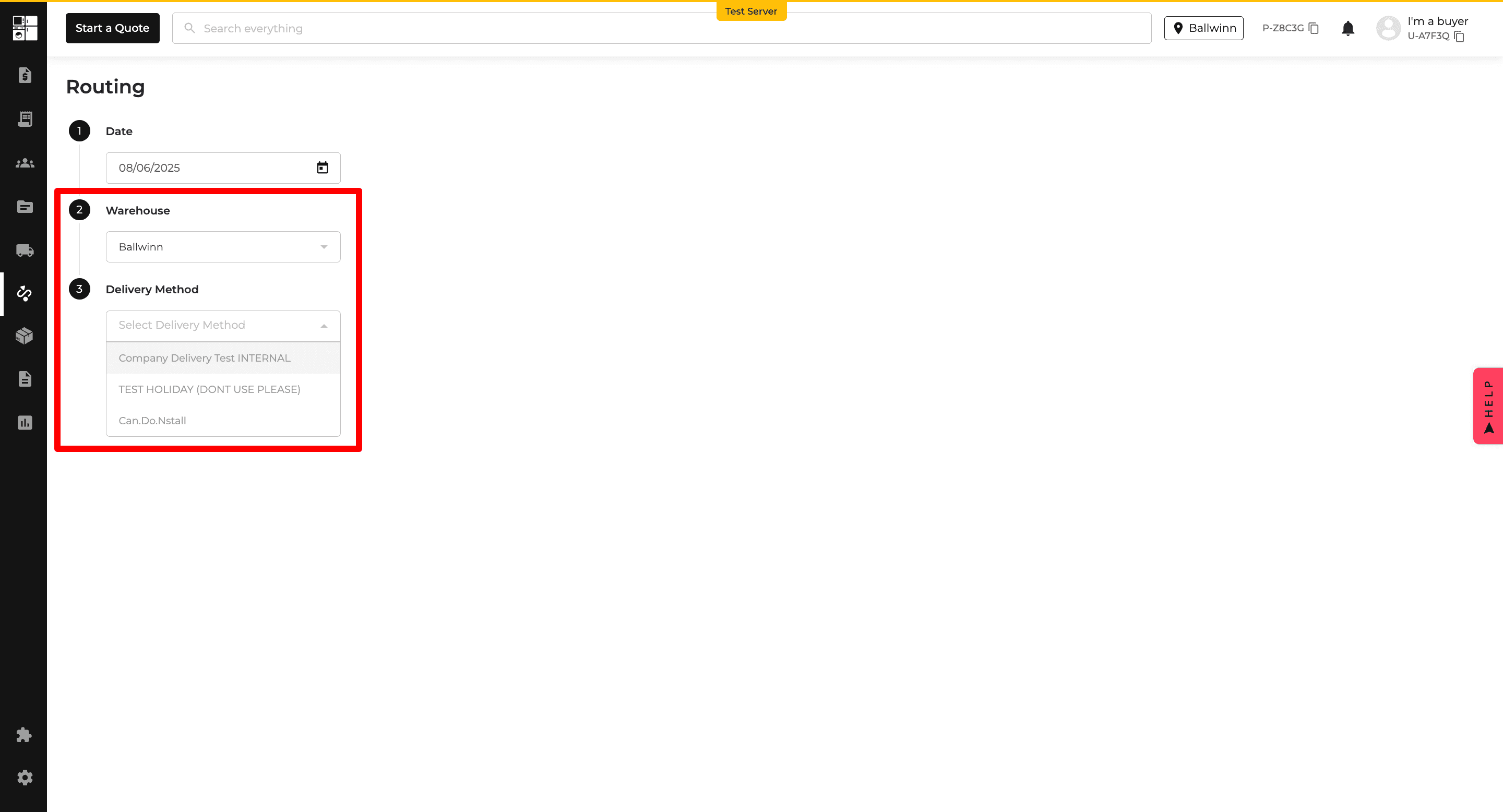
Delivery: Smarter Order Routing
The routing process now considers the selected source warehouse before displaying available delivery methods.
This provides more relevant delivery options when working across multiple warehouses.
Inventory: Stock Reservation by Role
Stock reservation now follows warehouse settings and user roles when multiple warehouses are enabled.
Super Admins and Delivery Managers have broader reservation access, while other users follow the configured default warehouse and reassignment rules.
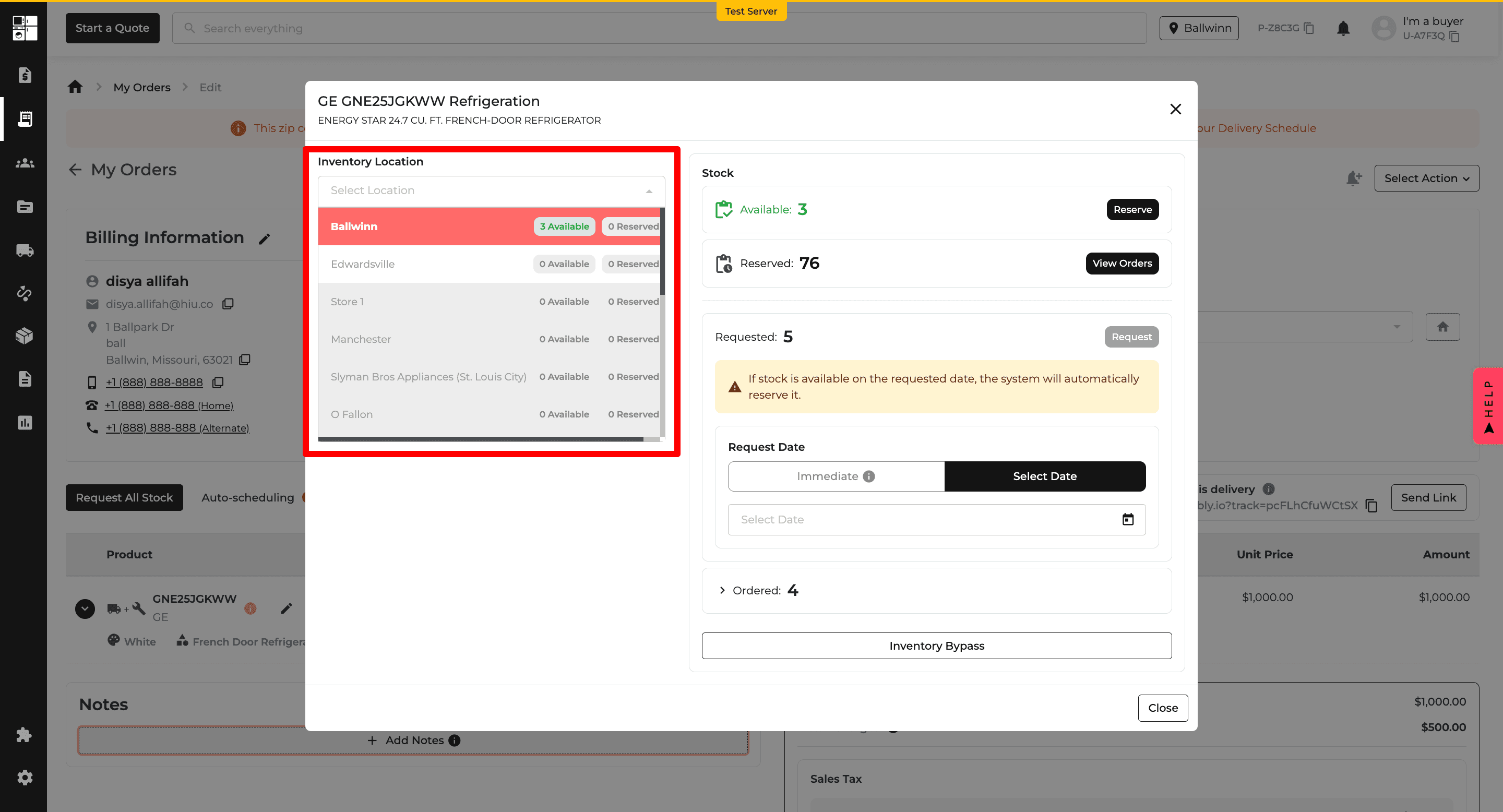
Orders: Delivery Method Visibility
Delivery methods on Orders now appear based on the warehouse used for inventory reservation and the customer's delivery ZIP code.
This helps ensure users only select delivery options that are available for the order.
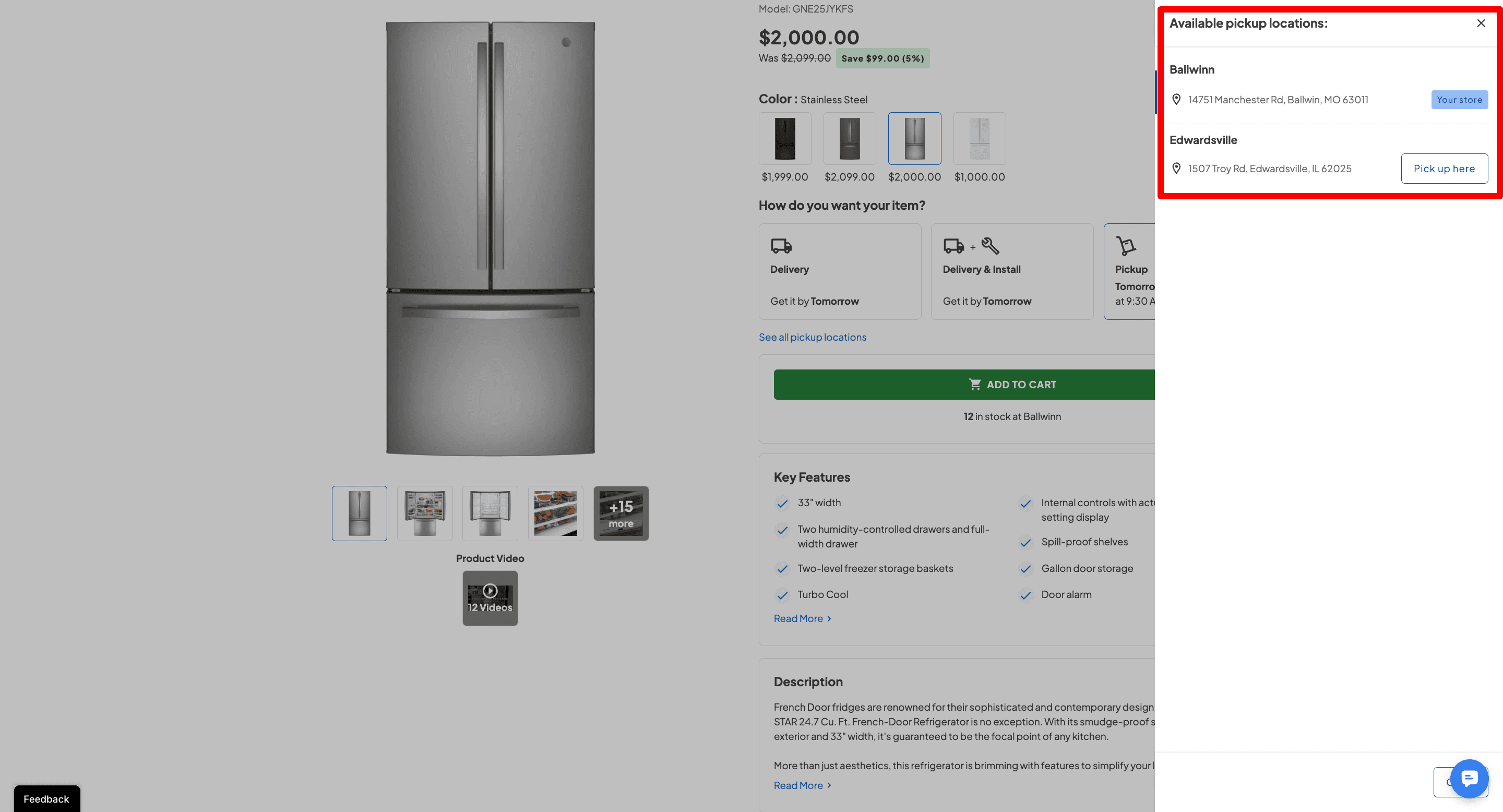
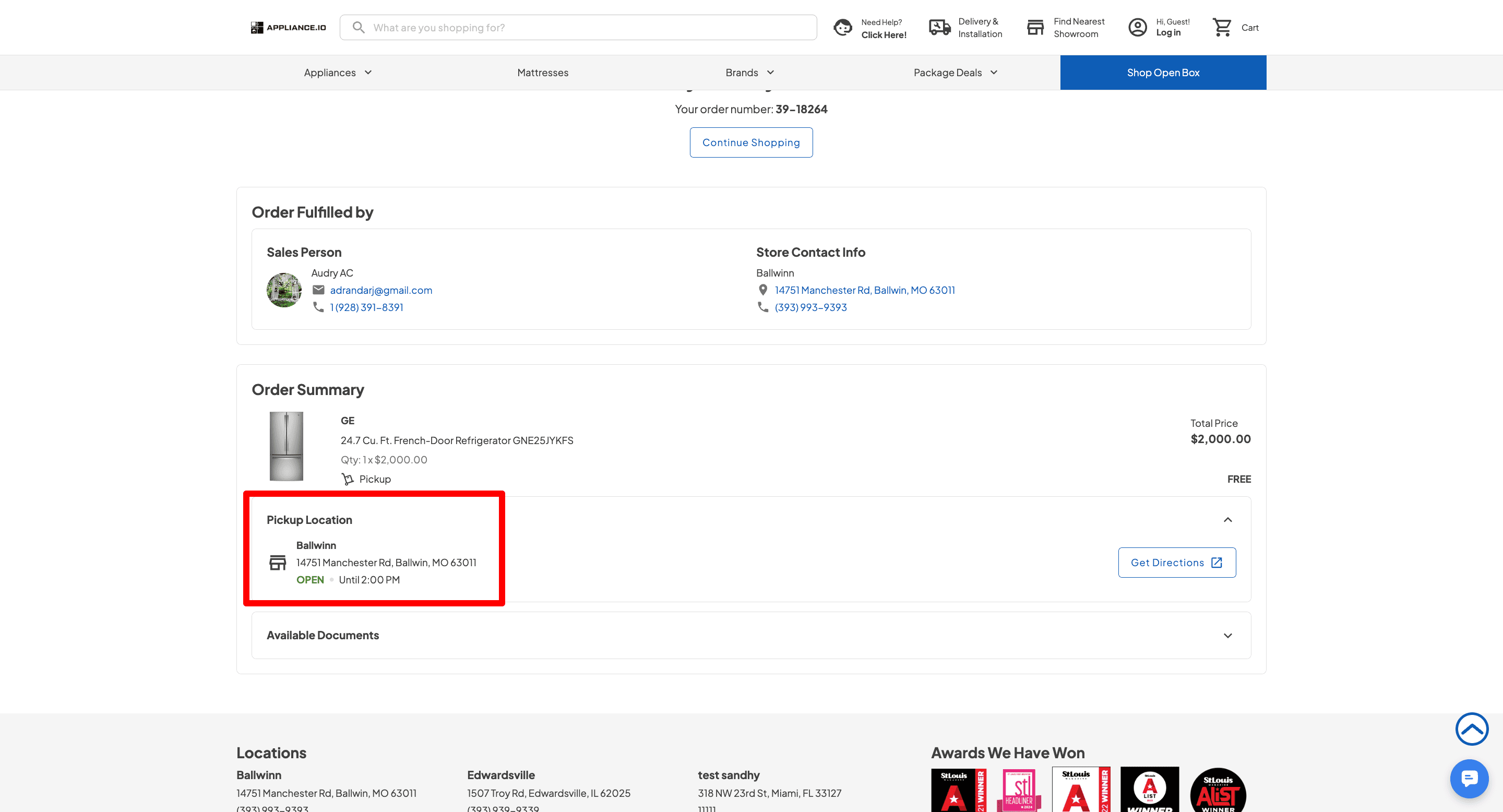
Website: Smarter Location Selection
Website checkout now uses inventory availability and customer proximity to help determine the best fulfillment location.
Delivery orders automatically use an appropriate warehouse, while pickup locations are organized based on stock and proximity. The selected fulfillment warehouse is also shown on the order confirmation.