Platform feature update completed on December 19th, 2024
New
Sales Tax
Settings
August 11, 2026
Good News - Check It! 🔥
1. 📊 New Report: Inventory Aging Report
Stop Guessing, Start Managing Aging Stock!
We’ve launched a dedicated Inventory Aging Report to help you take control of aging inventory.
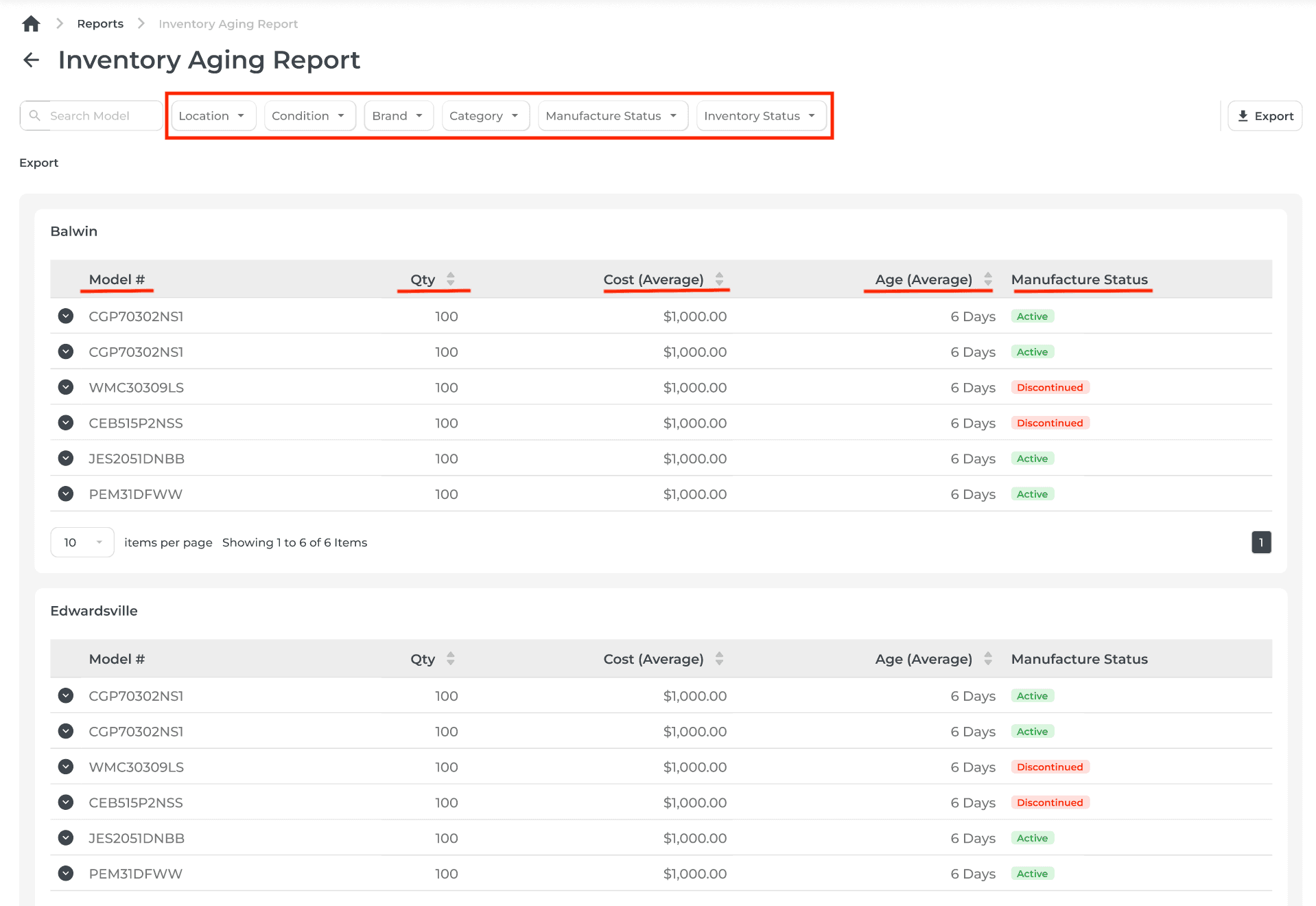
Key Filters: Refine results by Location, Condition, Brand, Category, Manufacture Status, and Inventory Status.
Summary View: See essential columns like Model, Qty, Cost (Average), and Age (Average) (sorted oldest to newest), and Manufacture status (discontinued or active).

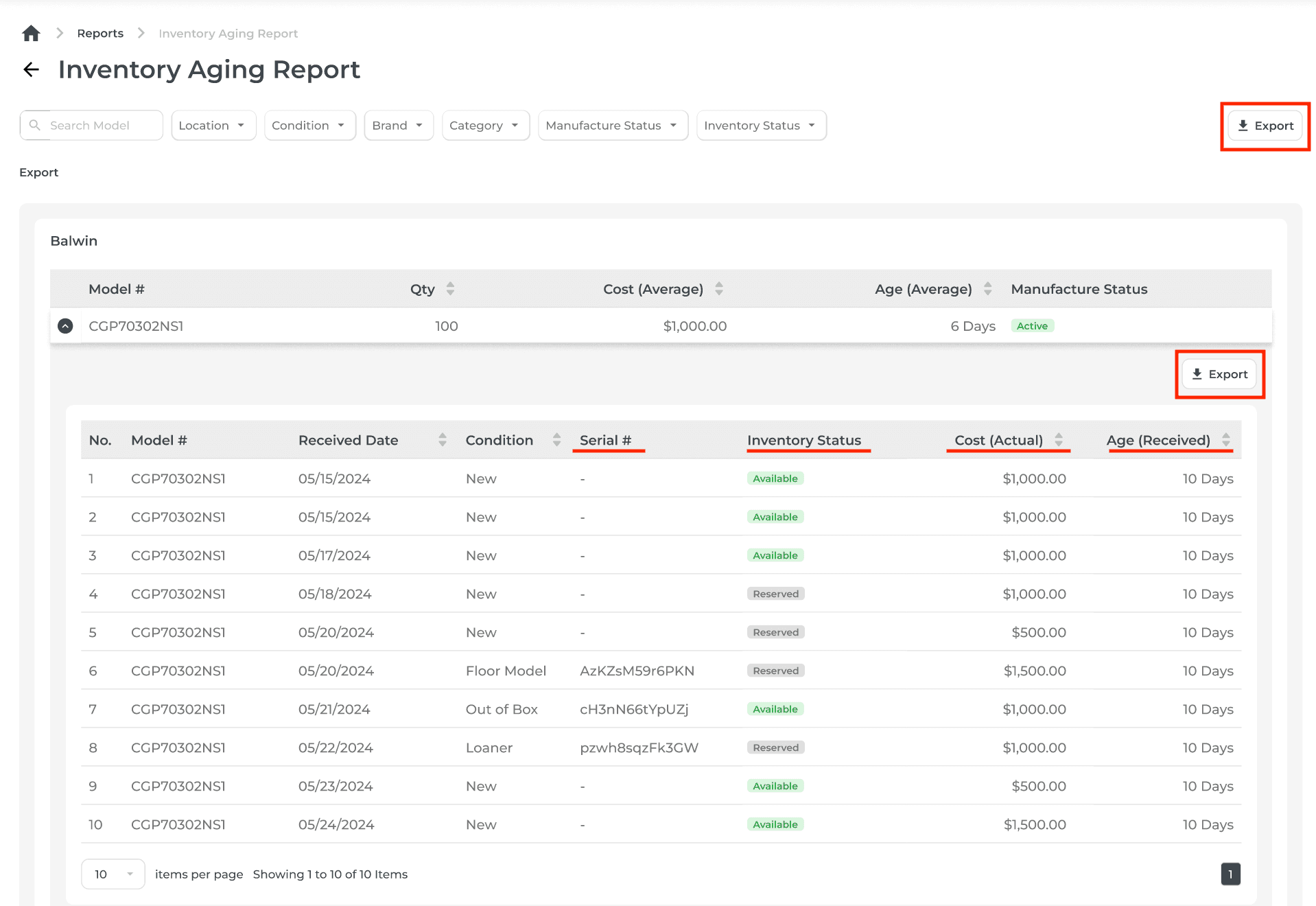
Drill Down: Expand any model to view a detailed breakdown of individual items with fields like Condition, Serial #, Inventory Status, Cost (Actual), and Age (Received).
Export Options: Download both summary and detailed views for easy reporting.

😄 Why You’ll Love It: Spot aging stock at a glance and make smarter decisions about promotions, clearances, or restocking.
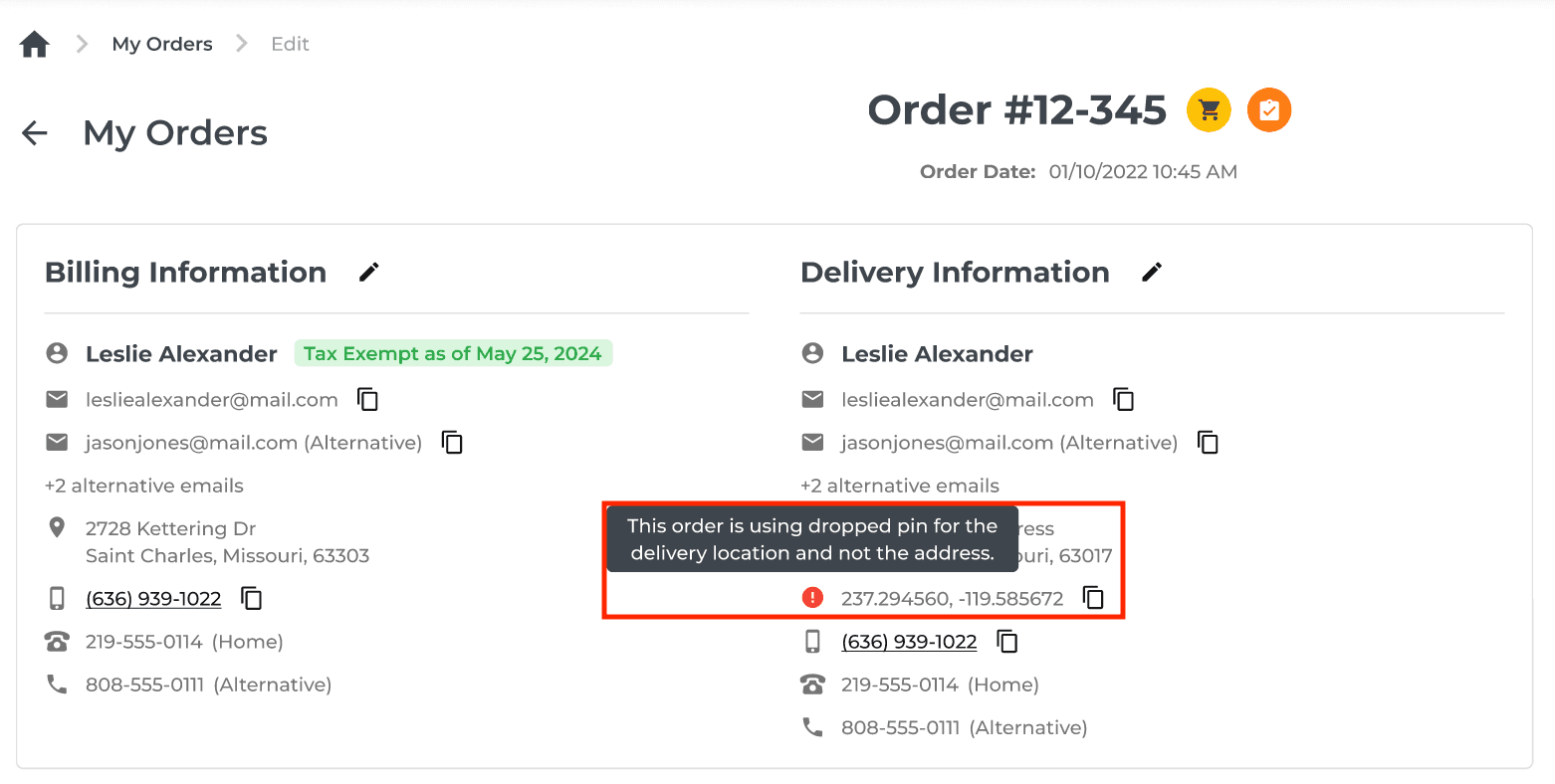
2. 🗺️ Longitude and Latitude for Delivery Addresses ⭐️💥⭐💥⭐
Ever had an issue with Google Maps not finding the address you entered? Hmm.. HEADS UP!!
Now, you can pinpoint Delivery Locations like a pro!
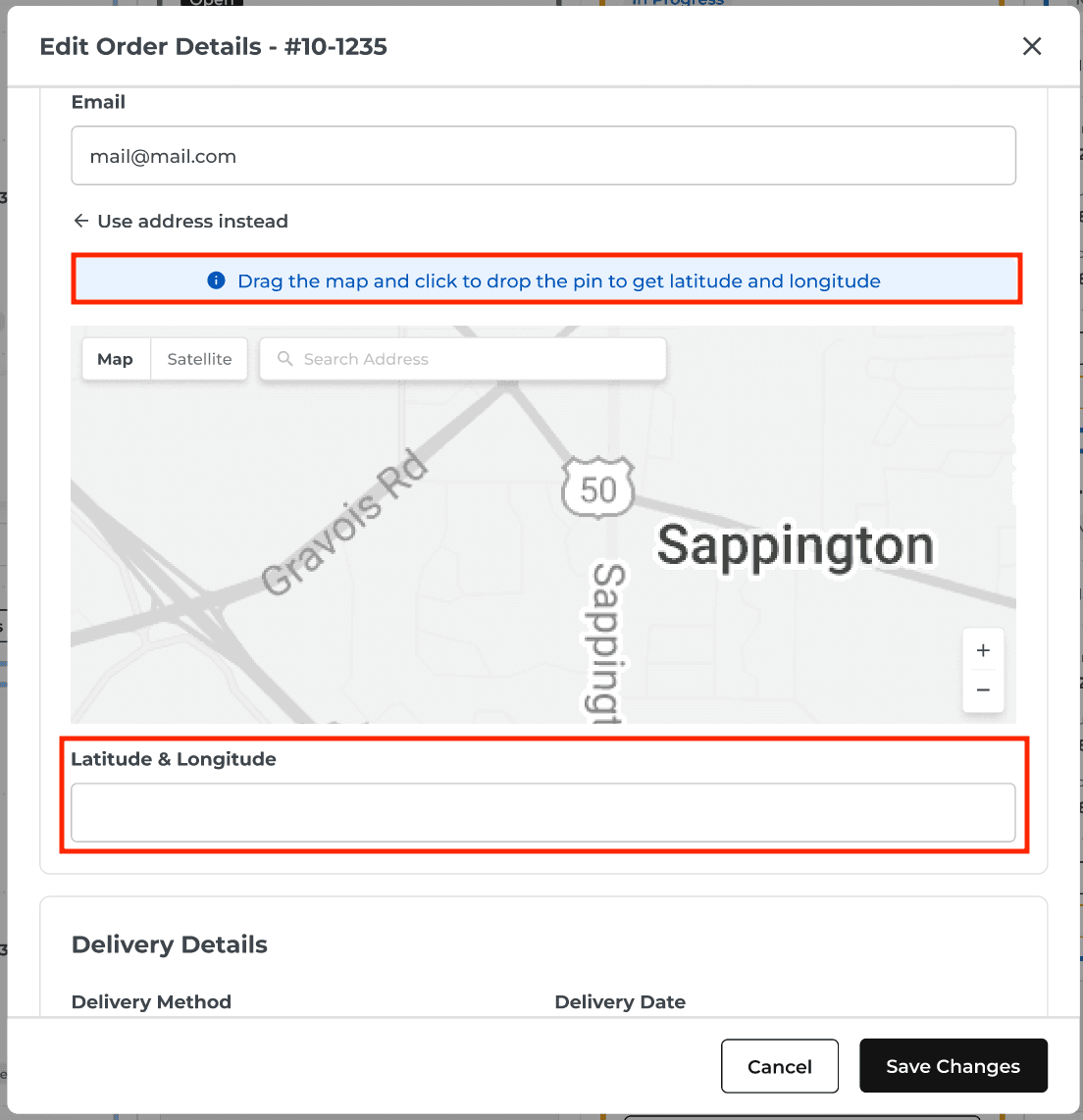
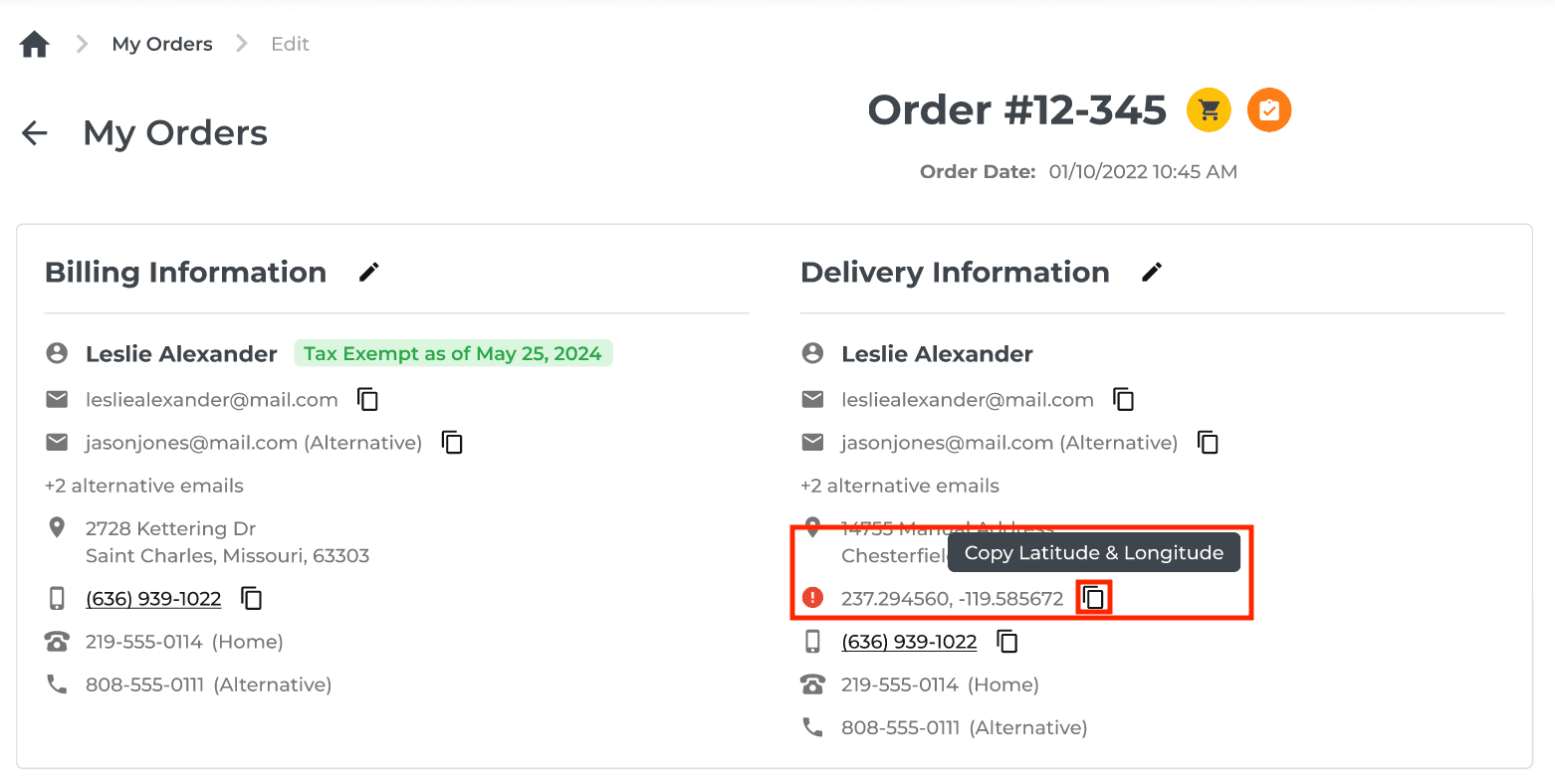
Manually entered addresses just got an upgrade. Now, you can add delivery locations using longitude and latitude for pinpoint accuracy.
Map Interface: Search, zoom, and drop a pin to autofill latitude and longitude fields.
Flexible Options: Enter addresses the traditional way or switch to longitude/latitude when precision is needed.
Better Deliveries: Improve route planning, reduce delays, and give your drivers exact delivery points.
🤩 Why You’ll Love It? Fewer customer calls, smoother routes, and happier drivers!


3. 🚚 Delivery & Automation: Custom Install Block
More options for you!
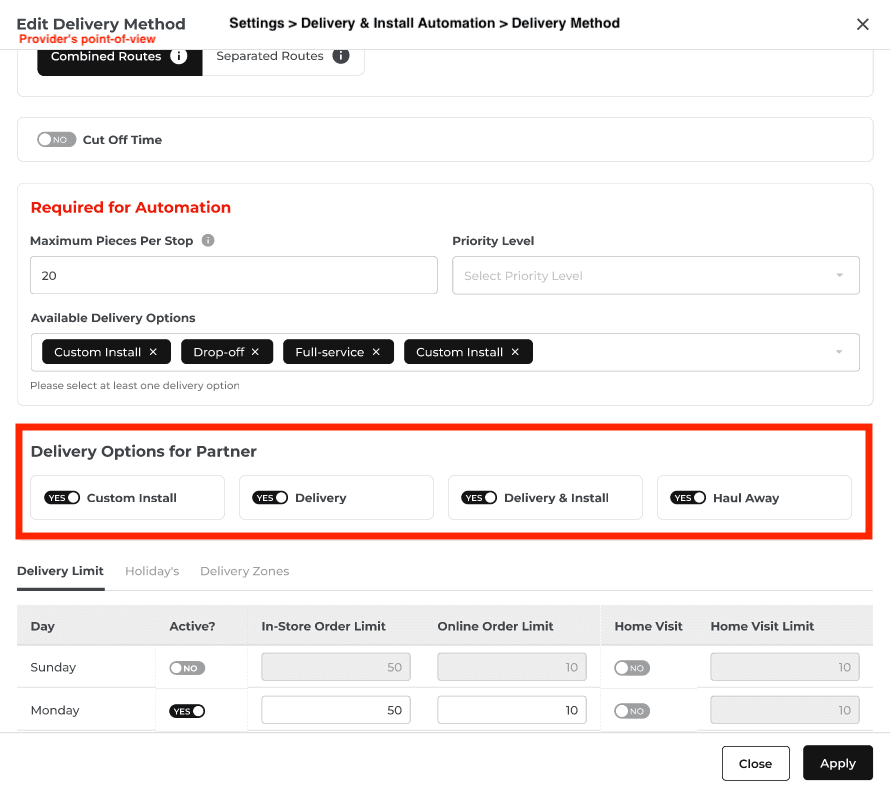
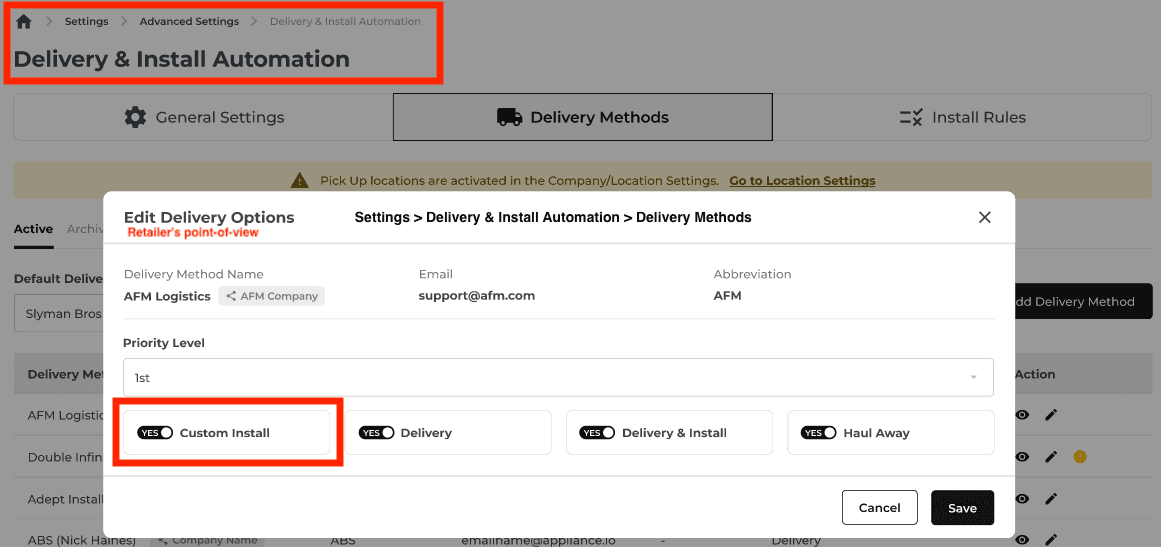
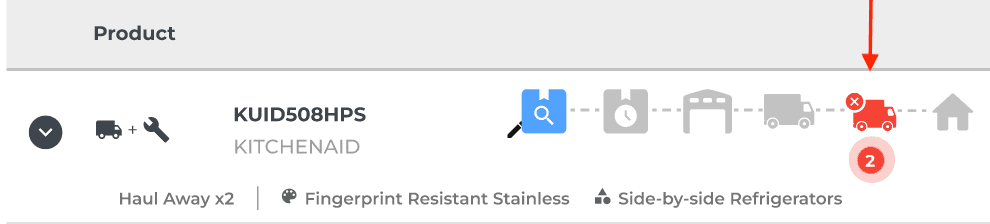
Now you can block specific delivery companies or individual drivers from handling custom installs.
Custom Rules
Set restrictions for delivery methods that aren’t equipped for custom installations.
Streamlined Processes
Ensure only the right teams handle complex setups.
😁 Why You’ll Love It? Reduce errors and keep your deliveries running smoothly!

The Provider (delivery company) settings will reflect on the Retailer's delivery options automatically.

4. ⏩ Bypass Reschedules for Manual Deliveries
Ever needed to close out a delivery that the driver forgot to?
Yeah, we made it a snap!
New Checkbox
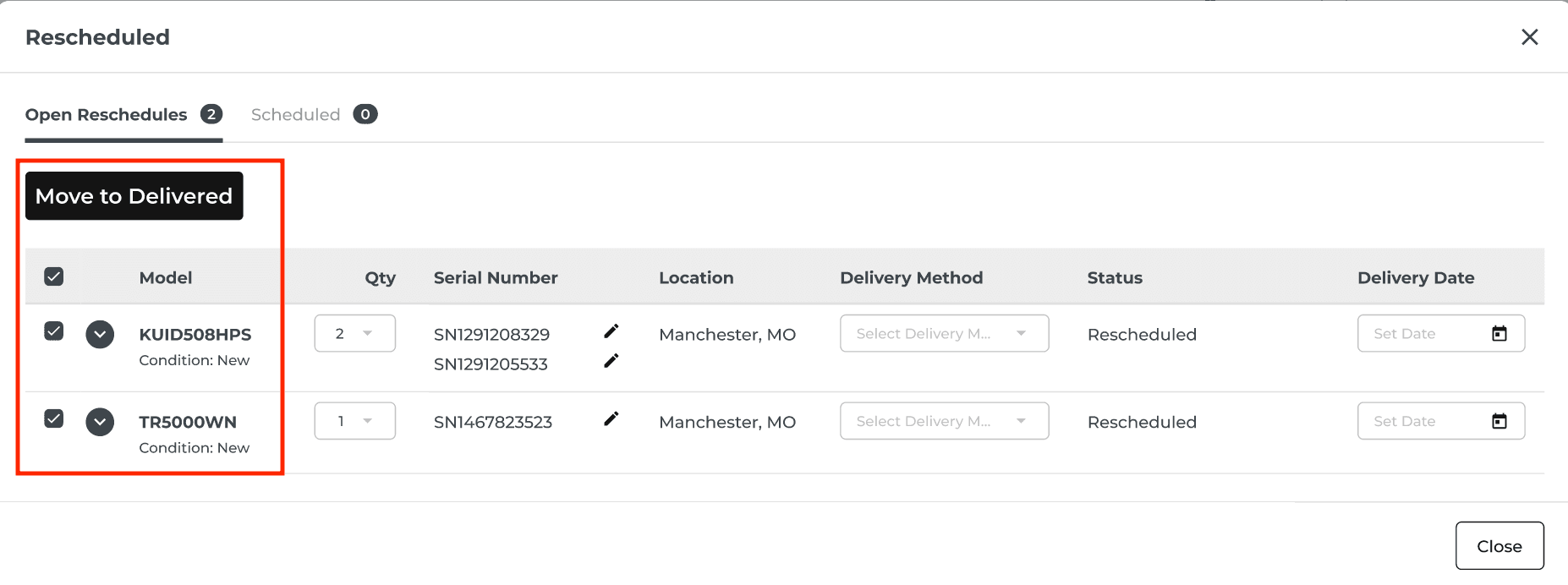
When rescheduling, select the checkbox first and the “Move to Delivered" button will appear to bypass unnecessary steps.
Automatic Workflow
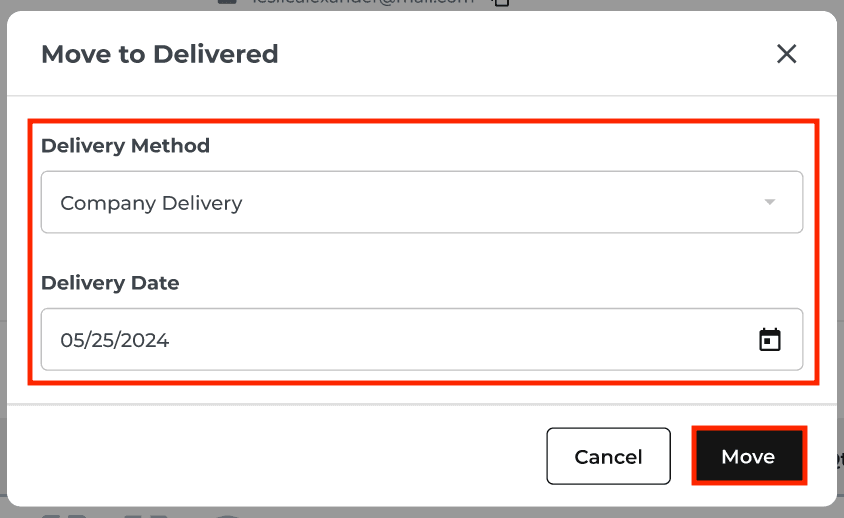
Skip inventory adjustments—just pick the delivery method and date.
Seamless Tracking
All changes are logged for accountability.
🥳 Why You’ll Love It? Save time and minimize frustration when manually completing deliveries.


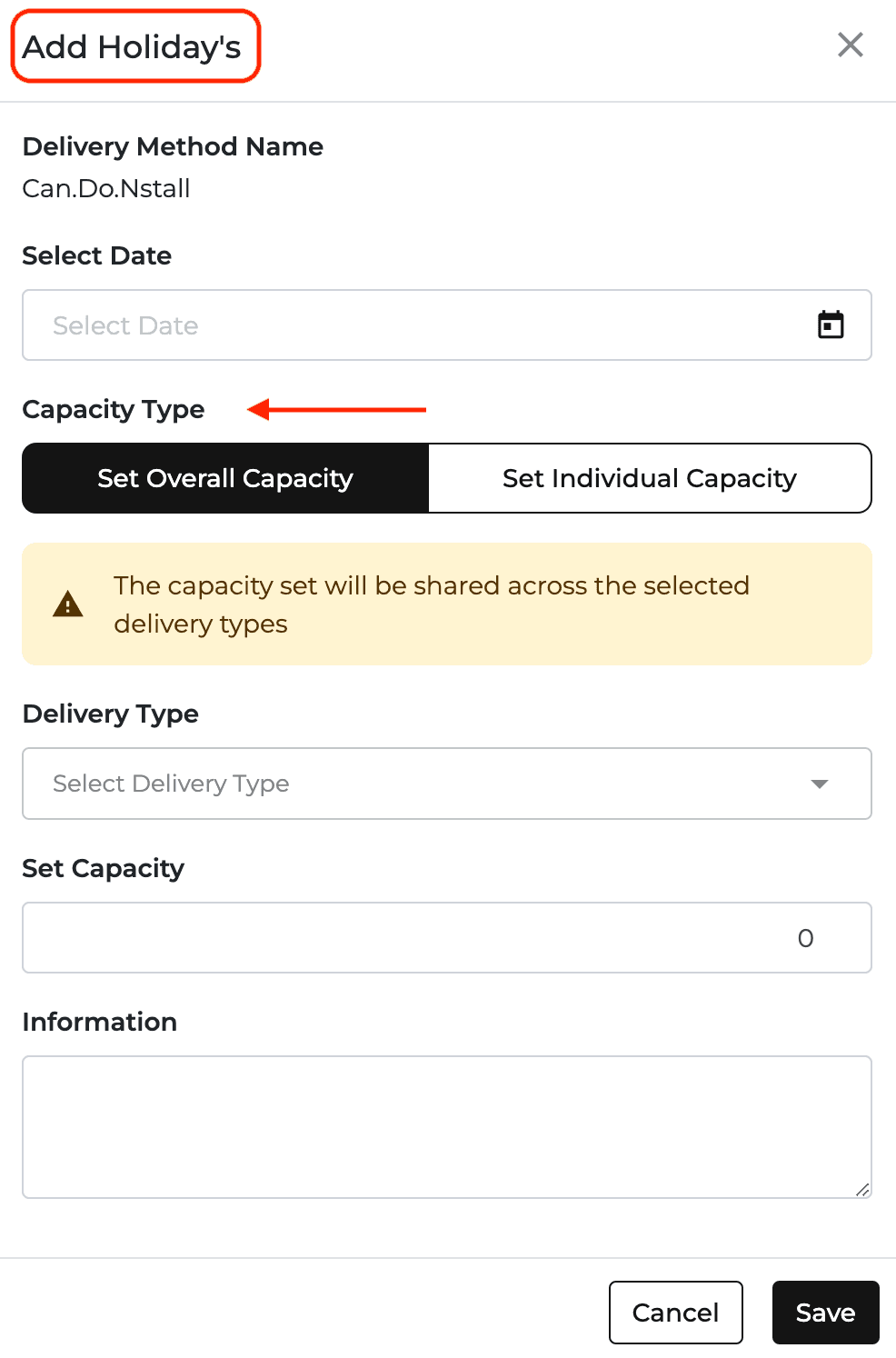
5. 📅 Delivery Provider Accounts: Capacity Settings Simplified
Take Control of Delivery Capacity, Your Way!
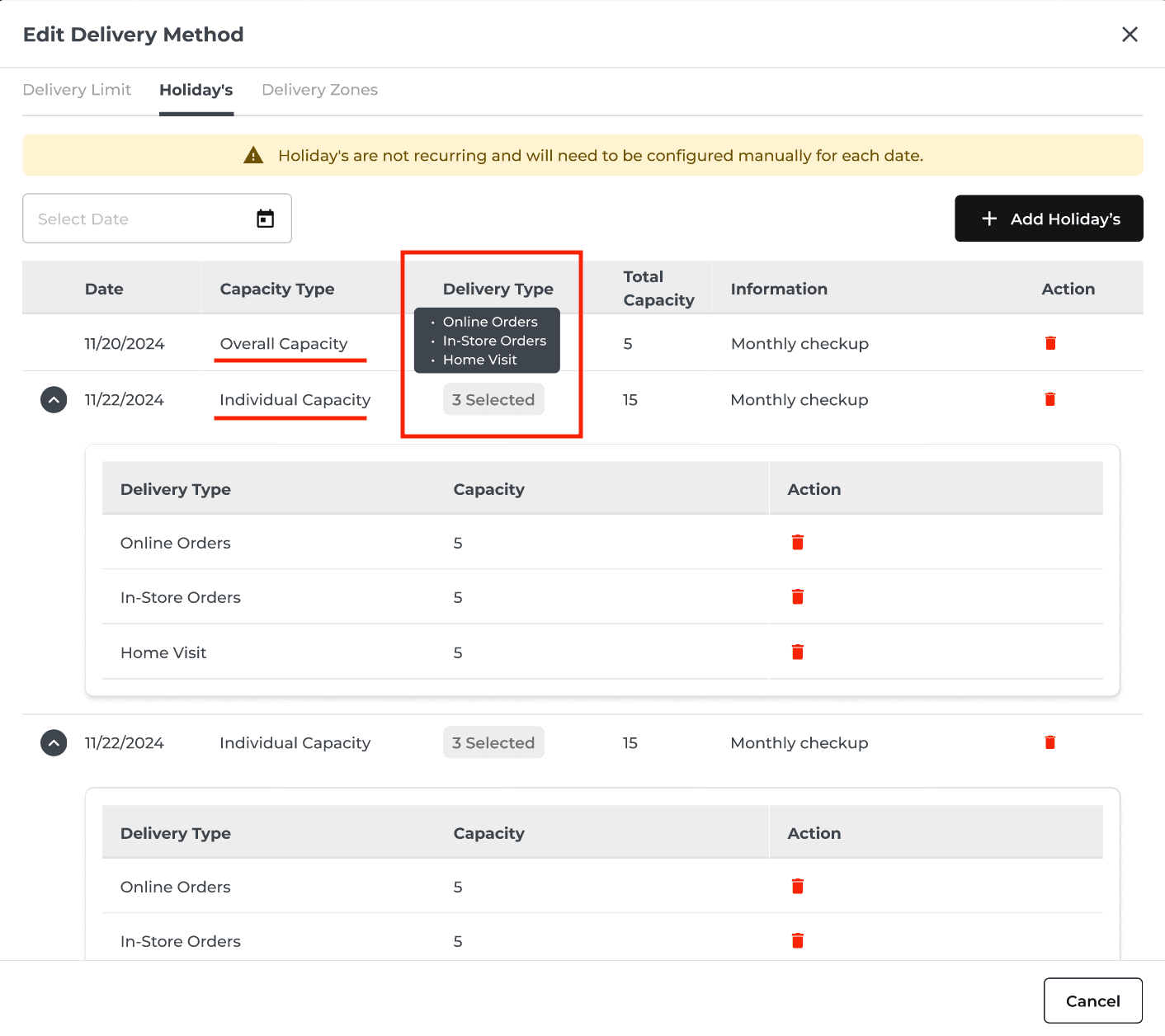
Set Overall Capacity
Specify total deliveries for the day across all types (In-store, Online, Home Visit).
Set Individual Capacities
Add up to 3 delivery types with specific limits, like Online Orders, In-Store Orders, Home Visit.
Smart Rules
Using individual settings automatically disables overall capacity, so nothing gets overbooked.
🥳 Why You’ll Love It: Gain flexibility while avoiding overbooking headaches.