Platform feature update completed on January 23th, 2025
New
Sales Tax
Settings
August 11, 2026
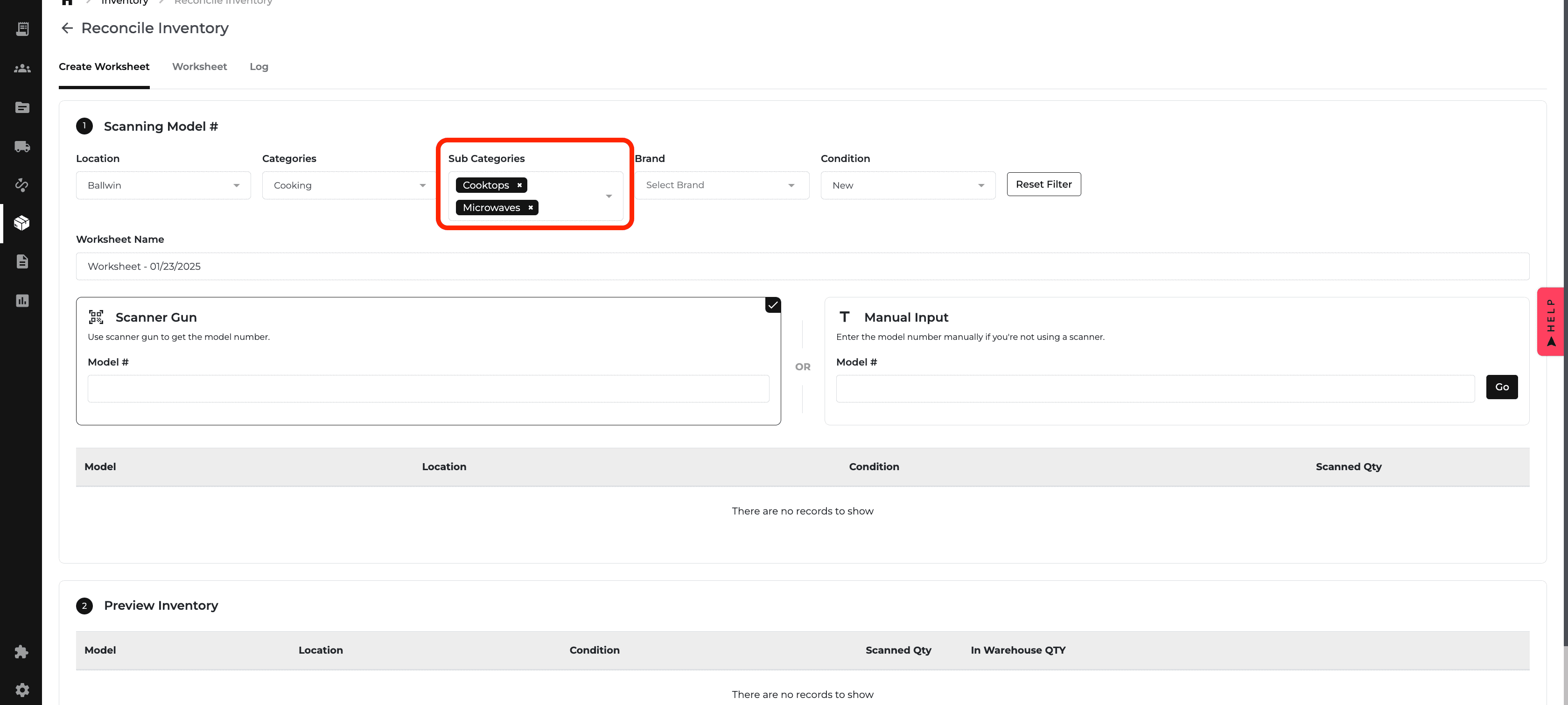
1. 📦 Scanning Models: Multi-Select Filters Are Here!
✅ What’s New? Select More, Scan Less:
Sub Categories: Scan Refrigeration and Cooking together.
Brand: LG and Whirlpool? You got it!
Pro Tip: Group your items by category for faster scanning and even less effort!
⚡ Why It’s Awesome: Get more done in less time—fewer clicks, happier warehouse teams! 🙌

2. 🚛 Improved Delivery Information Handling!
✅ What’s New?
No More Lost Info: Your info stays put, even if you peek at saved addresses and change your mind.
Seamless Workflow: Check saved addresses and continue where you left off without losing a thing.
💡 How It Works: The system remembers what you’ve entered—even after peeking at your saved addresses—so you’re good to go!
🩷 Why You’ll Love This: Your time is valuable—let’s keep it that way! 🚀
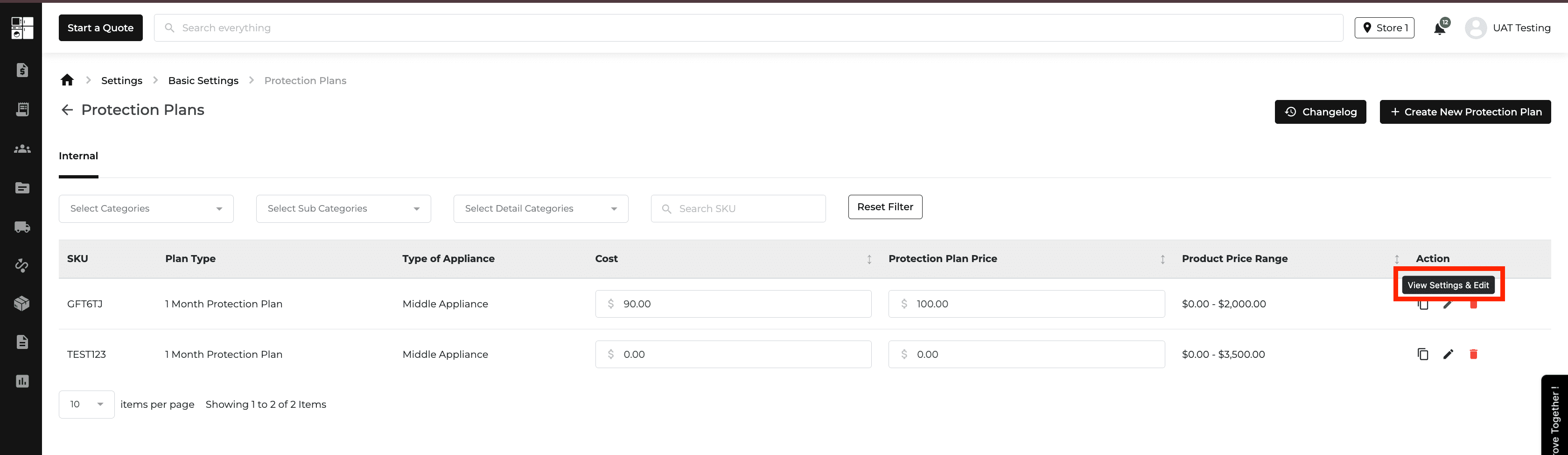
3. 🛡️ Protection Plans: Hover Text Update & More
✅ What’s New?
Hover Text Revamp: "Edit" is now "View Settings & Edit"—no more guessing!
Changelog Alert: We now log who made changes and what was updated in the settings.
💡 Why This Matters: Easy navigation, clear options, and transparency all in one. Now users can confidently explore and update their protection plans without the stress! ✨

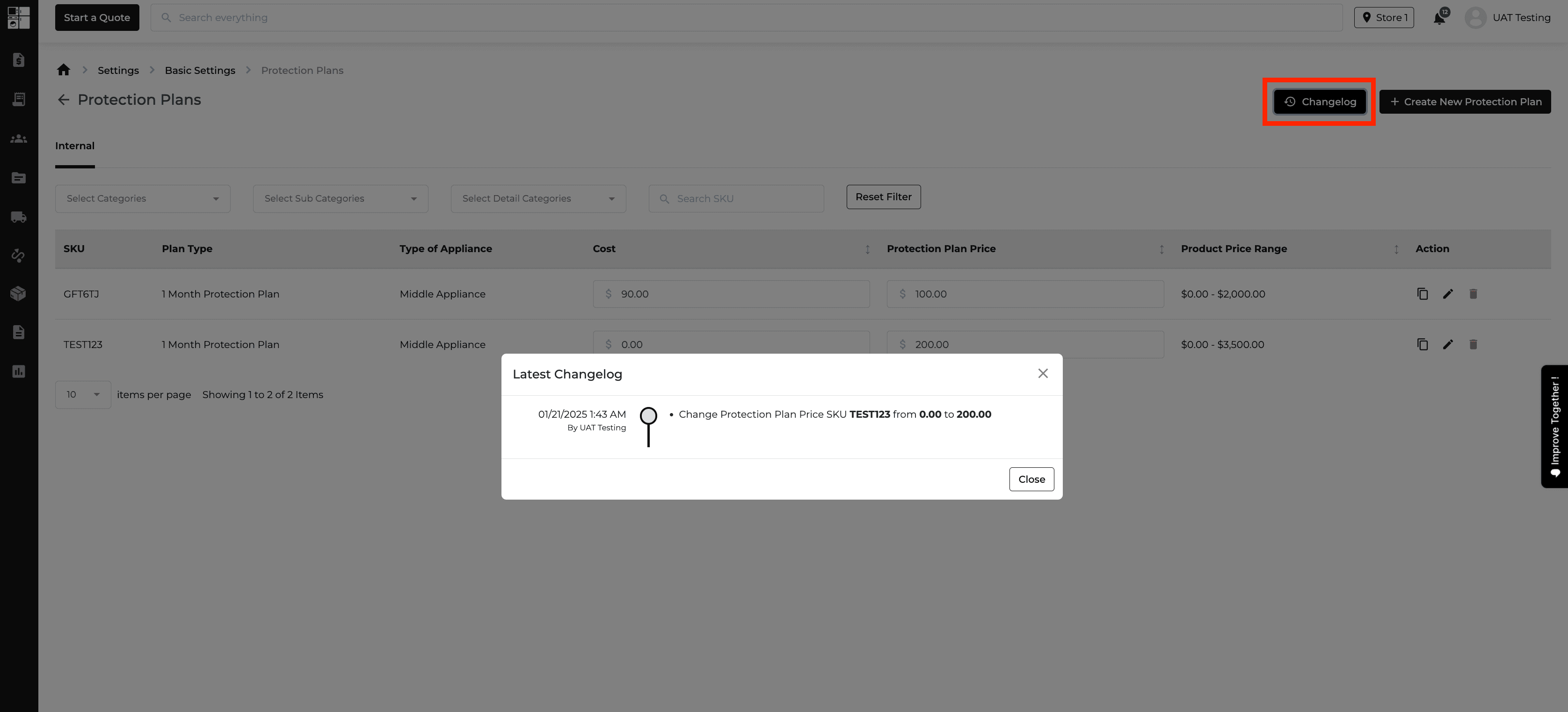
4. 🛡️ Protection Plan Settings: Now with a Changelog!
✅ What’s New?
Change Tracking: Every tweak to your Protection Plan settings is now logged—who did it, what changed, and when.
Full Transparency: No more guessing games or memory-based disputes. Check the logs anytime!
📑 How It Works: Every time a setting is changed, a log is created—making sure you can always find who did what and when.
💬 Why This Is Game-Changing: Clear logs, smooth tracking, and no more disputes. Keeping everything drama-free and on track! 🎉

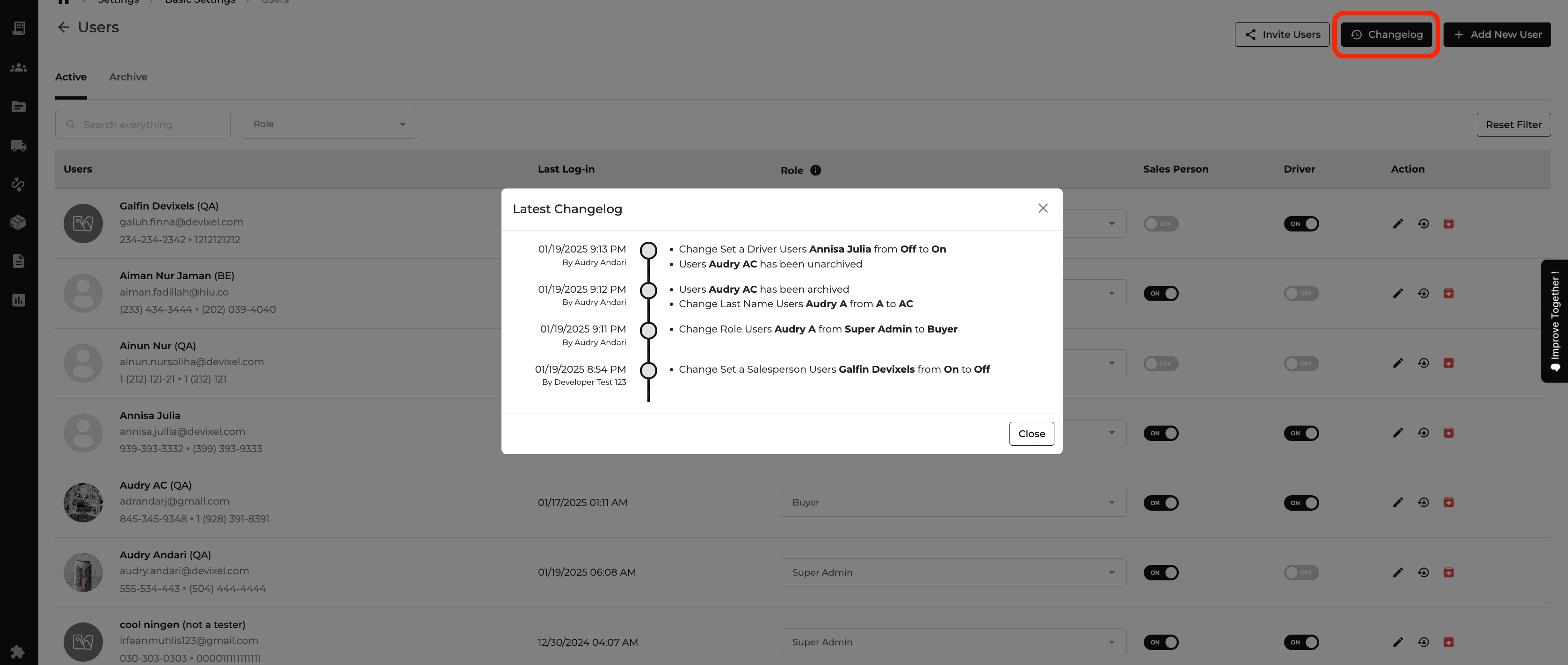
5. 👥 User Roles: Now with a Changelog!
✅ What’s New?
Track Changes: Every role update or user edit is now logged—what changed, who did it, and when it happened.
Accountability Made Easy: Super admins can now see all changes at a glance, ensuring transparency across the team.
💡 Pro Tip: Use the changelog to quickly identify the person behind any role updates, perfect for audits or troubleshooting!
🩷 Why You’ll Love This: No more confusion. The detailed logs make managing users smoother and more transparent! 🙌

6. 🗂️ Archived Orders: View & Track Like a Pro!
✅ What’s New?
Archived but Accessible: Archived orders aren’t “deleted”—they’re just chilling in storage, ready to view anytime.
Who, When, What: Every archive action is logged, so you know who did it and when.
Easy Cross-Referencing: Quickly find new orders linked to archived ones within 3 days of an archive.
📑 How It Works: Archived orders are stored but easily retrievable, and linked to new orders created nearby—so nothing slips through the cracks!
💡 Why This Is a Win: Keep things efficient, transparent, and avoid drama with clear visibility into all your orders. 💼✨
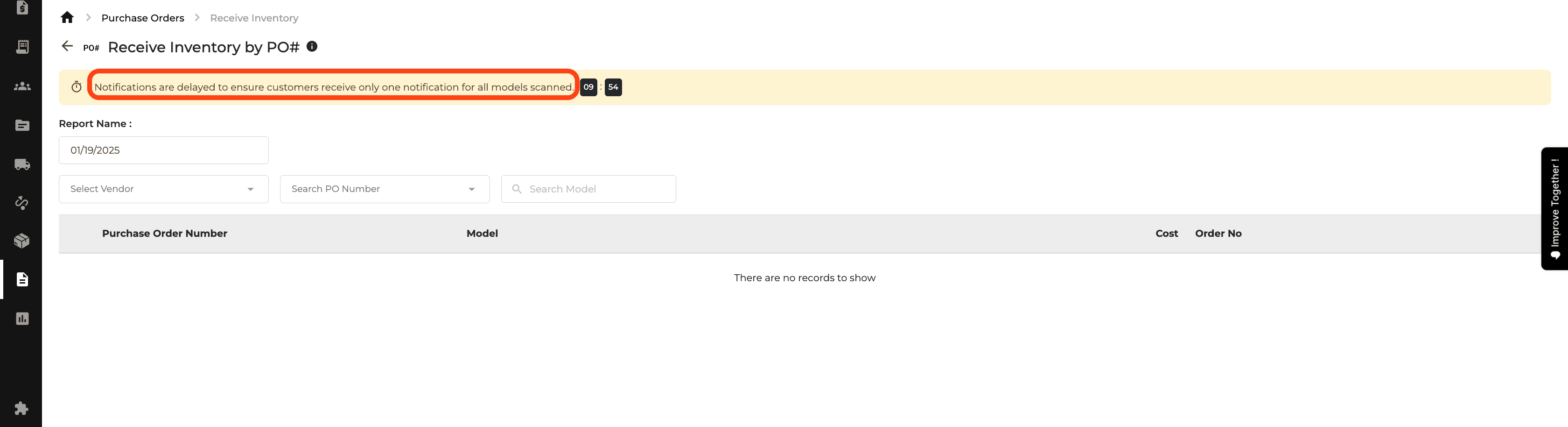
7. 📦 Receiving Inventory: Simplified & Smoother!
✅ What’s New?
The "Send Now" button is gone!
Timer is still there, working behind the scenes.
Clear messaging to explain the delay.
💡 Pro Tip: Let the system work in the background while you continue with other tasks. You’ll be notified when the job is done—no extra clicking needed!
⚡ Why This Matters:A more intuitive, streamlined process—no more confusion, just smooth sailing! 🙌