Appliance.io Updates & Improvements
Settings
August 11, 2026
Orders: Mark In Transit Orders as Delivered
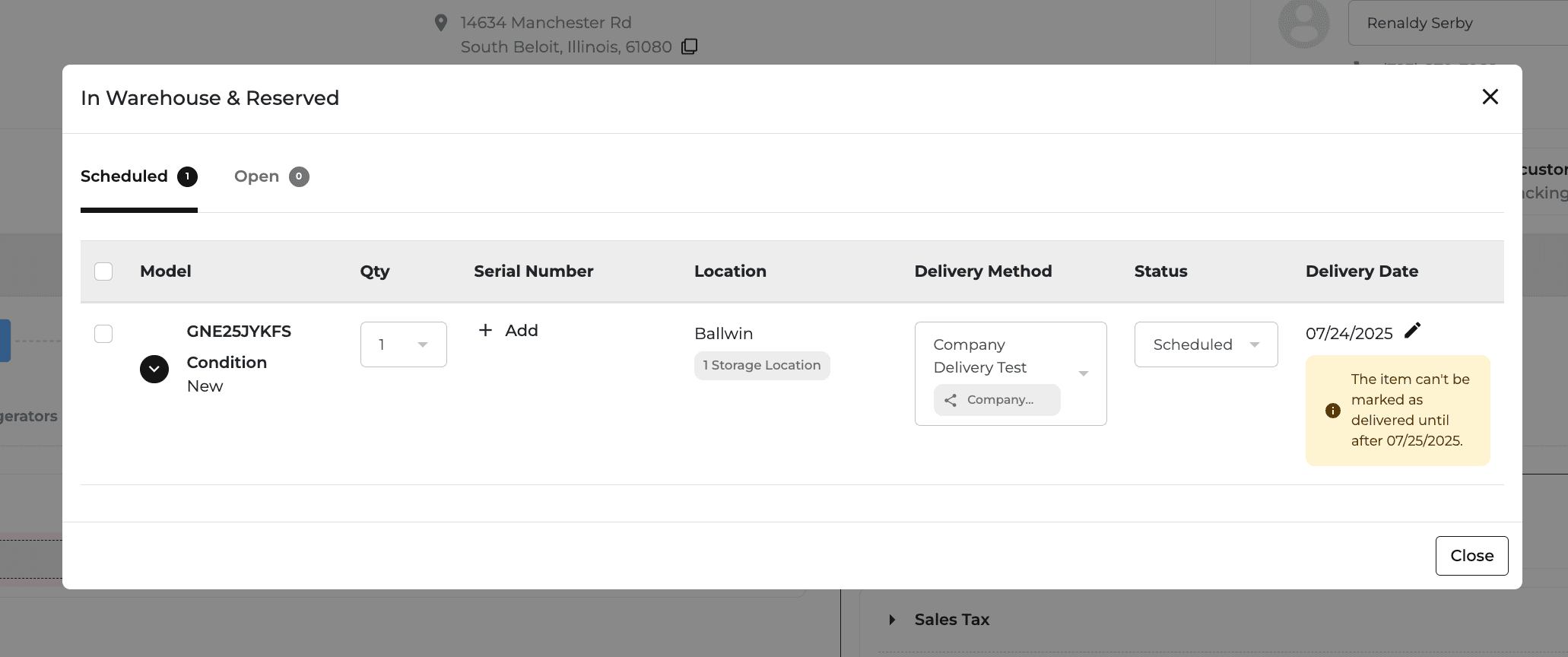
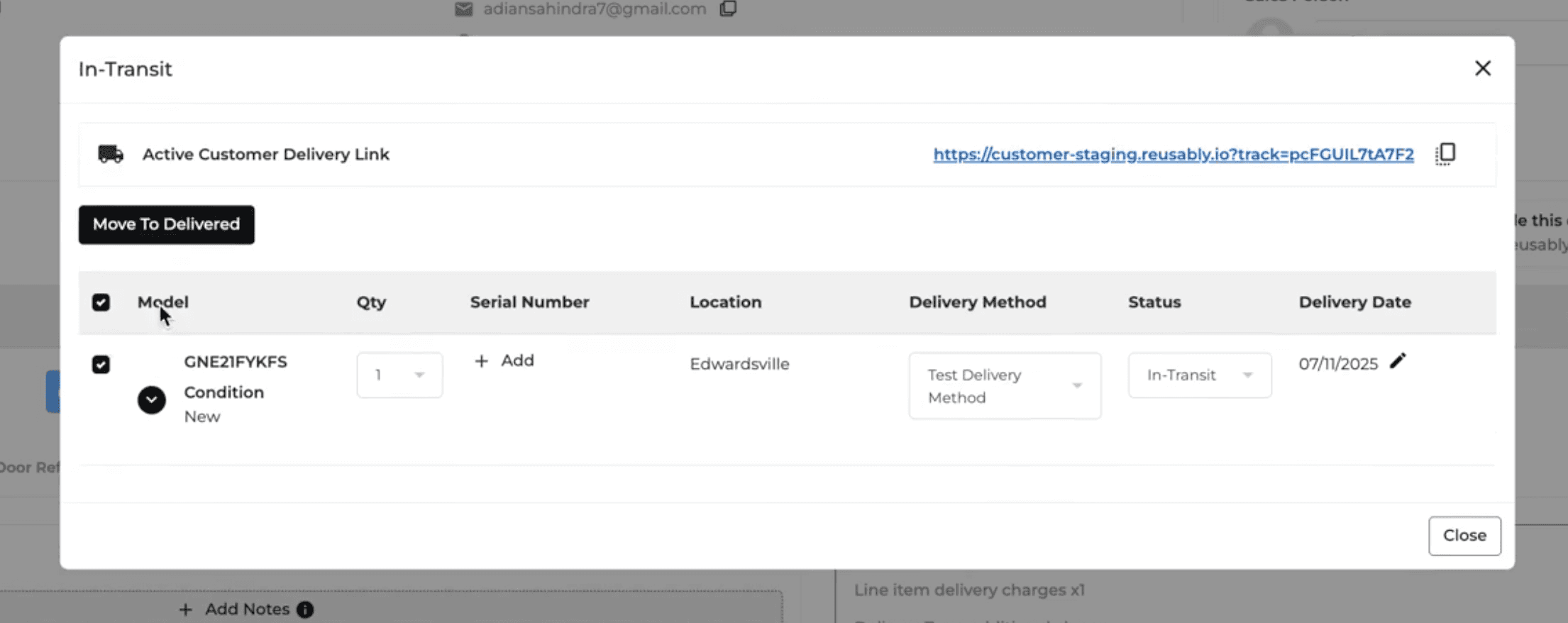
Superadmins, Buyers, and Store Managers can now mark eligible In Transit orders as Delivered directly from the Order Page without using the Driver App.
For Delivery Routing orders at least one day past their scheduled delivery date, authorized users can confirm the delivery, select the delivery details, and enter required serial numbers.
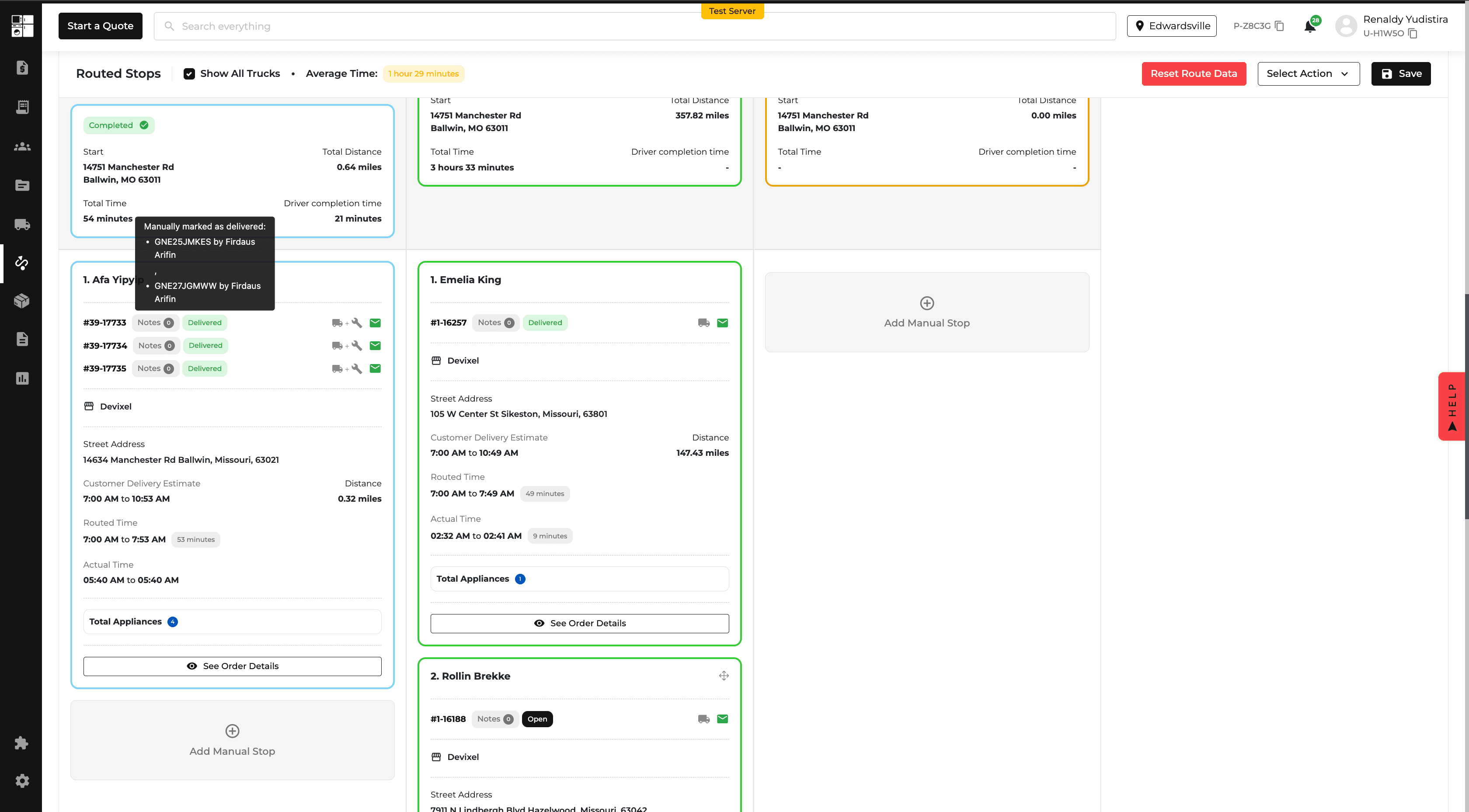
Completing the delivery also updates the related delivery stop on the Routing Page.
Customer Profiles: Secondary Contacts
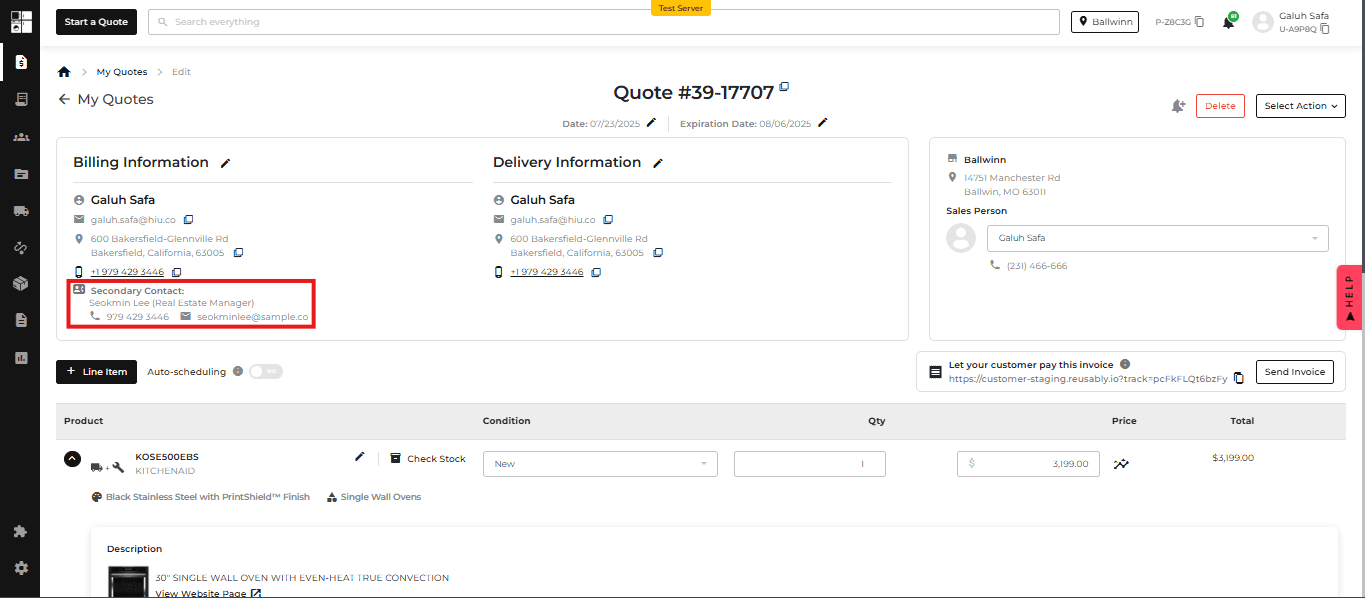
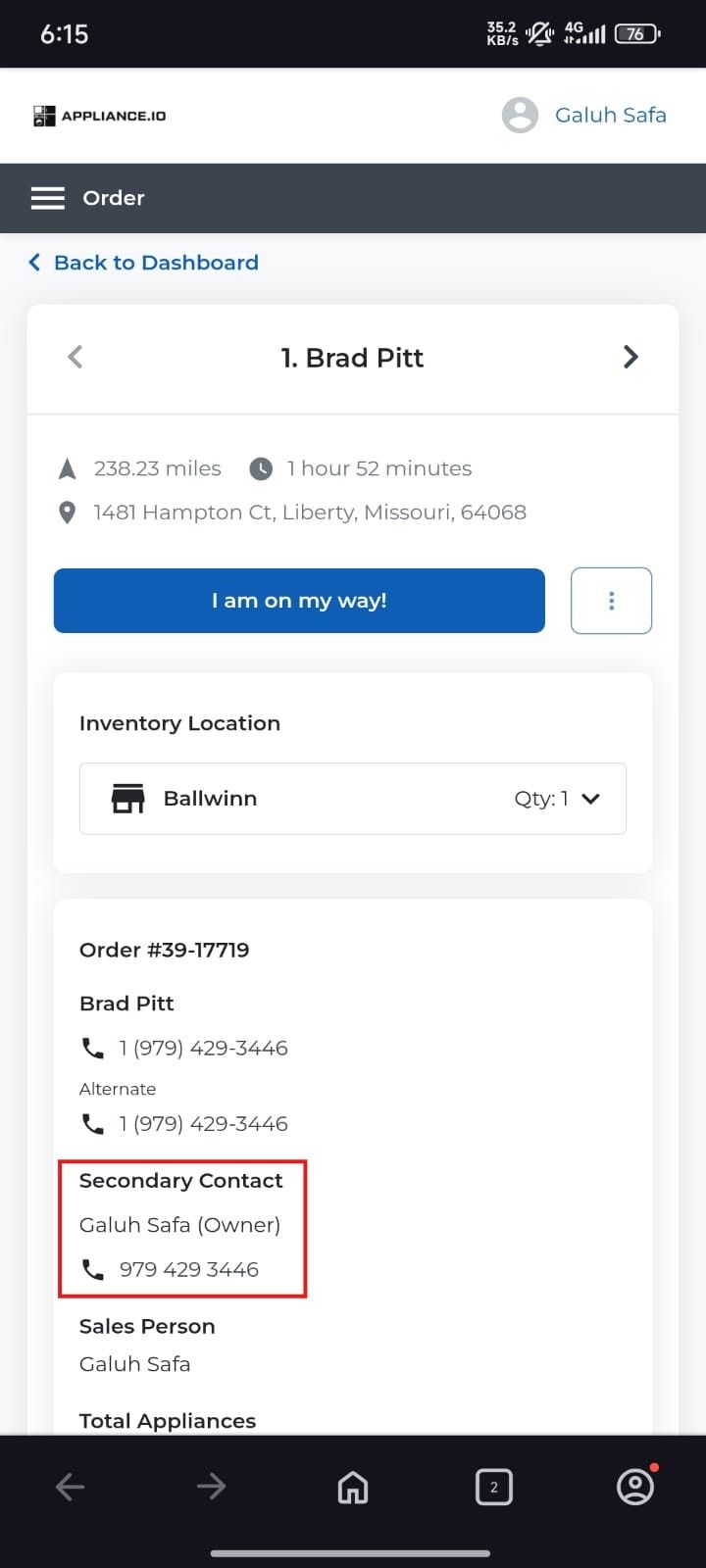
You can now add a Secondary Contact to customer profiles, including their name, relationship, phone number, and email.
Secondary contacts are available across Customer Profiles, Quotes, Orders, and the Driver App. Contact information can also be updated for an individual Quote or Order without changing the main customer profile.
Changes to secondary contacts are tracked for easier reference.

Customer Portal: Delivery Tracking
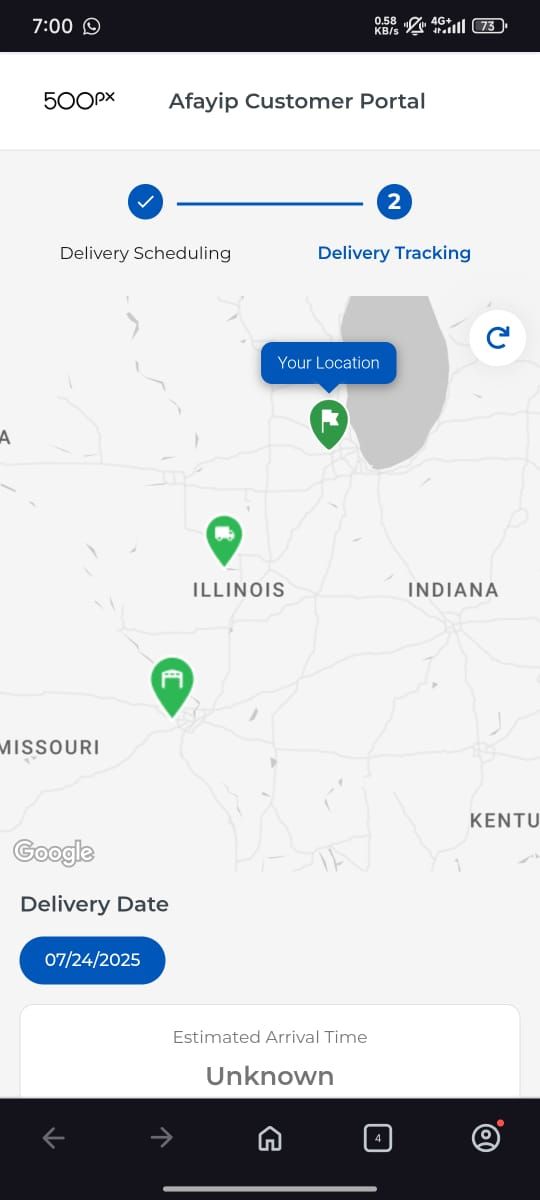
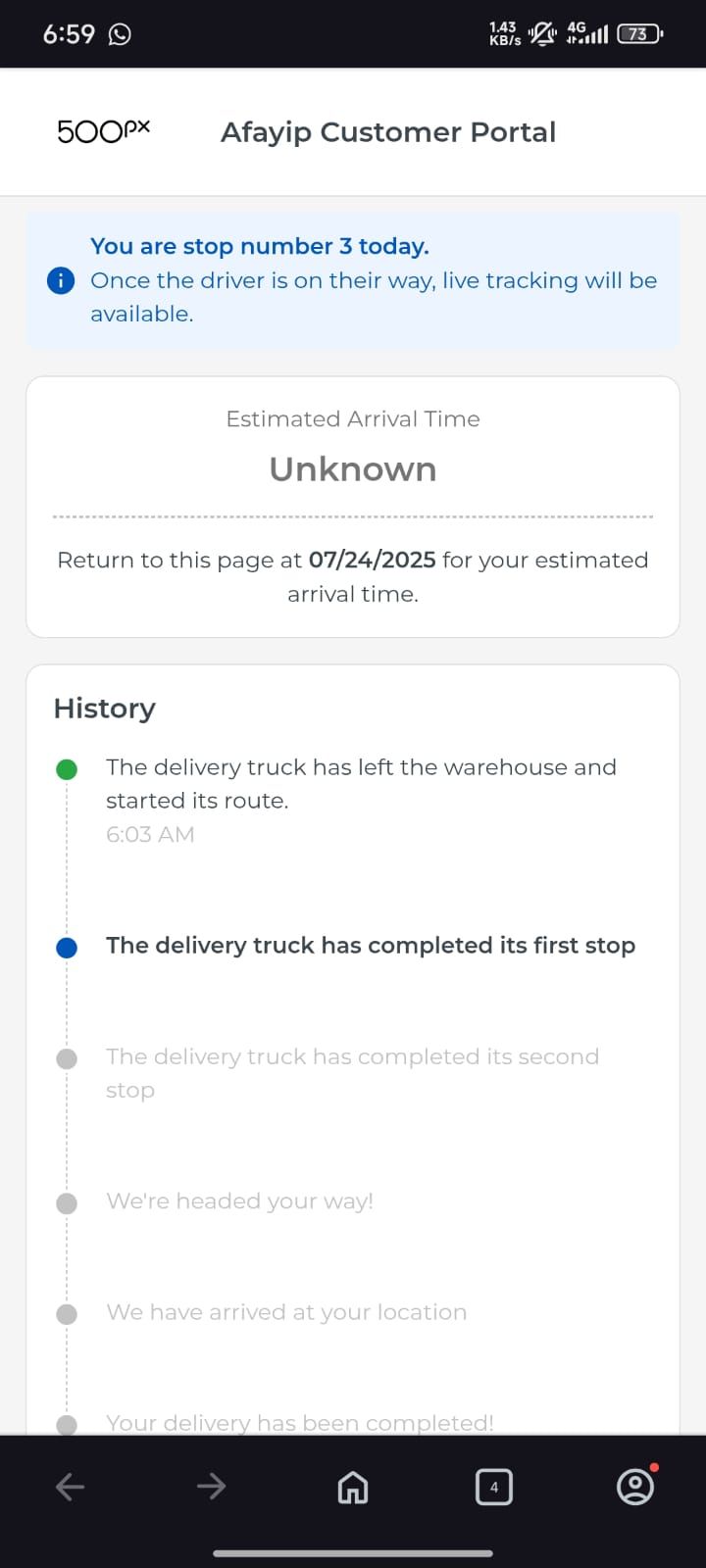
The Delivery Tracking page has been updated to provide customers with a clearer view of their delivery.
Customers can now more easily see the warehouse, stop number, delivery details, and fulfillment information. Live tracking appears when the driver is on the way to the customer's stop.
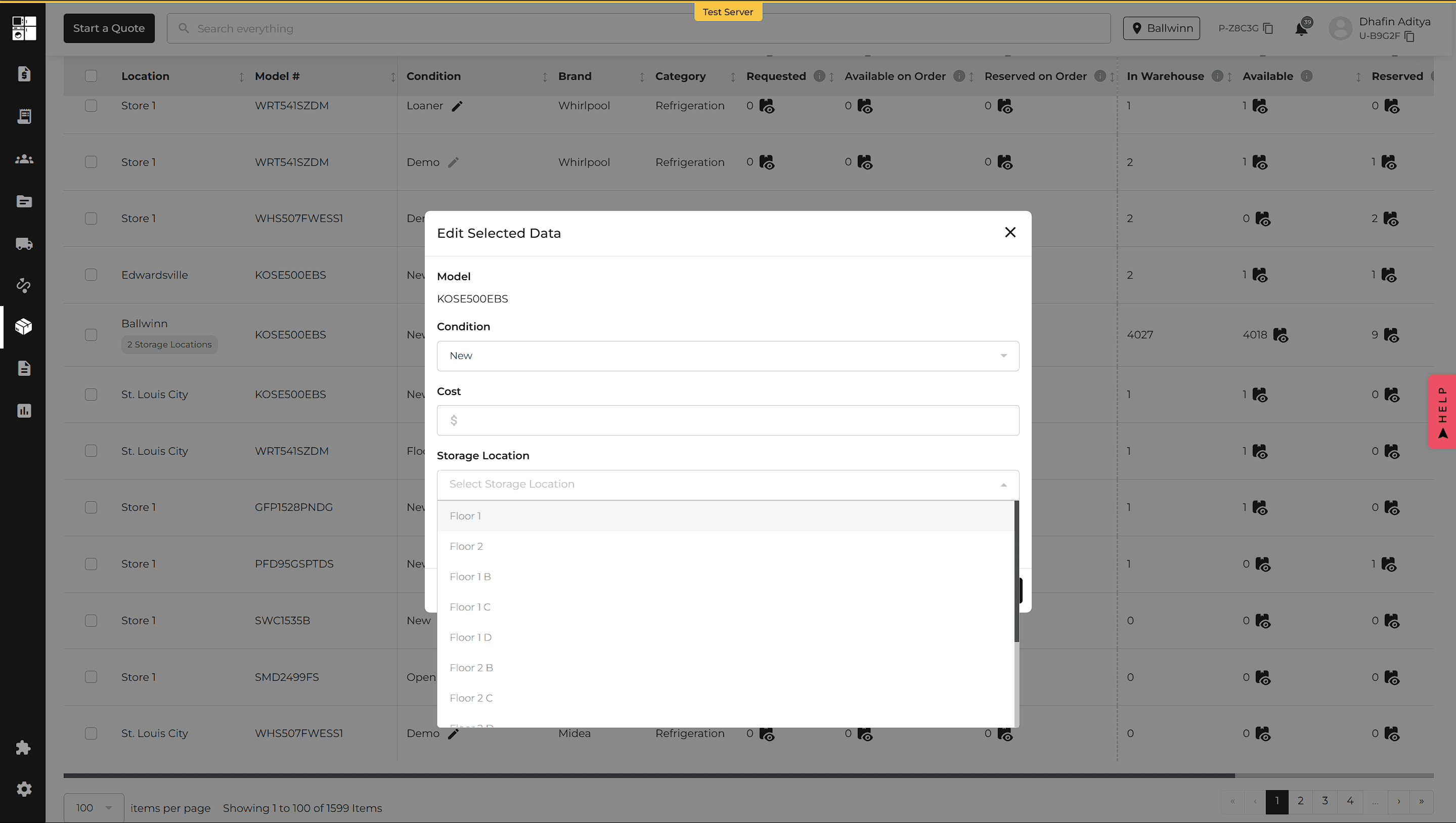
Inventory: Bulk Edit Storage Locations
You can now update the Storage Location for multiple inventory items at once.
Select the products from the Inventory page, choose Bulk Edit, update the Storage Location, and save your changes.
This makes it faster to organize and maintain inventory across storage locations.
Protection Plan Report: Exclude Older Orders
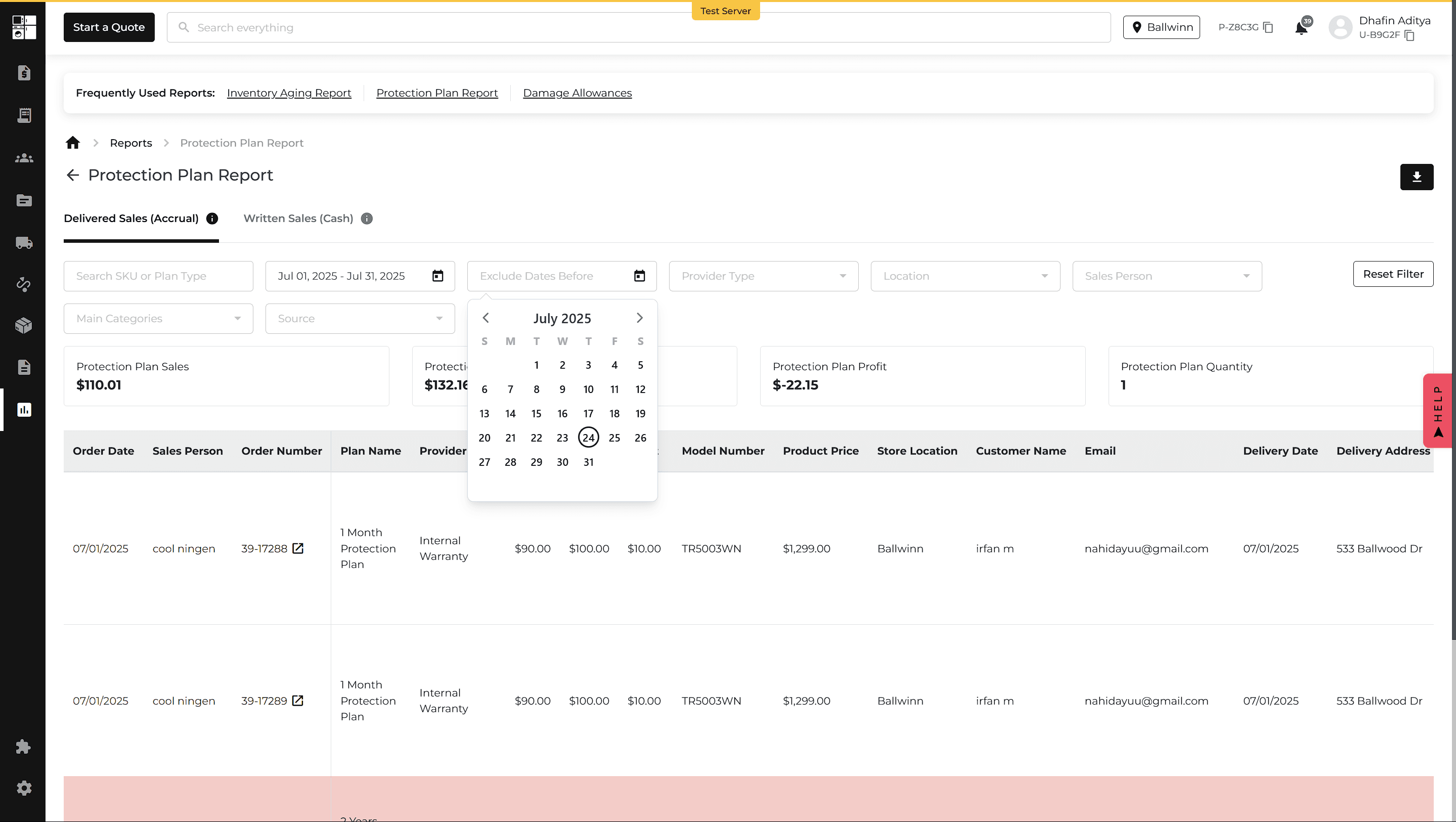
The Protection Plan Report now includes an Exclude Order Dates Before filter.
Enter a date to exclude orders placed before that date, making it easier to focus the report on relevant orders without removing historical information.