Platform feature update completed on June 5th, 2025
New
Sales Tax
Settings
August 11, 2026
🧾 New: Smarter Delivered Sales Reports with Date-Based Filtering!
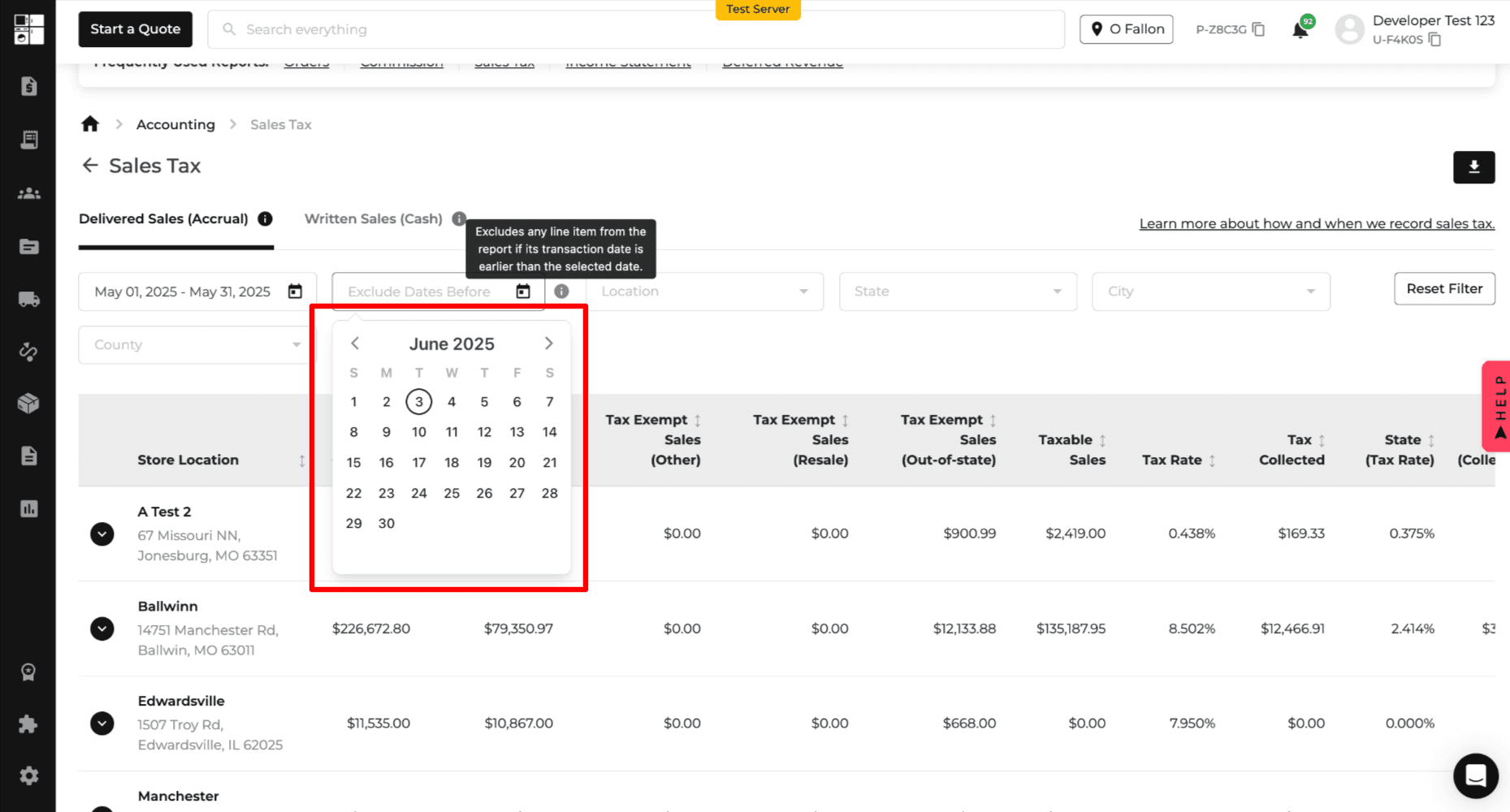
Where? 👉 Report > Accounting > Sales Tax Report (Delivered Sales tab)
What’s new?
Within the Sales Tax Report, you now have more control over your Delivered Sales (Accrual) report with a brand-new filter:
🗓️ “Exclude written sales before” — a simple date picker that lets you exclude older sales based on their written date.
🔍 What it does:
Adds a date filter that excludes any line items written before the selected date
Gives you cleaner, more focused data by avoiding overlap with the Written Sales report
Want everything? Just leave it blank, and nothing is excluded
The report updates instantly with your filter choice
🛠️ Why it matters:
Before this update, your Delivered Sales report could include old written sales — leading to duplicate or confusing data when comparing to the Written Sales report.
Now, you can keep things tidy and transparent!
🎯 Who it's for:
Sales managers who want to view data while excluding specific dates for more focused analysis
Anyone exporting reports to CSV, Excel, or PDF who needs precise data slices
🚨 Heads up!
This filter only affects the Delivered Sales report — your Written Sales view remains unchanged. For accurate comparisons, use the new filter accordingly!
Happy reporting — and here’s to cleaner, smarter sales data! 📊

⏰ Be On Time, Every Time – Delivery Window Visibility Is Here!
What’s new?
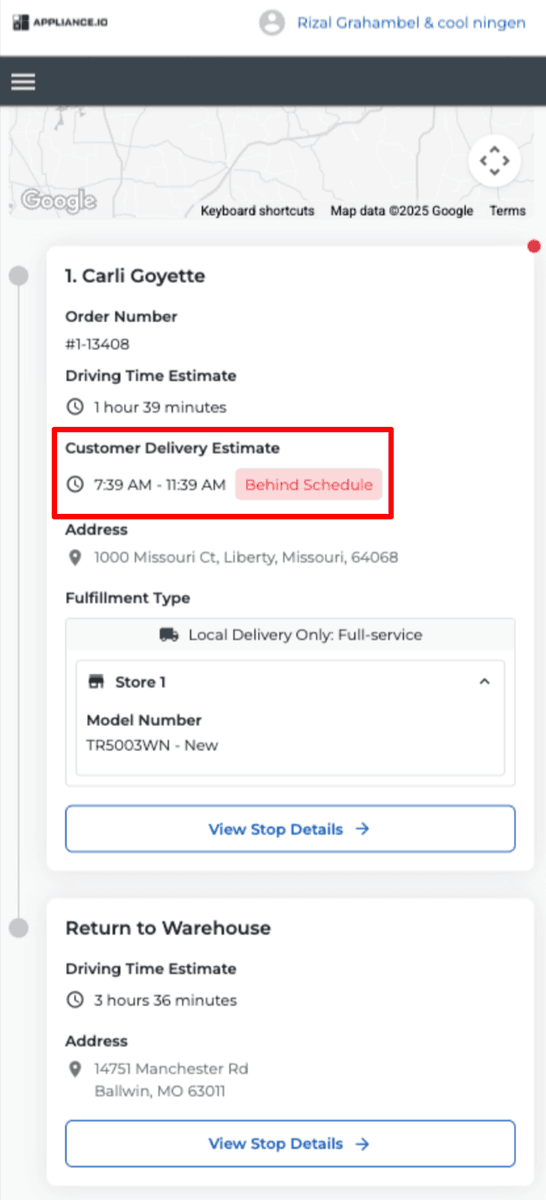
Drivers can now see Customer Delivery Estimate directly in their app — plus a clear visual warning if they’re running late. No more guesswork, no more missed expectations.
🛠️ Why this matters:
Before, drivers could only see ETAs, not the actual Customer Delivery Estimate. This meant they had no idea if they were behind schedule — leading to unhappy customers and extra support volume. Now they’ll know at a glance.
Here’s what you’ll see:
Each stop card now shows the Customer Delivery Estimate
If a stop is behind schedule, it’s flagged in red with a “Behind Schedule” label
🎯 Perfect for:
Drivers who want to stay on track and manage expectations proactively
Reducing late delivery complaints and support requests
Keeping operations informed and responsive
🚨 Heads up!
This feature doesn’t change routing logic or ETAs — it’s all about visibility. If the current time passes the delivery window, we’ll flag it visually, but routing remains unchanged.
⏱️ Proactive drivers = Happier customers. This is a simple change with a big impact.