Platform feature update completed on May 22nd, 2025
New
Sales Tax
Settings
August 11, 2026
🚚 New! Smarter “Share Your Delivery Experience” Notifications
We’ve upgraded your feedback request game! Now you’re in control of when and how customers are asked about their delivery.
✏️ Clearer Title
"Share Your Feedback" is now "Share Your Delivery Experience" — no confusion, just clarity. This shows up everywhere: Email and SMS Notification Settings.
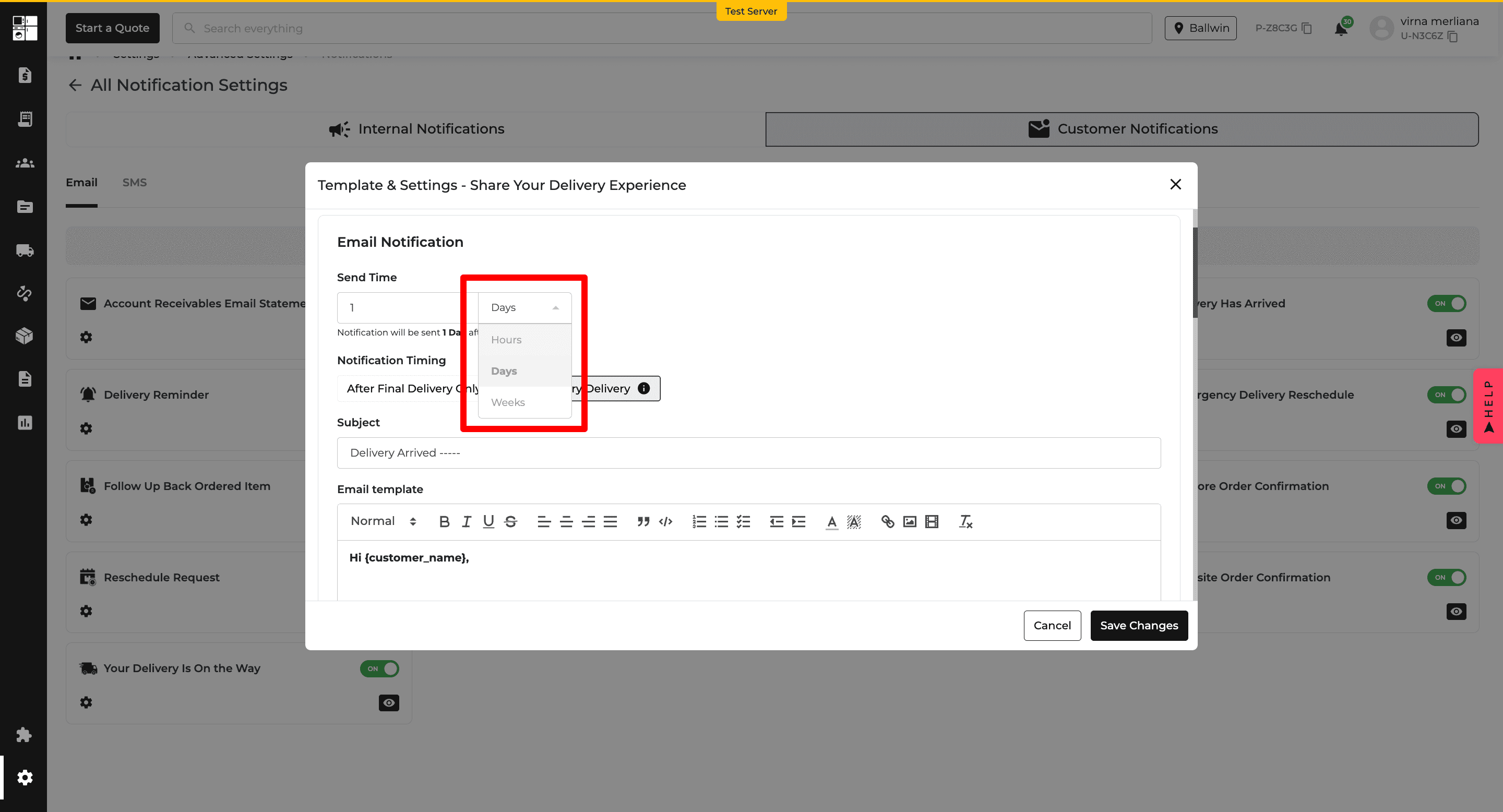
⏰ Control When Notifications Are Sent
Send feedback requests after delivery, not just 2 minutes after the order.
Pick from:
Hours, Days, or Weeks
Default: 1 hour after delivery
Set to 0 to send it instantly ⚡
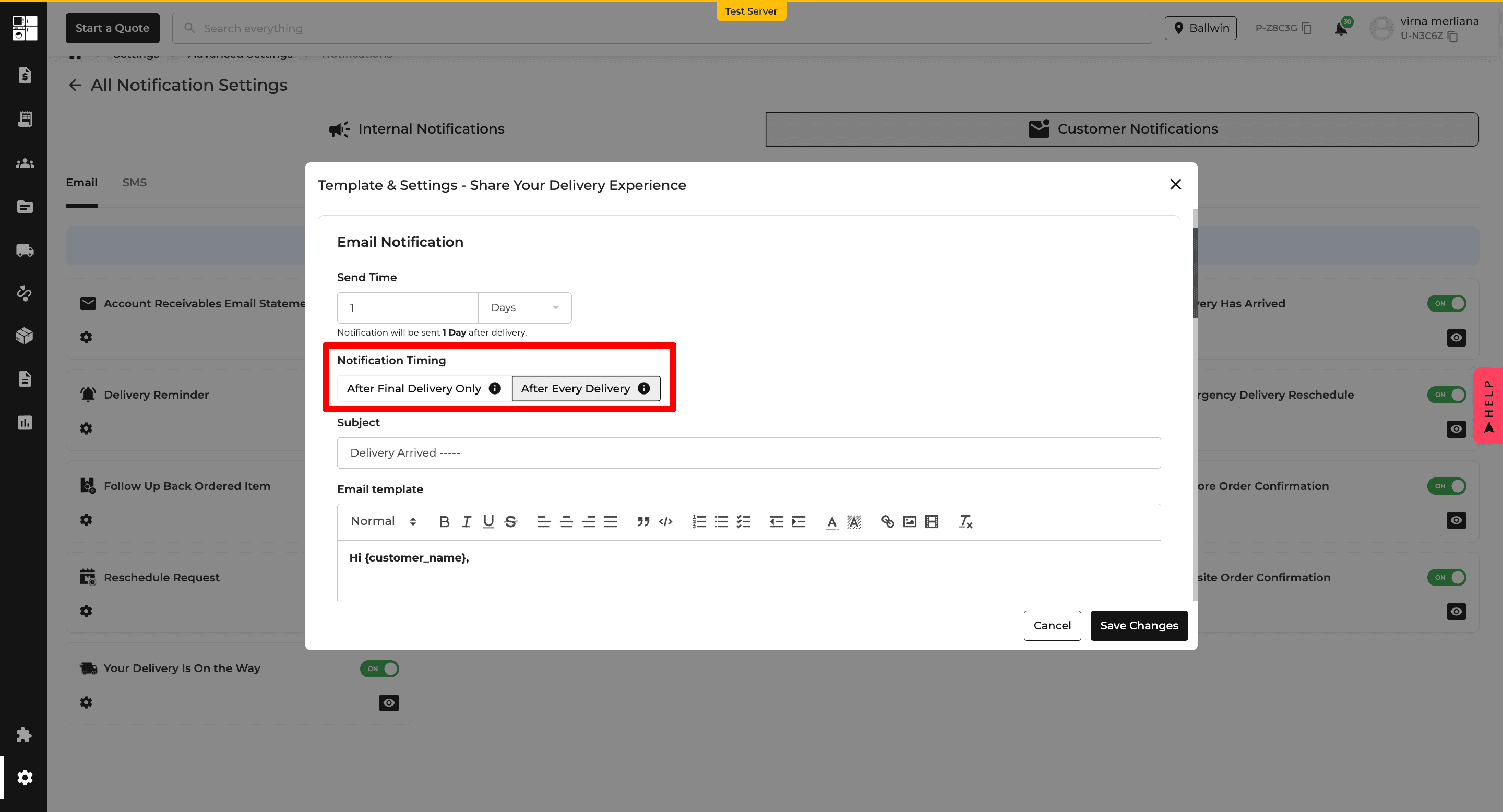
📦 Choose Which Deliveries Trigger the Request
Some customers have one big delivery, others get split deliveries. You get to decide how you want to handle it:
After Final Delivery Only – The notification will be sent after everything’s delivered. This is best for complete delivery feedback.
After Every Delivery – The notification will be sent after each delivery. Great for checking in at each step.
Tooltips are included so you always know what you're picking.
🔒 Built-In Smarts
Handles system downtime 💻
Blocks weird inputs 🚫
Manages multiple deliveries cleanly 📦
Your feedback process = smarter, clearer, and 100% in your hands. 🙌


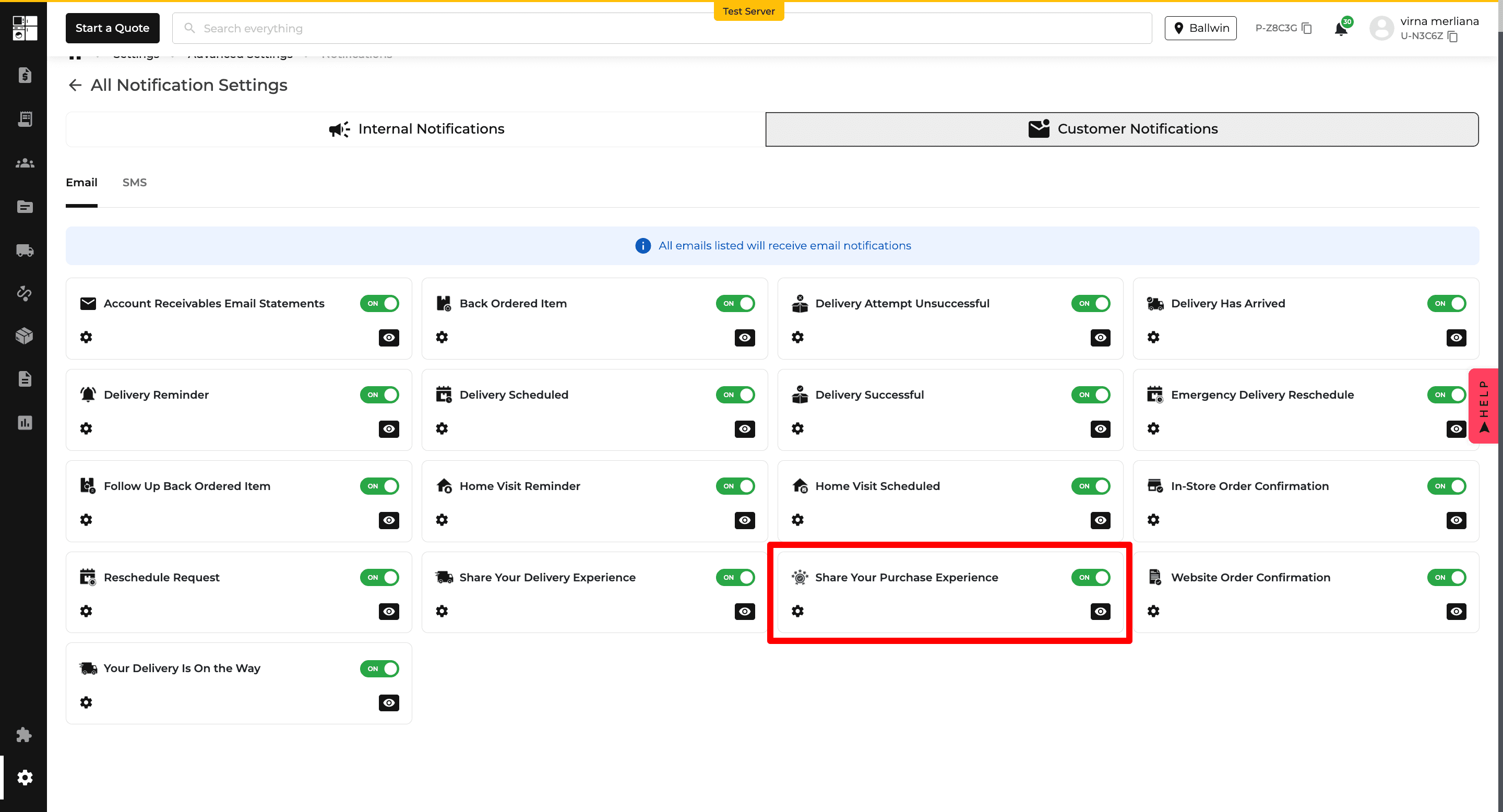
🎉 New Feature: "Share Your Purchase Experience" Notifications
We’ve just made it even easier to collect feedback from your happy customers—now introducing the ✨ Share Your Purchase Experience ✨ notification!
📬 What’s New?
You can now automatically send a post-purchase follow-up via SMS or Email, asking customers to share their thoughts on their new product. Think of it as a gentle, well-timed “How’s it going?” that helps you gather valuable insights.
💡 What You Can Do:
Customize the timing: Send it in Hours, Days, or Weeks after delivery (default = 30 days).
Want it to go out right away? Set the time to 0.
Edit the subject & message just like other notifications.
Use dynamic placeholders to personalize (like customer name, product, etc.).
You can even choose if the message comes from the salesperson for a personal touch.
📢 Why it matters:
More feedback = better insights = happier customers.

🎉 Credit Line Update: New Credit Term Option – NET 15 is Here!
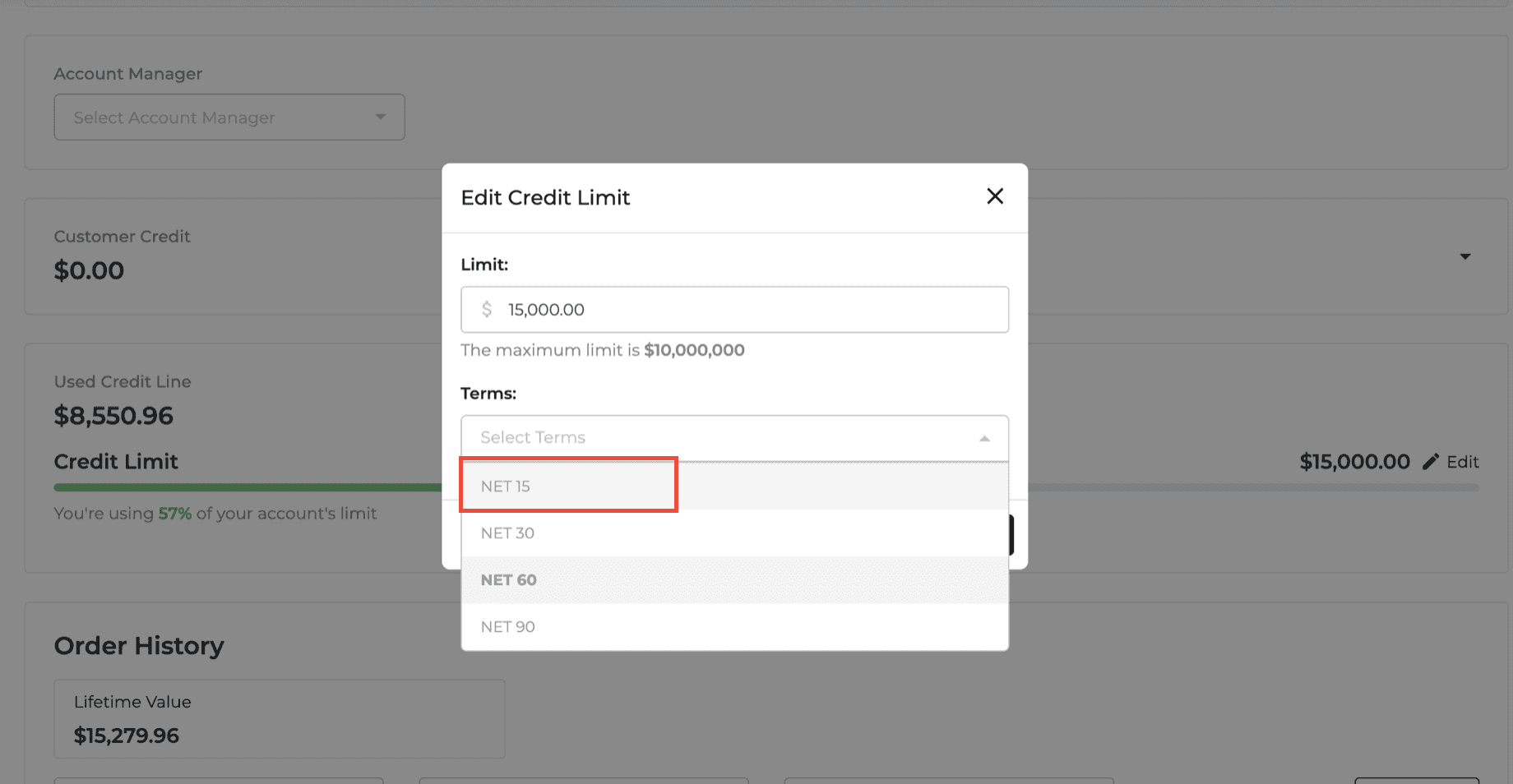
You asked, we listened! We’ve added NET 15 to the Terms dropdown when editing a customer's credit limit. That means you now have more flexibility when setting payment terms — perfect for customers who want faster payment cycles!
🛠️ Where you’ll see it:
Head over to the Customer Details page and open the Edit Credit Limit modal. You’ll now find NET 15 alongside NET 30, NET 60, and NET 90.
✅ What you can do now:
Select NET 15 as a term, just like the other options.
Save it — and it sticks. No weird bugs.
Due dates will automatically update to match the new 15-day term.
📢Why it matters:
Some customers need quicker payment cycles to align with their business. Now you can support that with just a few clicks!

🧹 Clean Up That Clutter!: New Filters in Customer Order History
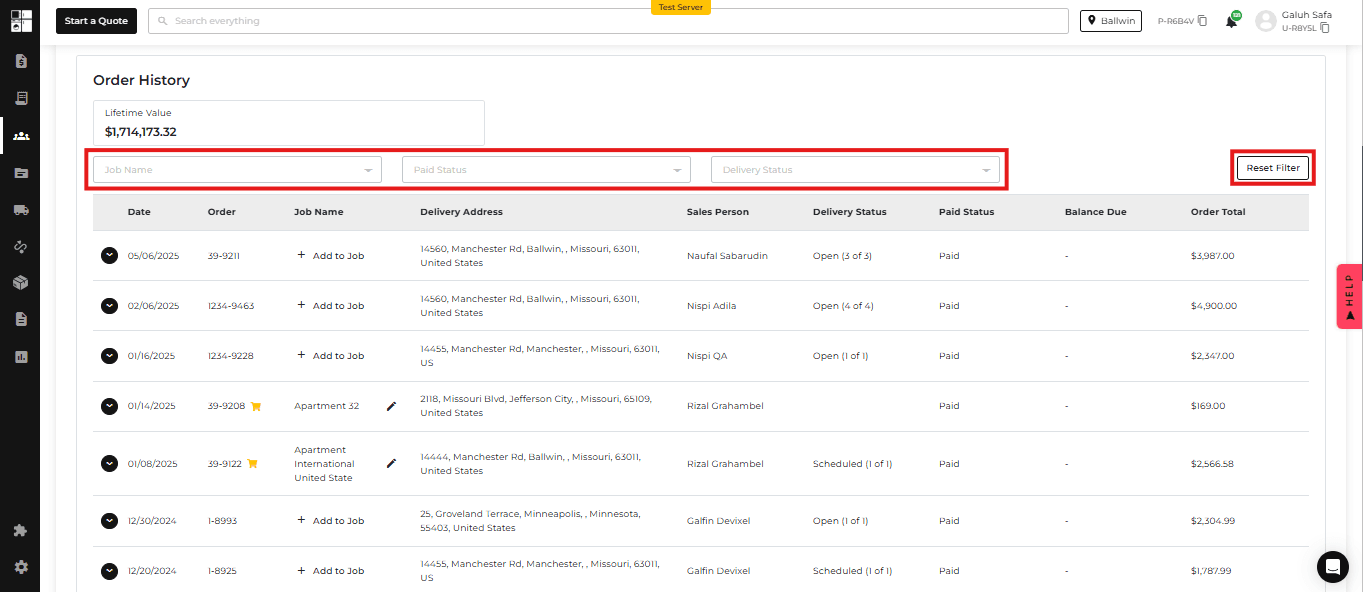
We heard you! Scrolling through a giant, messy list of customer orders was not the vibe, especially for those of you managing big accounts. So, we gave the Order History section a makeover. 🎉
🚀 What's New?
🔍 Smart Filters
You can now filter customer orders by:
Paid Status (Due, Paid, Returned)
Delivery Status (Open, Scheduled, In Transit, Delivered, Returned)
Job Name (custom to your account)
Each filter is multi-select and dynamic, so you can mix, match, and zoom in on exactly what you need—fast.
♻️ Reset Button
Made a filter mess? Hit the new Reset button (top-right) to clear everything in one click. Back to a clean slate!
📍 Right Where You Need It
Filters live right below the Lifetime Value box on the Customer Detail page, keeping things intuitive and easy to find.
✅ Why It Matters
No more digging through endless lists. Find exactly what you need in seconds and get back to what you do best—serving your customers.
Happy filtering! 🧠✨