10 minutes read
All-in-One Appliance Retail Management Software: The Complete Guide for Dealers

Michael Brennecke
Client Success Manager
Most appliance dealers run their business across three to five different systems that were never designed to talk to each other. There's the POS for ringing sales, a spreadsheet (or two) for tracking inventory, a calendar app for scheduling deliveries, and whatever the website platform pushes for eCommerce.
When all of those are separate, every sale creates a coordination problem. Someone has to update inventory manually after a sale closes. Someone has to call the warehouse to confirm the unit is actually there. Someone has to check whether the delivery slot is still open.
That's not a workflow problem. That's a structural problem with how most appliance retailers have built their tech stack. It compounds daily. An all-in-one appliance retail management software platform replaces those disconnected pieces with a single system where the sale, the inventory, the delivery, and the customer record all share the same data in real time.
Appliance.io is built specifically for this: a platform that connects your POS, Delivery Planning, Inventory, Website Builder, and payments in one place, designed from the ground up for appliance dealers, not adapted from a generic retail template. This guide covers what that looks like in practice, what to watch for when evaluating platforms, and how to switch without disrupting the business you've already built.
Why Generic Retail Software Breaks for Appliance Dealers
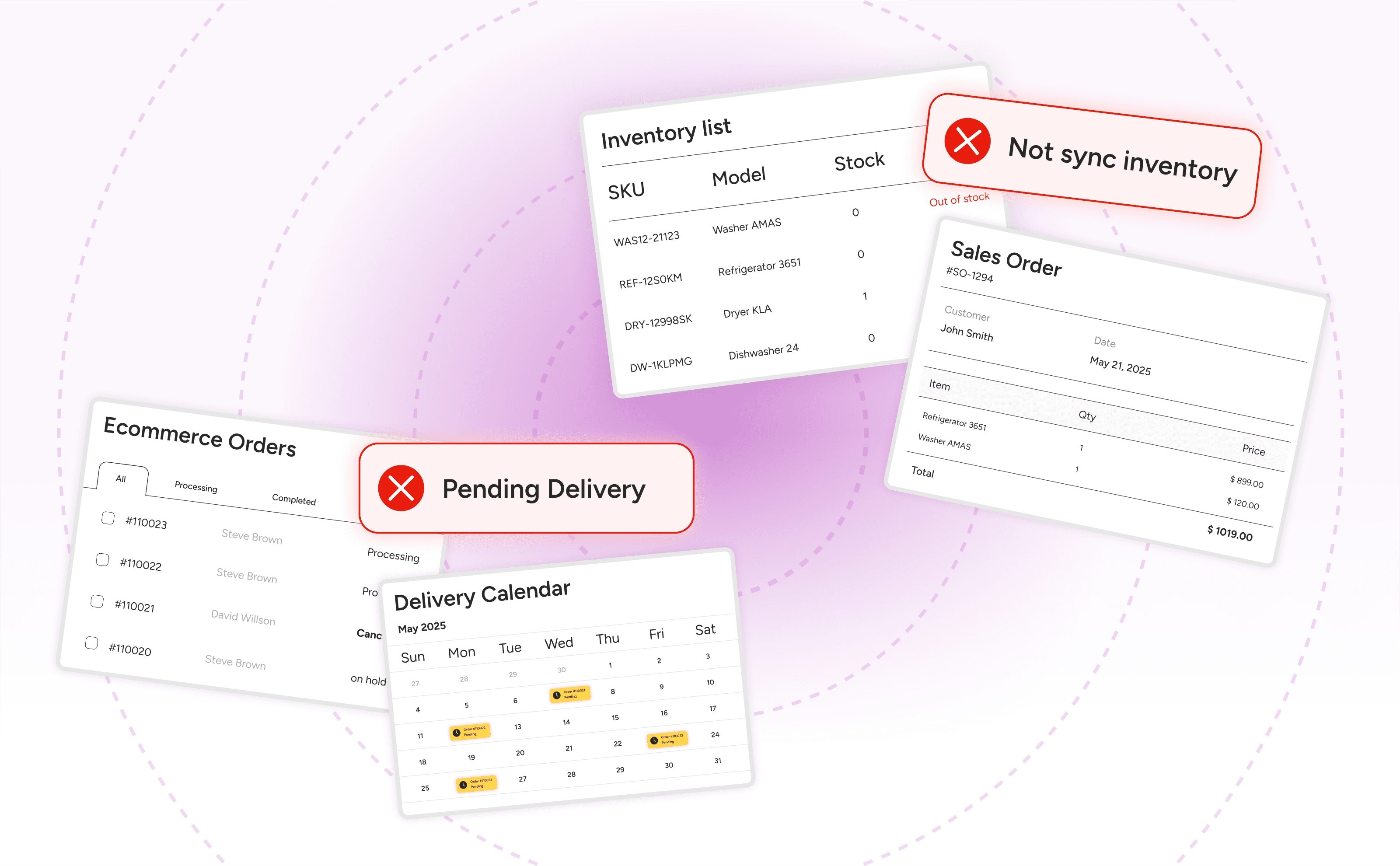
A general-purpose retail POS is built around a core assumption: when an item sells, the quantity decreases by one, and the transaction is complete. For a clothing store or a hardware shop, that assumption holds. For an appliance dealer, it breaks immediately.
Appliance retail has a different operational structure. The moment a customer agrees to buy a refrigerator, the real work begins. You need to confirm which specific unit is available, not just whether the model is in stock. You need to schedule a delivery window that accounts for the customer's availability, your delivery crew, and the route. If the customer is replacing an old unit, you need to track haul-away. If the appliance requires installation, that goes on the job ticket too. The transaction isn't finished at the point of sale. It's just started.
Generic retail software treats all of this as post-sale noise. The best it offers is a notes field. Appliance dealers end up building workarounds: a delivery calendar that doesn't connect to the POS, a separate spreadsheet for serial number tracking, a phone call to the warehouse to confirm what's actually on the floor. Each workaround adds a person-hour of risk to every sale.
The breaking point for most dealers is the first time a unit that's "in stock" in the POS is actually sold, not yet delivered, and already promised to a second customer. Generic software can't prevent that. Purpose-built appliance retail software is designed specifically to make it impossible.
The Serialized Inventory Problem Every Appliance Retailer Faces
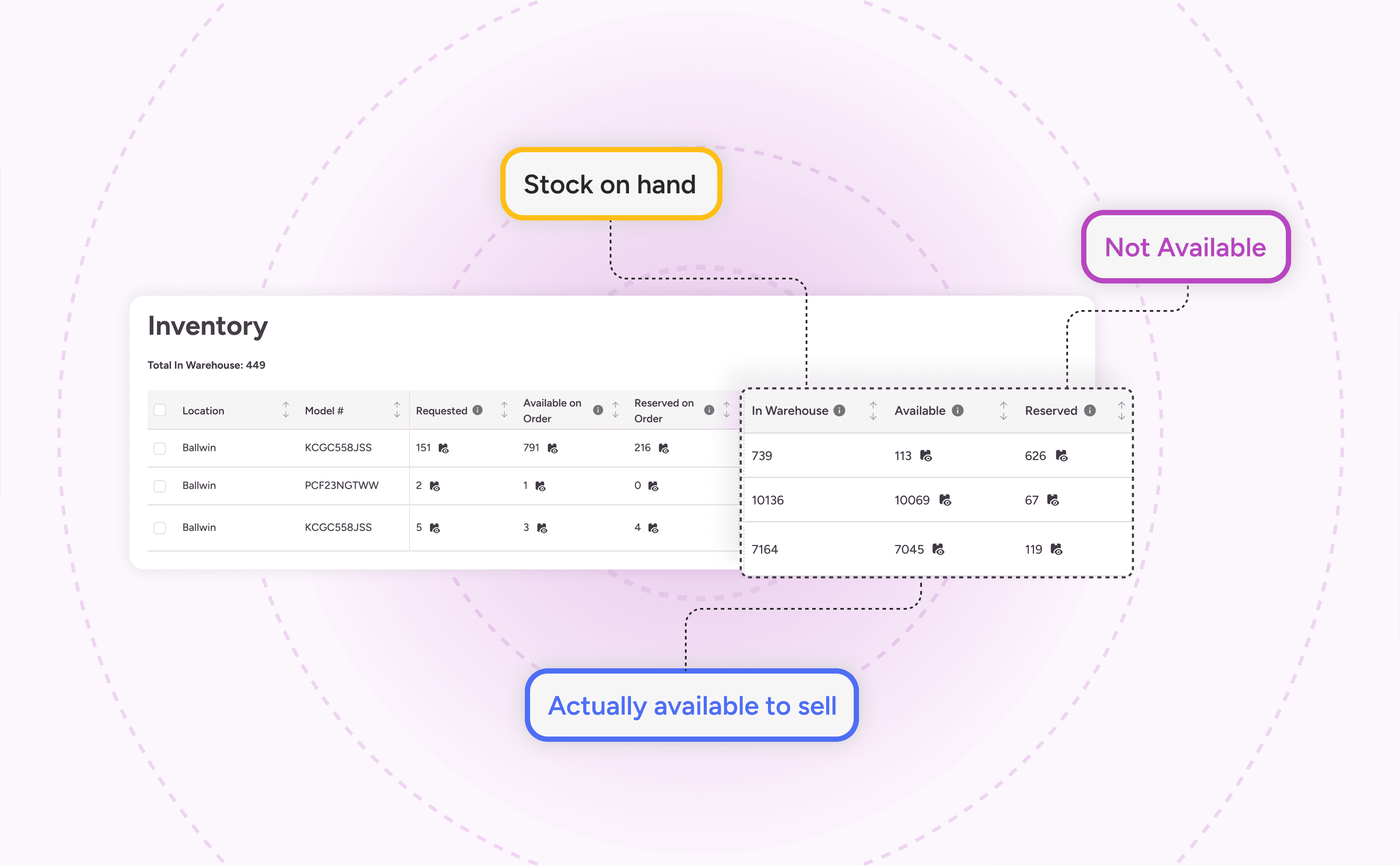
Appliance inventory isn't like apparel inventory or hardware inventory. A model might have 12 units in stock, but those 12 units aren't interchangeable for operational purposes. Each one has its own serial number, its own physical location, its own status: available for sale, committed to an order, being held for a customer, in transit from a distributor, or already on a delivery truck.
Tracking at the model level tells you how many units you have. Tracking at the serial level tells you which ones you can actually sell today, which ones are promised, and which ones are moving.
The full lifecycle of a single unit looks like this: it enters your system when the purchase order is created, gets a serial number when it arrives in receiving, moves to a specific location in your warehouse or showroom floor, gets committed to a sale order, appears on a delivery manifest, transfers to a customer's home, and then connects to any future service history under that serial number. Every step in that chain needs to be visible in one place.
When the delivery scheduler is separate from the POS, a unit can show as "in stock" in one system and "committed" in another simultaneously, with no mechanism to reconcile the gap until a customer calls to ask where their appliance is. That's also where service departments lose history: a technician working a warranty call can't see the original sale record because it lives in a different system.
Managing New, Used, and Scratch and Dent Simultaneously
Independent appliance dealers rarely stock only new units. A significant portion of most independent dealers' inventory is manufacturer-refurbished, lightly used, or scratch and dent -- priced and positioned differently, but tracked in the same physical space.
Generic retail software handles this poorly because it's built for uniform SKU conditions. When condition matters (and in appliance retail, condition determines price, warranty eligibility, and customer expectations) every unit needs a condition attribute at the serial level, not just the model level. A scratch and dent side-by-side refrigerator shouldn't be sellable at the full-price new-unit rate, and the software should enforce that distinction automatically, not rely on a salesperson remembering to check a separate spreadsheet. Appliance.io handles all three inventory types -- new, used, and scratch and dent -- within the same system, each unit tracked by serial number with its own condition flag and pricing rule enforced at the point of sale.
Delivery Logistics: From Sale to Front Door

Appliance delivery is a logistics operation that happens to follow a retail sale. Between the moment a customer says yes and the moment the truck pulls into their driveway, there are a series of coordination steps that a general retail platform has no framework to handle.
Scheduling the delivery window is the first step, and it needs to happen while the customer is still in front of you -- or on the phone, or completing an online order. That window connects to your delivery crew's availability, to the geographic routing of that day's jobs, and to the unit's readiness status in the warehouse. A delivery scheduler that's disconnected from the sale order means someone manually re-enters the address, the unit, and the delivery window into a separate calendar after the sale closes. That manual step is where errors enter.
The delivery record for a single job should contain the serial number of the unit being delivered, the customer's address and contact information, the scheduled window, the driver assignment, any installation requirements, and any haul-away details -- all pulled automatically from the sale order, not re-entered by hand.
Consider what happens when a sale changes after the initial booking: the customer calls to push the delivery back a week, or asks to add a second unit to the same drop. In a disconnected system, that change has to be updated in the POS and the delivery calendar separately. If one gets updated and the other doesn't, the driver shows up with the wrong information. In a unified system, one update propagates everywhere.
Once the truck is on the road, Appliance.io's Driver App surfaces the full job record to the driver's mobile device: serial number, customer address, delivery window, haul-away details, and installation requirements. It captures delivery confirmation with photos, customer signature, and serial number scan at the door. That confirmation closes the delivery status in the main system automatically, without anyone back at the store updating a record manually.
Haul-Away and Installation: The Coordination Layer Most Software Ignores
When a customer buys a new washing machine and the old one needs to go, that haul-away isn't an afterthought. It's a required part of the delivery. The driver needs to know before arriving that they're taking something out, not just dropping something off. The truck needs to be loaded accordingly. And the haul-away unit needs to be tracked separately, whether it goes to a recycling partner, a refurb program, or a disposal site.
Most scheduling tools in generic retail platforms capture this with a text note at best. Purpose-built appliance software builds haul-away into the job record as a structured field, connected to inventory management for any refurbish-eligible units, and visible to the driver in the app before they leave the warehouse.
Installation requirements work the same way. If a dishwasher requires a licensed plumber or an electric range needs a 240V outlet confirmed at the job site, those requirements should live on the delivery record where the scheduler can see them before dispatching. Not discovered by the driver on arrival.
Omnichannel Syncing Without the Manual Reconciliation
Appliance retail increasingly happens across more than one channel. A customer finds the model online, visits the showroom to see it in person, and places the order in-store -- or completes the whole transaction from their phone. In 2026, that's not an edge case. It's a growing portion of how independent dealers close sales.
The operational challenge is inventory accuracy across channels. When the same unit exists simultaneously on your showroom floor and on your website, one of two things has to be true: the inventory is shared in real time, or someone is manually reconciling the two. Manual reconciliation fails at the worst moments -- a busy Saturday when a floor unit sells while the website is showing it available and an online customer places an order for it twenty minutes later.
Real-time sync between in-store POS and eCommerce inventory isn't a luxury feature. It's the foundation that makes multichannel selling operationally viable. Appliance.io's Website Builder keeps inventory in sync with the in-store POS in real time. When a unit is sold, reserved, or pulled from the floor, the website updates immediately, not overnight.
The same applies to manufacturer pricing updates. When a distributor changes the MSRP on a model line, that change propagates through the catalog automatically, updating both the in-store price display and the website, not requiring a person to manually update 40 product pages.
Switching Without the Risk: What Data Migration Actually Looks Like
The most common reason appliance dealers stay on software they've outgrown is fear of migration. That fear is rational. A poorly planned switch can disrupt delivery schedules, lose customer records, and create inventory discrepancies that take months to reconcile. But the fear is also frequently overstated, and understanding what a structured migration actually involves makes the decision clearer.
The data that needs to move from your old system to a new one falls into a few categories: active customer records, current inventory with serial numbers, open purchase orders, pricing and catalog data, and any pending sales or delivery orders. Historical data (closed orders, old service records, archived customers) typically doesn't need to migrate at all. It can be exported and archived separately. The scope of a migration is almost always narrower than dealers expect.
The real risk is in the mapping. Your legacy system stored data in a particular structure. The new system has its own structure. If those don't align cleanly (different serial number formats, different customer record fields, different condition codes) the mismatch has to be resolved before data moves, not after. A platform that provides dedicated migration support with a structured data mapping process reduces that risk significantly. One that just hands you an import template and says good luck does not.
Timing matters too. A migration that goes live the week before a major sales period carries a different risk profile than one planned for a slower month. Purpose-built implementation support includes planning the cutover date around your business calendar, not just around the software team's availability.
What to Migrate and What to Leave Behind
A clean migration moves active records and leaves historical clutter behind. The working definition of "active" for most appliance retailers: customers who've transacted in the past 18 to 24 months, inventory that's currently in stock with serial numbers, open POs with expected receipt dates, and any in-progress sales or deliveries.
Closed orders, resolved service tickets, and inactive customers from five years ago can be exported as a read-only archive and stored outside the new system. Carrying that data into a fresh platform adds migration complexity without operational benefit, and it gives you a cleaner starting dataset in the new system.
Most dealers who've been through a migration report that the records they were most worried about losing were the ones they never actually needed after the switch.
Starting Fresh: Why New Store Owners Should Choose Cloud-First
For a dealer opening their first location, the software decision looks different than it does for someone switching. There's no legacy data to migrate, no established workflow to protect. The risk isn't disruption. It's choosing a foundation that creates problems at scale.
The cost of the wrong first platform doesn't show up immediately. It shows up 18 months later when you're trying to add a second location and discover the system requires a dedicated on-premise server at each site. Or when you want to launch a website and realize the POS has no integration path. Or when your accountant asks why the inventory numbers in your POS don't match what's on the shelves.
Cloud-first deployment removes a category of problems before they start. There's no on-premise server to configure, maintain, update, or replace when it fails. Software updates happen automatically. New registers or locations come online without an IT project. If you operate from multiple locations (or plan to add one) the entire operation stays visible from one dashboard without a site-to-site sync configuration.
Payments are the area where new store owners most frequently build in friction unnecessarily. An integrated payment processor that's part of the same platform (not a third-party integration requiring a separate contract, separate support line, and separate reconciliation) means PCI DSS compliance is built into the infrastructure from the start, not bolted on later.
Electronic Shelf Labels (ESL) are another area where cloud-native software pays dividends. When pricing updates in the system, the shelf tag updates automatically. No staff member needs to walk the floor with a label printer. For a new store owner setting up a showroom for the first time, having live pricing on the floor from day one is a competitive capability that older, on-premise systems typically can't offer.
What to Look for in an All-in-One Platform
Evaluating appliance retail management software comes down to seven operational criteria. A platform that checks all seven handles the full scope of what appliance dealers actually do.
Serialized inventory with condition tracking -- tracks individual units by serial number and condition (new, used, scratch and dent) through every stage from PO to delivery
Delivery scheduler connected to the sale order -- delivery records pull directly from the sale, including serial number, customer address, driver assignment, haul-away flag, and installation requirements
Real-time website and POS inventory sync -- inventory status updates across channels the moment a unit is sold, reserved, or removed
Integrated payments -- not a third-party bolt-on; built into the platform with PCI DSS compliance as a baseline
Distributor and buying-group agnostic -- connects to ADC, DMI, CPS, and other distributor feeds without locking you into a single supplier relationship
Cloud-native deployment -- no on-premise server requirement; new locations and registers go live without IT projects
Structured migration support -- includes data mapping, cutover planning, and dedicated implementation guidance, not just an import tool
Key insight: The platforms that generate the most operational risk for appliance dealers aren't the ones with missing features. They're the ones that handle 80% of the workflow and leave the remaining 20% to manual processes that compound into errors over time.
Get Your Appliance Store Running on One Platform
Appliance.io is built specifically for the operational reality of appliance retail: serialized units, routed deliveries, real-time website sync, and integrated payments, all in one system. Whether you're replacing a patchwork of disconnected tools or setting up a new store, Appliance.io gives you a platform that handles everything from the first sale to the delivery confirmation.
See how it works for your store. Request a demo at appliance.io.